
Executive Summary
es3n1n is the author of no-defender, a tool that disabled Windows Defender by calling Windows Security Center (WSC) COM APIs while posing as an authorized security provider. After a DMCA takedown removed the original repository, a request to rebuild a clean re-implementation sparked a four-day reverse engineering sprint—conducted almost entirely from a vacation in Seoul, Korea, on an ARM64 MacBook with Parallels, across two remote Windows VMs and a 210 ms transatlantic link. The result is defendnot: a new open-source tool that deregisters any installed antivirus from Windows Security Center.
This article is a day-by-day engineering diary of that process. The author traces each layer of WSC’s caller-validation stack: the initial COM RPC call that returns access denied for unsigned callers, the Process Protection Level (PPL) gate on the calling binary, the WinDefend SID token membership check inside WscServiceUtils::CreateExternalBaseFromCaller, the failed impersonation detour, the secondary signature and DllCharacteristics.ForceIntegrity validation path in CSecurityVerificationManager::CreateExternalBaseFromPESettings, and finally the discovery that Taskmgr.exe satisfies all requirements—making it a perfect host process for an injected registration DLL.
A One-Year Step Back
About a year before this adventure, es3n1n published no-defender—a tool that leveraged undocumented WSC COM interfaces to deregister Windows Defender and register a fake antivirus in its place, causing the Windows Security Center to report the system as “protected” by a non-existent product. The project accumulated roughly 1,500 GitHub stars before an antivirus vendor filed a DMCA takedown notice. GitHub complied, the repository was removed, and that version of the project was gone.
How It Started
On May 4, 2025, while vacationing in Seoul with an M4 Pro MacBook—deliberately leaving the x86 development machine at home—es3n1n received a message from a researcher called MrBruh asking about recreating a clean implementation of the no-defender concept. The question opened a rabbit hole that consumed the rest of the vacation.
Day 1 — Initial Research
The first step was examining the WSC service and its COM interfaces. Within about an hour of rebuilding the antivirus SDK implementation and spinning up ARM64 Windows inside Parallels, the initial call to register an AV provider returned an access denied error.
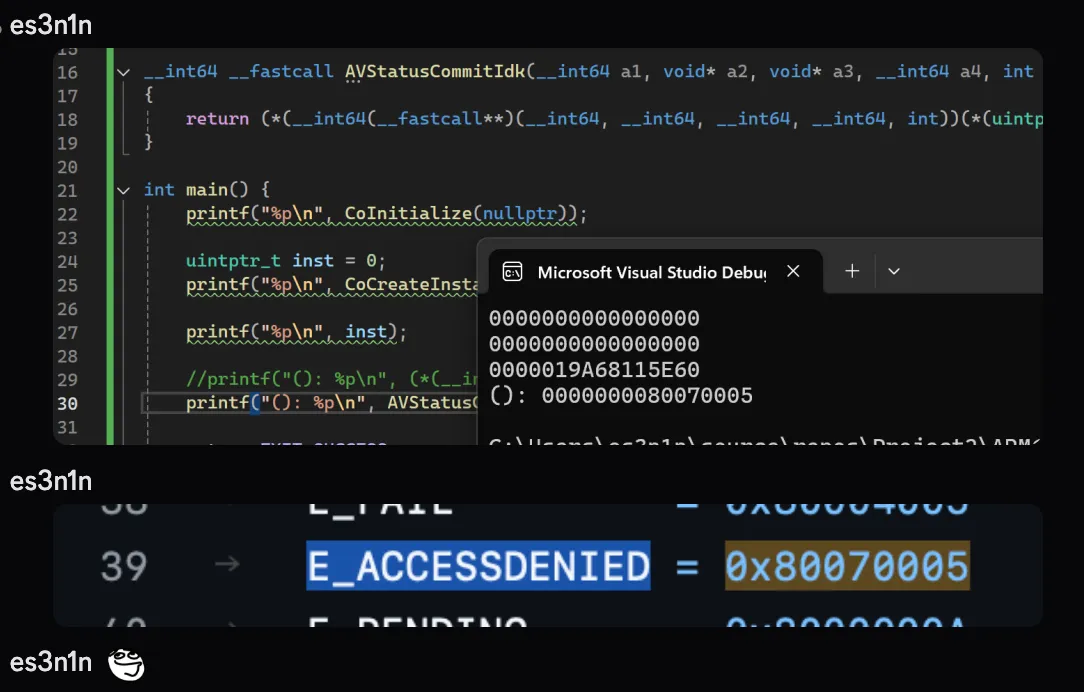
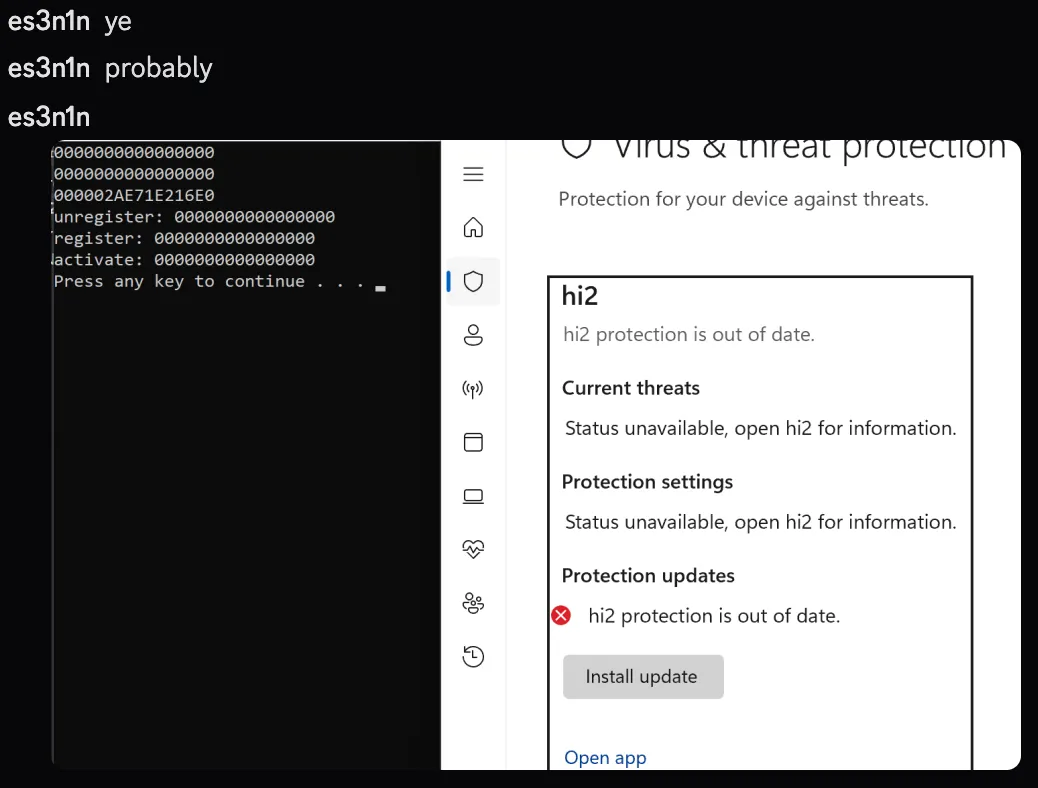
The hypothesis was that WSC validates the calling process’s signature. To test it, the approach shifted from a standalone tool to a DLL injected directly into the antivirus’s own process. Running the WSC registration call from inside the AV’s address space succeeded immediately. Updating the AV status through the returned interface also worked.
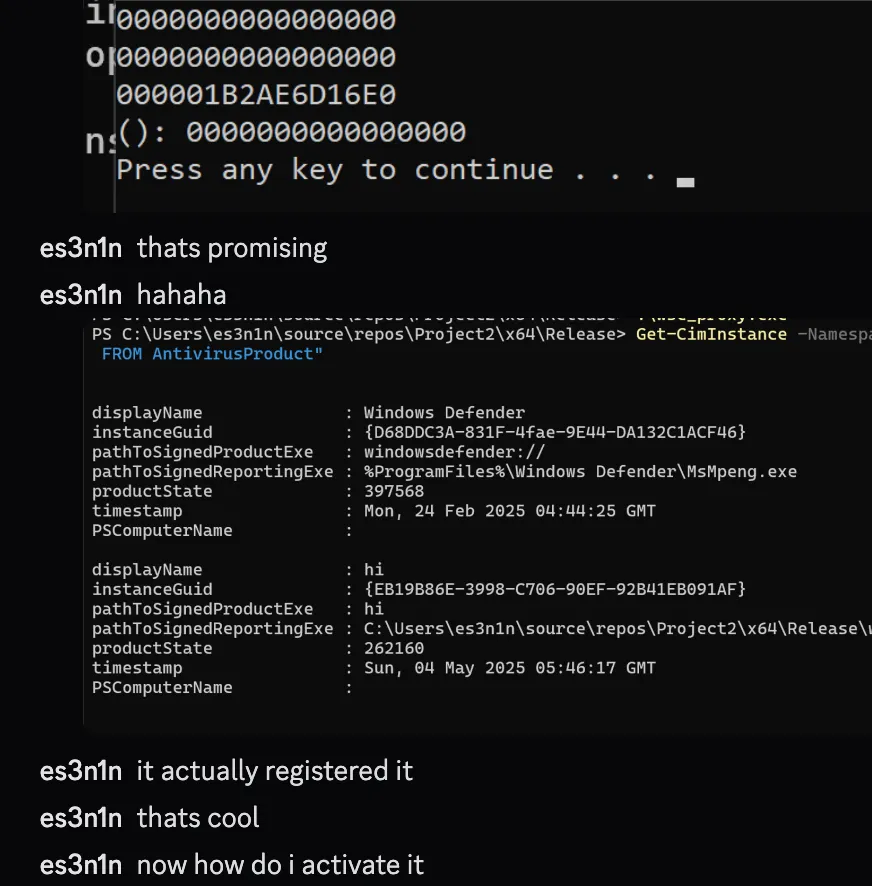
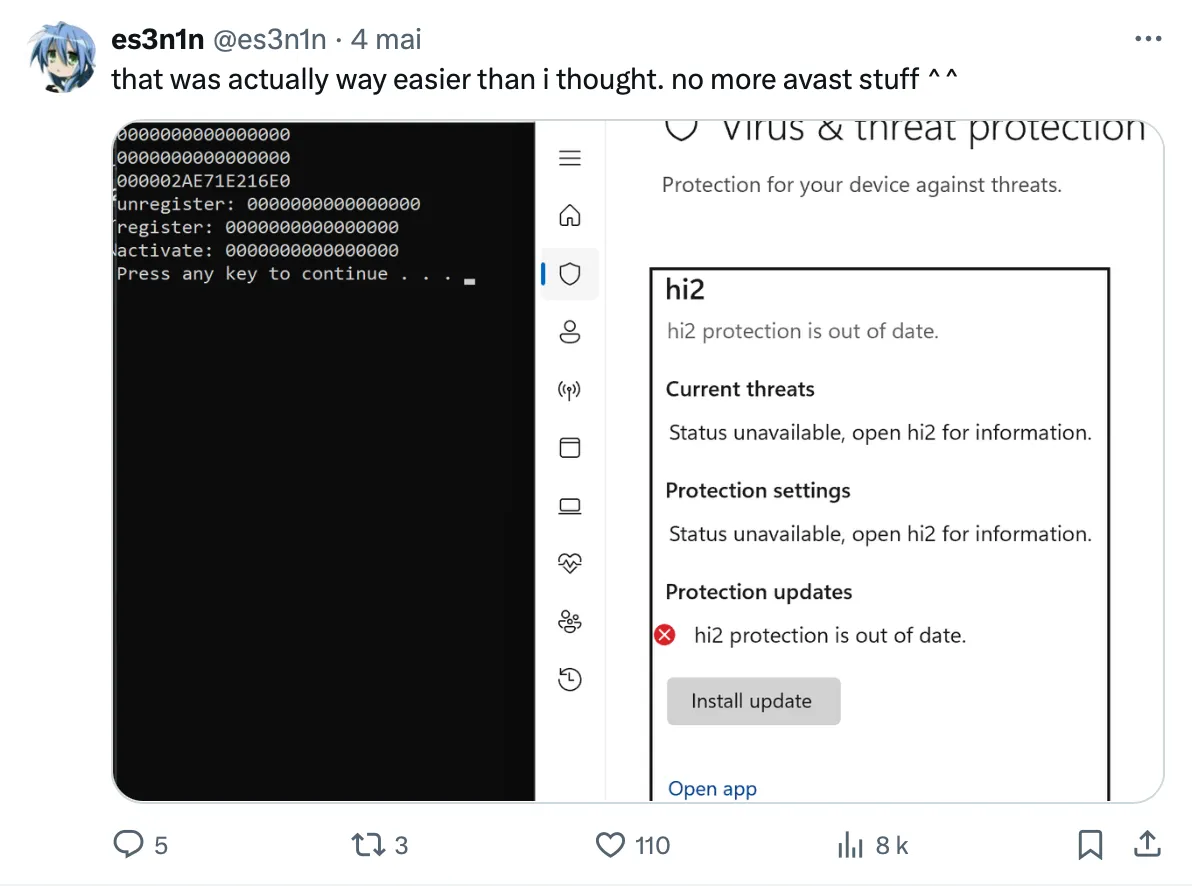
The proof of concept was enough to share publicly. A screenshot and tweet went out showing Windows Security Center reporting no AV installed while the real one was still running.
Day 1 — Eliminating the AV Binary Dependency
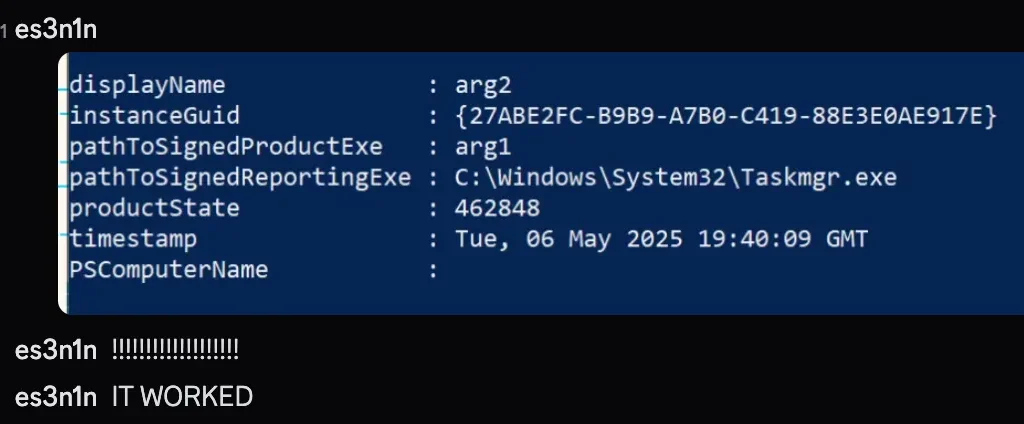
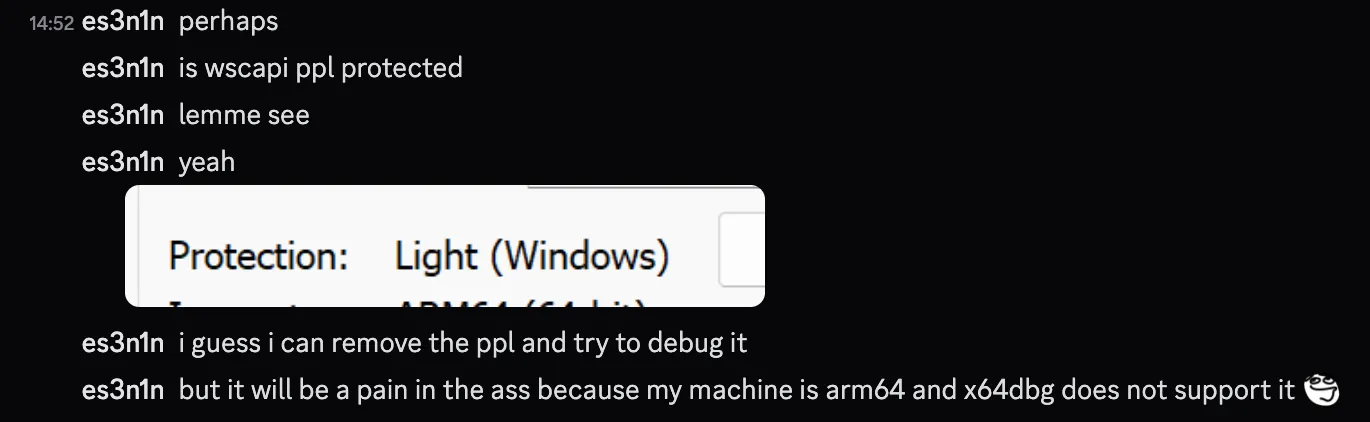
Requiring the victim antivirus binary to be present is a significant operational limitation. The next goal was finding a generic Windows system process that WSC would also accept as a host. The first attempt used cmd.exe, but WSC rejected it. Reverse engineering wscsvc.dll revealed why: the service checks the Process Protection Level of the calling binary, not just its signature.
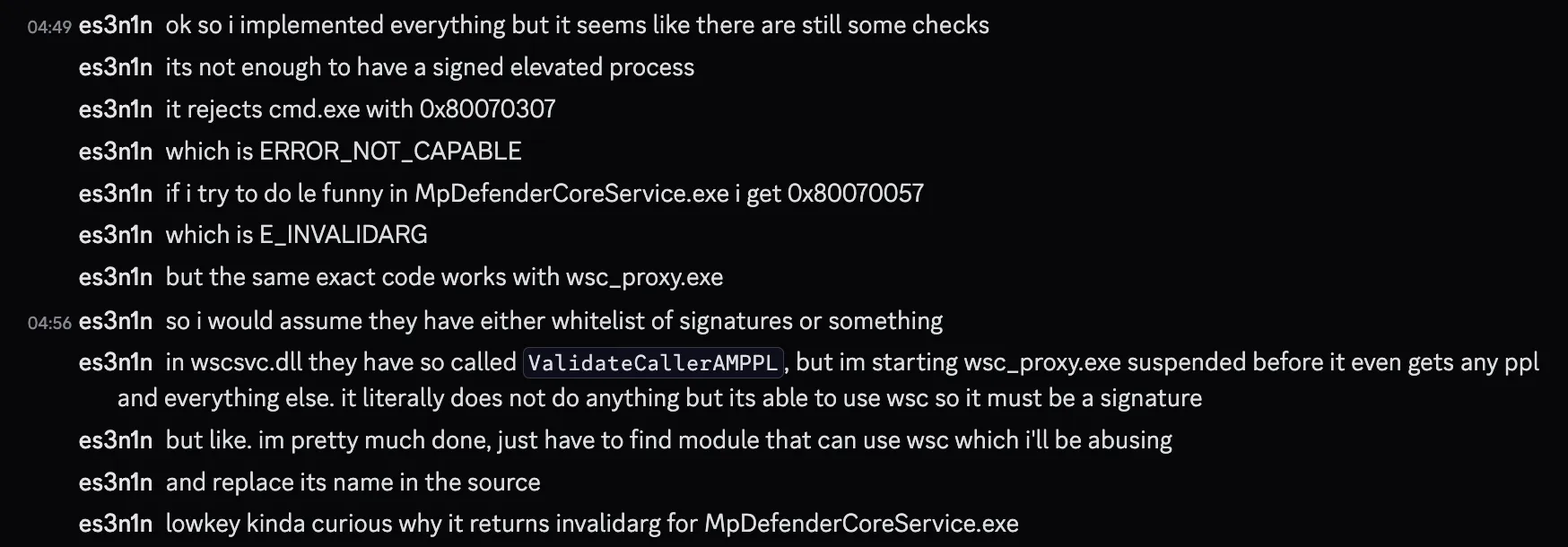
Process Protection Level (PPL) is a Windows kernel mechanism that restricts which processes can open, inject into, or be impersonated by other processes. WSC uses it as a first-pass gate: if the calling process is not PPL-protected, the registration path is rejected before signature checks even run. This moved the problem from “wrong signature” to “wrong protection level.”
Day 2 — Environment Setup
Building and testing on an ARM64 MacBook without a native x86 debugger (x64dbg does not run on ARM64 Windows) required an improvised workflow. A friend named Pindos shared remote access to a physical Windows PC via Parsec, but the latency from Seoul to the United States averaged around 210 ms—high enough to make every debugger interaction painful. The pipeline was: compile with MSVC on ARM64 Windows in Parallels, copy artifacts to a shared folder, transfer them to the remote VM via AnyDesk, then debug interactively over Parsec.
Day 2 — Debugging the WSC Service
To bypass the PPL check, the author loaded a kernel driver that stripped PPL protection from target processes on demand. With PPL removed, deeper tracing into wscsvc.dll became possible. The failure now occurred inside WscServiceUtils::CreateExternalBaseFromCaller. Static analysis there revealed a token membership check against a hardcoded SID:

The decompiled logic impersonates the RPC client and then checks whether the impersonated token is a member of the WinDefend service SID (S-1-5-80-1913148863-3492339771-4165695881-2087618961-4109116736):
v10 = RpcImpersonateClient(ClientBinding);
if ( ConvertStringSidToSidW(L"S-1-5-80-1913148863-3492339771-4165695881-2087618961-4109116736", Sid) )
{
    if ( !CheckTokenMembership(0, Sid[0], &IsMember) )
    {
        IsMember = 0;
    }
    LocalFree(Sid[0]);
}
if ( IsMember )
{
    v8 = (*(__int64 (__fastcall **)(void *, struct CExternalBase **))(*(_QWORD *)a2 + 8LL))(a2, a4);
}
else
{
    // a bunch of some other stuff
}
Only if the token passes the SID check does WSC call the actual registration handler. Any other caller falls through to a secondary path that applies completely different validation logic.
Day 2 — Impersonating WinDefend
The straightforward solution appeared to be impersonating the WinDefend security principal before making the RPC call, so that the token membership check would pass. The author spent three hours studying Windows token mechanics and built an implementation that set up a WinDefend-matching token for the calling thread.
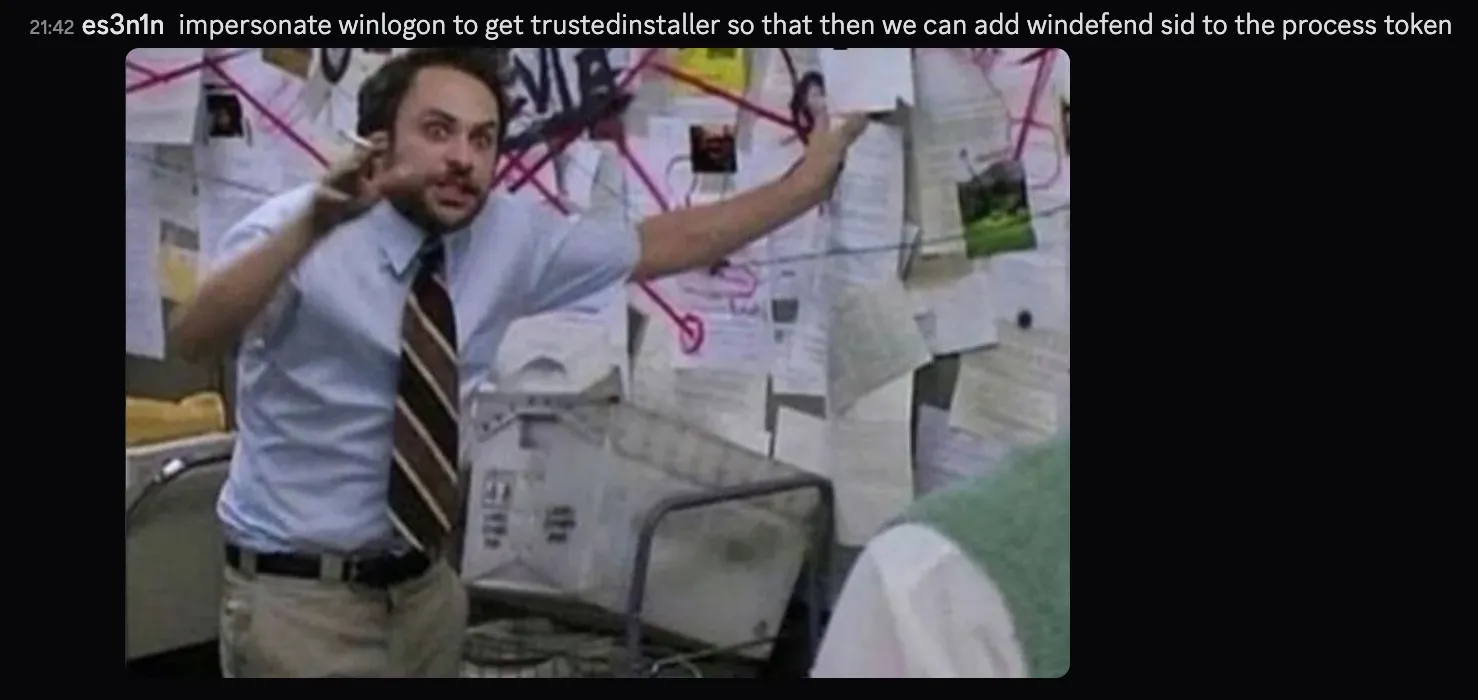
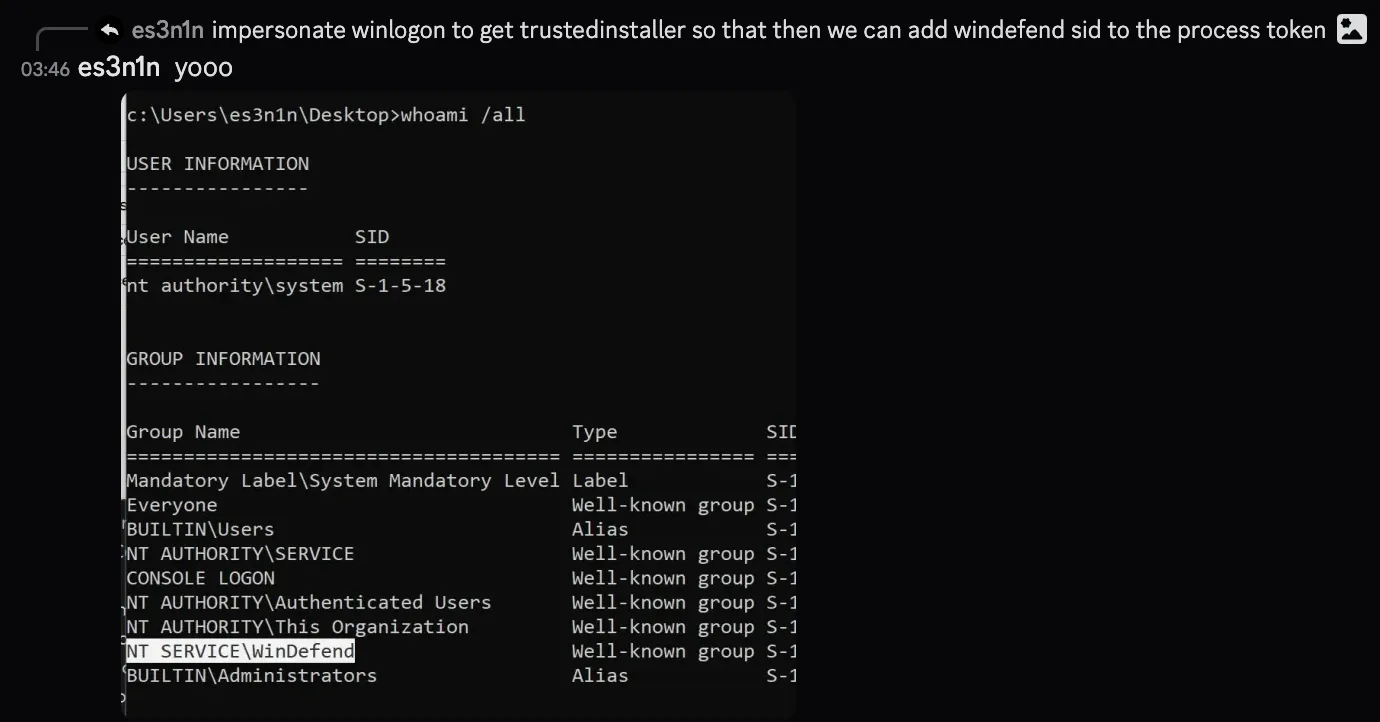
The call returned STATUS_SUCCESS. But no antivirus registration appeared in Windows Security Center.

Day 3 — Rebuilding the Validation Algorithm
Re-examining the trace revealed the mistake: the WinDefend SID check had never actually passed for the original antivirus binary either. Instead, the “else” branch of that check led to CSecurityVerificationManager::CreateExternalBaseFromPESettings, which applies two separate validations to the calling binary’s on-disk PE image:
- ForceIntegrity flag: the
DllCharacteristicsfield of the PE optional header must have bit 7 set (IMAGE_DLLCHARACTERISTICS_FORCE_INTEGRITY, value0x80), indicating the binary was signed with a certificate that enforces integrity checking at load time. - Signature hash: the binary’s public key is hashed via
CryptHashPublicKeyInfoand the result is stored against a known-good list. This means an arbitrary self-signed binary cannot pass even if ForceIntegrity is set artificially.
/// Check DllCharacteristics flag
FileW = CreateFileW(a2, 0x80000000, 1u, 0, 3u, 0x8000000u, 0);
FileMappingW = CreateFileMappingW(FileW, 0, 2u, 0, 0, 0);
v12 = MapViewOfFile(FileMappingW, 4u, 0, 0, 0);
v14 = ImageNtHeader(v12);
v6 = SLOBYTE(v14->OptionalHeader.DllCharacteristics) < 0;
UnmapViewOfFile(v13);

/// Check the signature
CertContext = GetCertContext(a2, &pCertContext);
if ( CryptHashPublicKeyInfo(
        0,
        0x8003u,
        0,
        1u,
        &pCertContext->pCertInfo->SubjectPublicKeyInfo,
        (BYTE *)&SystemTime,
        &pcbComputedHash) )
{
    /// Store signature info
}
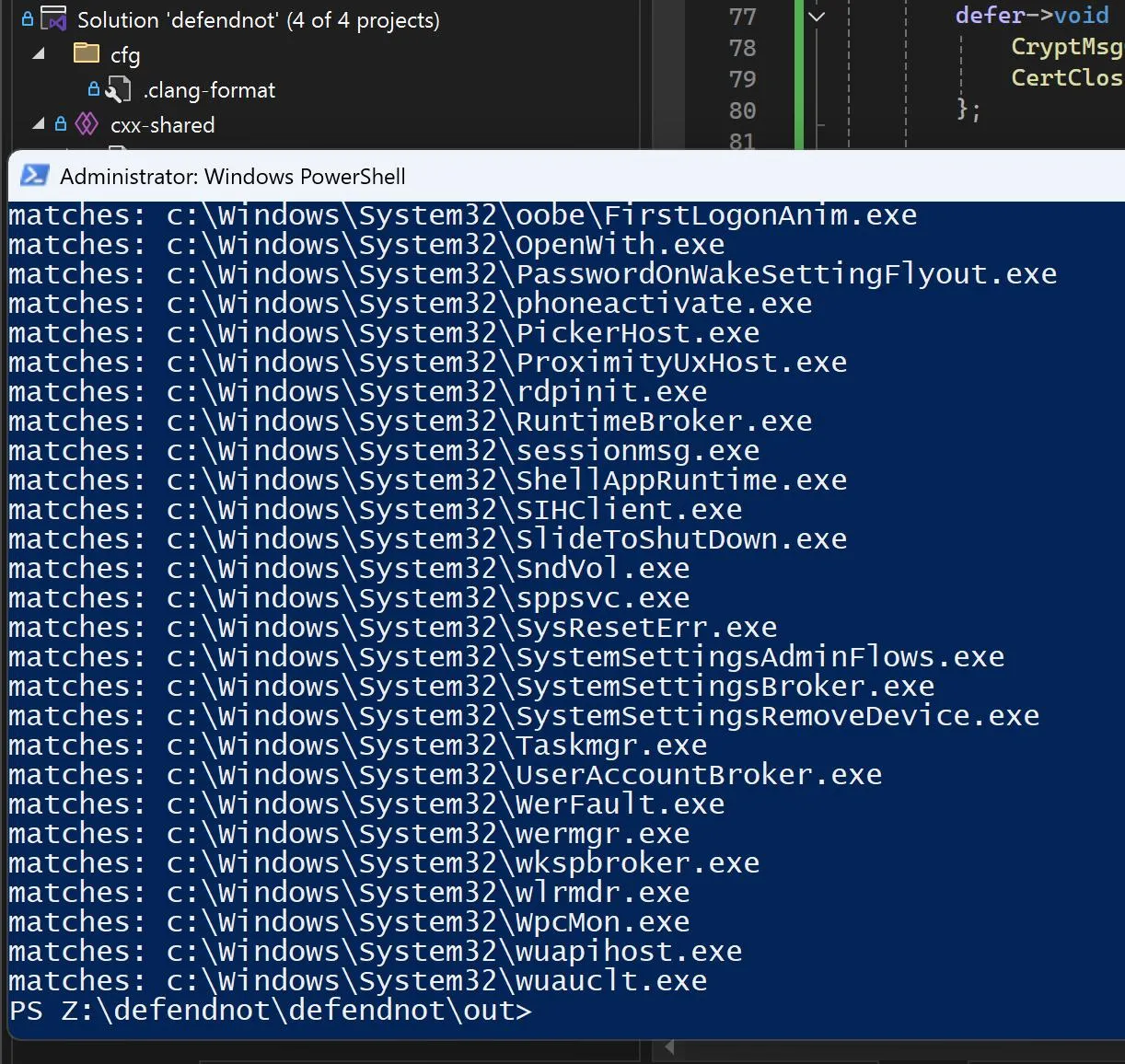
With the algorithm fully understood, it was possible to scan Windows System32 binaries programmatically for the right combination of ForceIntegrity and a matching signature hash. Taskmgr.exe satisfied all requirements.
Day 3 — Taskmgr.exe as the Victim Process
Initial injection attempts into Taskmgr.exe failed for an unrelated reason: the injected DLL was reading its own AV name from a configuration file (ctx.bin) using the module base of Taskmgr rather than the base of the injected DLL itself, so the path derivation produced null bytes. The name field was empty, and WSC rejected the registration.
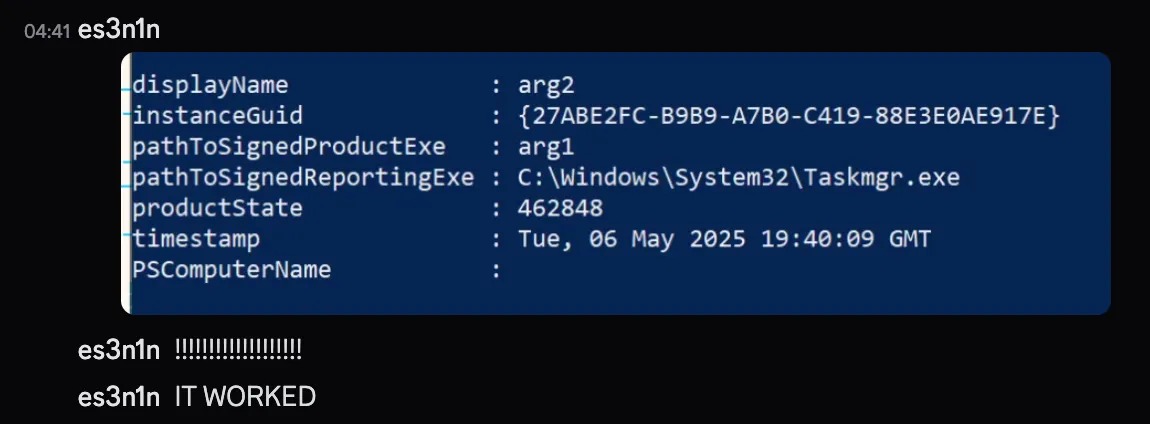
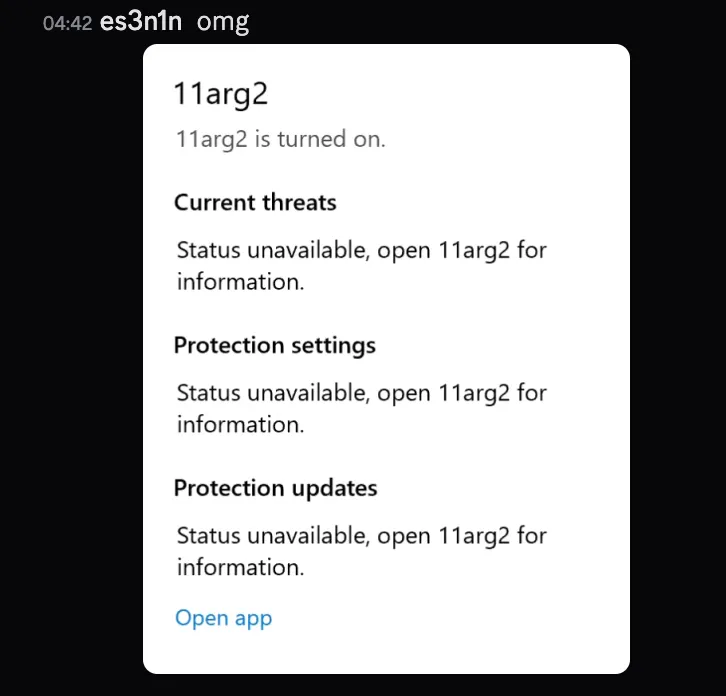
Diagnosing this in slow motion over a 210 ms Parsec link with software-encoded video became intolerable. The author paid $30 for a Shadow.tech bare-metal cloud PC subscription to get a lower-latency debugging session. After fixing the module-base pointer and rebuilding, the registration succeeded.
Day 3 — Code Cleanup
The author spent the remainder of Day 3 (until 8 AM) refactoring the implementation, separating concerns, and beginning work on an autorun capability so the tool would survive reboots. Autorun testing was deferred to the next day.
Day 4 — Autorun via Windows Task Scheduler
Autorun was implemented using Windows Task Scheduler. The first test failed because two default Task Scheduler settings prevented the task from running in the target environment:
- “Run only when user is logged in” — prevented background execution.
- “Run only on AC power” — blocked execution on battery-powered systems.
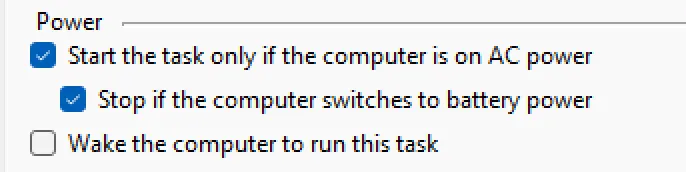
Disabling both flags resolved the issue. Autorun worked as expected after the fix, followed by another round of code cleanup.
Acknowledgements
The author credits Pindos for providing remote PC access during development, and MrBruh for the initial inspiration and ongoing feedback throughout the project. The defendnot source code is published at github.com/es3n1n/defendnot, including a wsc-binary-check folder that contains the standalone validation algorithm used to scan for eligible victim processes.
Key Takeaways
- Windows Security Center caller validation is layered: PPL check → WinDefend SID token membership check → PE ForceIntegrity flag + signature hash. Each layer can fail independently and the failure mode differs per layer.
- Impersonating a service SID (
CheckTokenMembershippasses) does not guarantee execution of the privileged code path—WSC still falls through to secondary validation logic on the calling binary’s PE image. - The
DllCharacteristics.ForceIntegritybit (0x80) combined with a matching signature hash is the real gating mechanism for non-WinDefend callers. Scanning System32 for binaries that satisfy both conditions is a repeatable technique for finding suitable host processes. Taskmgr.exemeets the requirements and is a widely present, inherently trusted system binary—it is running by default on most Windows installations and is unlikely to be flagged for injection based on name alone.- WSC’s
ctx.binconfiguration file reads the AV provider name by deriving a path from the calling module’s base address. Injected DLLs must use their own module base, not the host process base, to produce a valid path. - Windows Task Scheduler’s default power and login conditions silently suppress task execution without error logging—always explicitly clear these flags in persistence implementations.
- High-latency remote debugging (210 ms) is viable for static analysis and single-step tracing but not for heavy interactive use; a cloud bare-metal VM subscription is worth the cost for time-sensitive work.
Defensive Recommendations
- Monitor for DLL injection into
Taskmgr.exe. This process is a known-good host for WSC registration bypass. An EDR rule that alerts on remote thread creation targeting Taskmgr (or any System32 binary with ForceIntegrity set) is a high-value detection opportunity. - Audit WSC provider registration events. Windows Security Center logs provider registration and deregistration. Any event that changes the registered AV provider outside of a known software installation context warrants investigation.
- Detect PPL removal via kernel driver. Stripping PPL from protected processes requires kernel access, typically via a signed-but-vulnerable driver (BYOVD). Correlate driver load events (
EtwTi, Sysmon Event ID 6) with subsequent process-open operations against PPL-protected targets. - Alert on
RpcImpersonateClientcalls from unexpected hosts. wscsvc RPC calls from processes other than known AV binaries are anomalous. If your EDR can hook RPC server-side stubs, this is a reliable signal. - Do not rely solely on WSC status as an AV health indicator. As this research demonstrates, WSC can be deceived into reporting a false security posture. Complement it with direct process and file presence checks for your endpoint agent.
- Restrict Task Scheduler task creation by non-administrative users. The autorun mechanism here uses the standard Task Scheduler API. Group Policy can limit who may create tasks in the root scheduler namespace.
- Enforce code integrity policies. Windows Defender Application Control (WDAC) can block unsigned or low-integrity binaries from executing, reducing the pool of injectable DLLs and making victim-process selection more difficult.
Conclusion
What started as a vacation curiosity became a systematic dismantling of every layer in WSC’s caller-validation stack. The key insight—that the WinDefend SID check is a red herring and the real gate is the PE ForceIntegrity flag plus signature hash on the else branch—was only visible because the first impersonation attempt appeared to succeed while producing no observable effect. The resulting defendnot tool demonstrates that WSC’s security provider registration model is not a reliable integrity signal on its own: a userspace tool can deregister a running antivirus and make the system appear unprotected without touching the AV process itself.
Original text: “how i ruined my vacation by reverse engineering wsc” by es3n1n at blog.es3n1n.eu.