

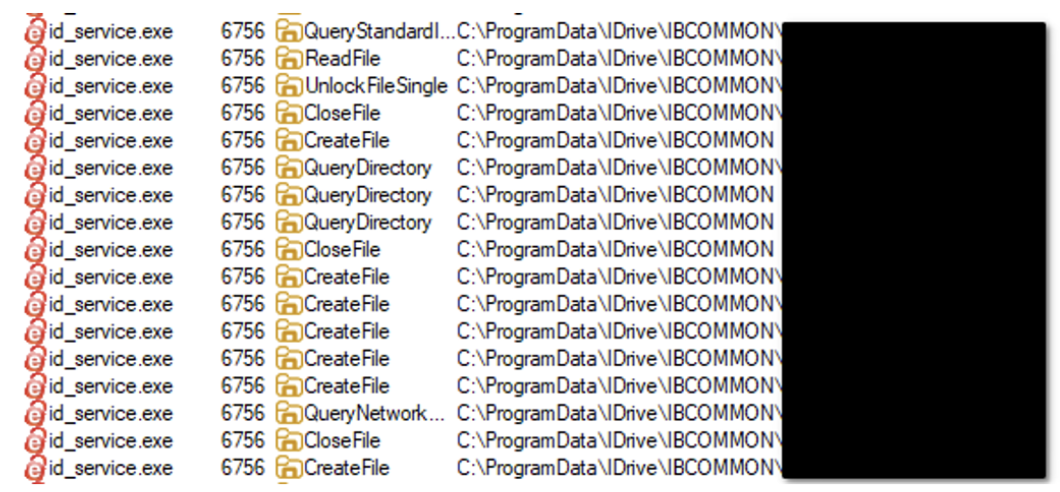
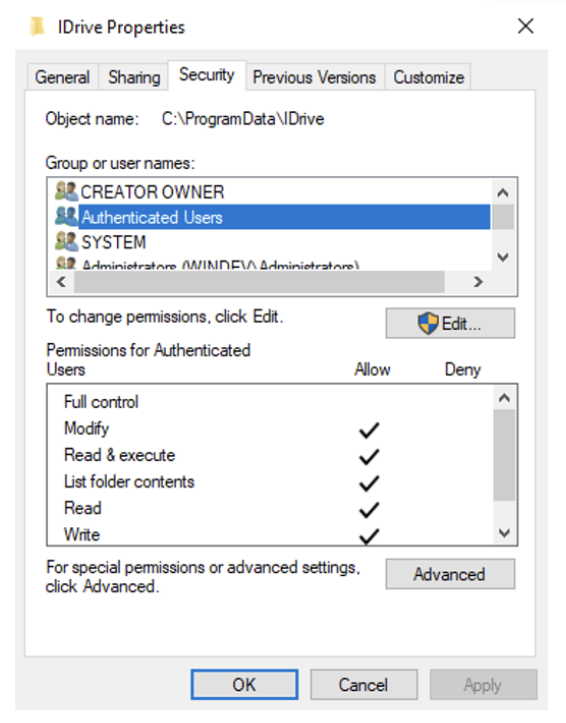
The article describes a local privilege escalation vulnerability in the IDrive Cloud Backup Client for Windows, tracked as CVE-2026-1995. The flaw arises from insecure permission settings in files used by the backup client service. The service process id_service.exe runs with SYSTEM privileges and periodically reads configuration files located in C:\ProgramData\IDrive. These files contain arguments that determine which processes the service launches. Because the files are writable by any authenticated user, a low-privileged attacker can modify them to point to a malicious executable. When the service processes the modified configuration, it launches the attacker-controlled binary with NT AUTHORITY\SYSTEM privileges, effectively escalating privileges from a normal user to the highest level on the system.
The vulnerability affects versions 7.0.0.63 and earlier of the Windows client. Successful exploitation allows attackers to install malware, disable security tools, or gain persistent administrative control of the machine.
A critical local privilege escalation vulnerability has been discovered in the IDrive Cloud Backup Client for Windows, potentially allowing low-privileged users to seize full control of an affected machine. The flaw, tracked as CVE-2026-1995, affects versions 7.0.0.63 and earlier of the backup utility.
IDrive is a widely used service designed to help users encrypt, sync, and store data from PCs, Macs, and mobile devices in a single cloud account. However, a weakness in how the Windows client manages its background service has turned a core backup feature into a potential security back door.
The heart of the issue lies in a specific utility called id_service.exe. This process runs with NT AUTHORITY\SYSTEM permissions—the highest level of access on a Windows operating system.
To function, this service regularly reads various configuration files located in the C:\ProgramData\IDrive directory. These files, encoded in UTF16-LE, contain instructions and paths that the service uses as arguments to start new processes.
The security advisory points to a critical oversight in the installation’s file structure: “Because of weak permission configurations, these files can be edited by any standard user logged into the system”.
Because any authenticated user can modify these files, a local attacker does not need administrative rights to trigger a compromise. By simply overwriting or adding a new file that points to a malicious script or executable, the attacker can trick the system.
As the advisory explains: “An authenticated, low-privilege attacker can overwrite or add a new file that specifies a path to an arbitrary script or .exe, which will then be executed by the id_service.exe process with SYSTEM privileges”.
The consequences of a successful exploit include:
- Full System Control: Attackers can escalate their privileges to gain total authority over the target machine.
- Data Theft: With SYSTEM access, an attacker can bypass all file permissions to steal sensitive local data.
- System Modification: Malicious actors can modify system settings, install persistent malware, or disable security software.
IDrive has confirmed that a official patch for this vulnerability is currently in development. In the interim, administrators and users are urged to take the following manual precautions:
- Restrict Write Permissions: Manually audit the
C:\ProgramData\IDrivedirectory and remove write access for standard user accounts. - Enhanced Monitoring: Deploy Endpoint Detection and Response (EDR) tools to flag unauthorized file modifications in system directories.
- Apply Group Policies: Use Windows Group Policies to harden the environment and prevent standard users from running unauthorized executables.
“Users should monitor IDrive releases and update their software to the latest version as soon as it becomes available” to permanently resolve the issue.