
Original text by ryg
This is a reader question from “jlforrest” that seems worth answering in more detail than just a single sentence:
I understand the need for a cache but I don’t understand why there are multiple levels of cache instead of having just one larger level. In other words, let’s say the L1 cache is 32K, the L2 cache is 256K, and the L3 cache is 2M, why not have a single 32K + 256K + 2M L1 cache?
The short version is that the various cache levels have very large variations in how they are designed; they are subject to different constraints and fulfill different purposes. As a rule of thumb, as you climb up the levels of the cache hierarchy, the caches get larger, slower, higher density (more bits stored per unit area), consume less power per bit stored, and gain additional tasks.
In the hopes of building some intuition here, let’s start with an elaborate and somewhat quaint analogy. That’s right, it is…
Cache story time!
Suppose you’re a white-collar office worker in some unnamed sprawling 1960s bureaucracy, with no computers in sight, and your job involves a lot of looking at and cross-referencing case files (here being folders containing sheets of paper).
You have a desk (the L1 data cache). On your desk are the files (cache lines) you’re working on right now, and some other files you recently pulled and are either done with or expect to be looking at again. Working with a file generally means looking at the individual pages it contains (corresponding to bytes in a cache line). But unless they’re on your desk, files are just treated as a unit. You always grab whole files at a time, even if there’s only one page in them that you actually care about right now.
Also in the office is a filing cabinet (L2 cache). That cabinet contains files you’ve handled recently, but aren’t using right now. When you’re done with what’s on your desk, most of these files will go back into that filing cabinet. Grabbing something from the cabinet isn’t immediate – you need to walk up there, open the right drawer and thumb through a few index cards to find the right file – but it’s still pretty quick.
Sometimes other people need to look at a file that’s in your cabinet. There’s a guy with a cart, Buster (representing a sort of ring bus) who just keeps doing his rounds through all the offices. When an office worker needs a file they don’t have in their private cabinet, they just write a small request slip and hand it to Buster. For simplicity’s sake, let’s just say Buster knows where everything is. So the next time he comes by your office, Buster will check if someone requested any files that are in your cabinet, and if so will just silently pull these files out of the cabinet and put them on his cart. The next time he comes by the office of whoever requested the file, he’ll drop the file in their cabinet, and leave a receipt on the desk.
Every once in a while, Buster notices a requested file isn’t in the cabinet, but on the desk instead. In that case, he can’t just silently grab it; he needs to ask the worker at the desk whether they’re done with it, and if no, that worker and the one who put in the request need to agree on what to do. There are tediously elaborate corporate protocols on what to do in that situation (meetings will be called for sure!).
The filing cabinets are usually full. That means Buster can’t just put a new file in; he has to make space first, which he does by grabbing another file, preferably one that hasn’t been used in a while. Those files, Buster takes to the archive in the basement (L3 cache). In the basement, groups of files are kept densely packed in cardboard boxes on industrial shelving units. The regular office workers don’t get to come down here at all; it’s well out of their way and they’re not familiar with the details of the filing system. We leave that to the archival clerks.
Whenever Buster gets down here, he drops all the old files he grabbed for archival in the “in” tray at the front desk. He also drops off all the request slips for files that aren’t in any of the filing cabinets upstairs, but he doesn’t wait around until the clerks bring the files back, since it takes a while. They’re just going to take the request slips, pick up the file in question, and drop it off in the “out” tray whenever they’re done. So every time Buster comes around, he grabs whatever is in the “out” tray, puts it on his cart and takes it to the recipient when he next comes by.
Now, the problem is, there’s a lot of these files, and even with the efficient packing, they’re not even close to fitting in the basement. Most of the files are kept off-site; this is an office building in a nice part of town, and rents over here are way too high to spend that much space on storage. Instead, the company rents warehouse space 30 minutes out of town, where most of the old files are kept (this corresponds to DRAM). At the front desk of the basement sits Megan, the Head Archivist. Megan keeps track of which files are kept in the basement, and which are warehoused. So when Buster drops his request slips in the “in” tray, she checks which of them correspond to files in the basement (to be handled by the archival clerks) and which aren’t on-site. The latter just get added to a big pile of requests. Maybe once or twice a day, they send a van to the warehouse to grab the requested files, along with a corresponding number of old files to be mothballed (as said, the basement is full; they need to make space before they can store any more files from the warehouse).
Buster doesn’t know or care about the details of the whole warehousing operation; that’s Megan’s job. All he knows is that usually, those request slips he hands to the archive are handled pretty quickly, but sometimes they take hours.
Back to the original question
So, what’s the point of this whole elaborate exercise? Briefly, to establish a more concrete model than an opaque “magic cache” that allows us to think more clearly about the logistics involved. The logistics are just as important in designing a chip as they are in running an efficient office.
The original question was “why don’t we build a single large cache, instead of several small ones”. So if you have say a quad-core machine with 4 cores that each have 32KB L1 data cache, 256KB L2 cache, plus 2MB of shared L3 cache, why don’t we just have a ~3MB shared cache to begin with?
In our analogy: for pretty much the same reason we have individual office desks that are maybe 1.50m wide, instead of seating four different people at a single enormous desk that is 150m wide.
The point of having something on the desk is that it’s within easy reach. If we make the desk too big, we defeat that purpose: if we need to walk 50m to get the file we want, the fact that it’s technically “right here on our desk” isn’t really helping. The same goes for L1 caches! Making them bigger makes them (physically) larger. Among other things, this makes accessing them slower and consume more energy (for various reasons). L1 caches are sized so they’re large enough to be useful, but small enough so they’re still fast to access.
A second point is that L1 caches deal with different types of accesses than other levels in the cache hierarchy. First off, there’s several of them: there’s the L1 data cache, but there’s also a L1 instruction cache, and e.g. Intel Core CPUs also have another instruction cache, the uOp cache, which is (depending on your point of view) either a parallel L1 instruction cache or a “L0 instruction cache”.
L1 data caches gets asked to read and write individual items that are most commonly between 1 and 8 bytes in size, somewhat more rarely larger (for SIMD instructions). Cache levels higher up in the hierarchy don’t generally bother with individual bytes. In our office analogy, everything that’s not on a desk somewhere is just handled at the granularity of individual files (or larger), corresponding to cache lines. The same is true in memory subsystems. When a core is performing a memory access, you deal in individual bytes; the higher-level caches generally handle data wholesale, one cache line at a time.
L1 instruction caches have quite different access patterns than data caches do, and unlike the L1 data cache, they’re read-only as far as the core is concerned. (Writing into the instruction cache generally happens indirectly, by putting the data in one of the higher-level unified caches, and then having the instruction cache reload their data from there). For these (and other) reasons, instruction caches are generally built quite differently from data caches; using a single unified L1 cache means that the resulting design needs to meet several conflicting design criteria, forcing compromises that make it worse at either purpose. A unified L1 cache also needs to handle both the instruction and data traffic, which is quite the load!
As an aside: as a programmer, it’s easy to ignore how much cache bandwidth is needed to fetch instructions, but it’s quite a lot. For example, when not running code from the uOp cache, all Intel Core i7 CPU cores can fetch 16 bytes worth of instructions from the L1 instruction cache, every cycle, and will in fact keep doing so as long as instruction execution is keeping up with decoding. At 3GHz, we’re talking on the order of 50GB/s per core here, just for instruction fetches – though, granted, only if the instruction fetch unit is busy all the time, instead of being stalled for some reason or other. In practice, the L2 cache usually only sees a small fraction of this, because L1 instruction caches work quite well. But if you’re designing a unified L1 cache, you need to anticipate at least bursts of both high instruction and high data traffic (think something like a fast memcpy of a few kilobytes of data with both source and destination in the L1 data caches).
This is a general point, by the way. CPU cores can handle many memory accesses per cycle, as long as they all hit within the L1 caches. For a “Haswell” or later Core i7 at 3GHz, we’re talking aggregate code+data L1 bandwidths well over 300GB/s per core if you have just the right instruction mix; very unlikely in practice, but you still get bursts of very hot activity sometimes.
L1 caches are designed to be as fast as possible to handle these bursts of activity when they occur. Only what misses L1 needs to be passed on to higher cache levels, which don’t need to be nearly as fast, nor have as much bandwidth. They can worry more about power efficiency and density instead.
Third point: sharing. A big part of the point of having individual desks in the office analogy, or per-core L1 caches, is that they’re private. If it’s on your private desk, you don’t need to ask anyone; you can just grab it.
This is crucial. In the office analogy, if you were sharing a giant desk with 4 people, you can’t just grab a file. That’s not just your desk, and one of your other 3 co-workers might need that file right now (maybe they’re trying to cross-reference it with another file they just picked up at the other end of the desk!). Every single time you want to pick up something, you need to yell out “everyone OK if I grab this?”, and if someone else wanted it first, you have to wait. Or you can have some scheme where everyone needs to grab a ticket and wait in line until it’s their turn if there’s a conflict. Or something else; the details don’t matter much here, but anything you do requires coordination with others.
The same thing applies with multiple cores sharing a cache. You can’t just start stomping over data unannounced; anything you do in a shared cache needs to be coordinated with all the others you’re sharing it with.
That’s why we have private L1 caches. The L1 cache is your “desk”. While you’re sitting there, you can just go ahead and work. The L2 cache (“filing cabinet”) handles most of the coordination with others. Most of the time, the worker (the CPU core) is sitting at the desk. Buster can just come by, pick up a list of new requests, and put previously requested files into the filing cabinet without interrupting the worker at all.
It’s only when the worker and Buster want to access the filing cabinet at the same time, or when someone else has requested a file that’s lying on the worker’s desk, that they need to stop and talk to each other.
In short, the L1 cache’s job is to serve its CPU core first and foremost. Because it’s private, it requires very little coordination. The L2 cache is still private to the CPU core, but along with just caching, it has an extra responsibility: deal with most bus traffic and communication instead of interrupting the core (which has better things to do).
The L3 cache is a shared resource, and access to it does need to be coordinated globally. In the office analogy, this worked by the workers only having a single way to access it: namely, by going through Buster (the bus). The bus is a choke point; the hope is that the preceding two cache levels have winnowed down the number of memory accesses far enough that this doesn’t end up being a performance bottleneck.
Caveats
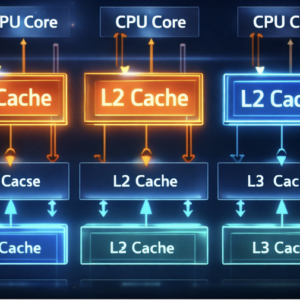
This article covers one particular cache topology that is matches current desktop (and notebook) x86 CPUs: per-core split L1I/L1D caches, per-core unified L2 cache, shared unified L3 cache, with the cores connected via a ring bus.
Not every system looks like this. Some (primarily older) systems don’t have split instruction and data caches; some have full Harvard architectures that treat instruction and data memory as completely separate all the way through. Often L2s are shared between multiple cores (think one office with one filing cabinet and multiple desks). In this type of configuration, the L2 caches effectively act as part of the bus between cores. Many systems don’t have L3 caches, and some have both L3 and L4 caches! I also didn’t talk about systems with multiple CPU sockets etc.
I stuck with a ring bus because it fits in nicely with the analogy. Ring buses are reasonably common. Sometimes (especially when only two or three blocks need to be connected) it’s a full mesh; sometimes it is multiple ring buses connected with a crossbar (which maps reasonably to the office analogy: a multi-story office building with one “Buster” making his rounds per floor, and an elevator connecting the floors).
As a software developer, there’s a natural tendency to assume that you can magically connect module A to module B and the data just teleports from one end to the other. The way memory actually works is incredibly complicated by now, but the abstraction presented to the programmer is just one of a large, flat array of bytes.
Hardware doesn’t work like that. Pieces aren’t magically connected through an invisible ether. Modules A and B aren’t abstract concepts; they’re physical devices, actual tiny machines, that take up actual physical area on a silicon die. Chips have a “floor plan”, and that’s not a vague nod or an in-joke; it’s an actual 2D map of what goes where. If you want to connect A to B, you need to run an actual, physical wire between them. Wires take up space, and driving them takes power (more the longer they are). Running a bunch of wires between A and B means it’s physically blocking area that could be used to connect other things (yes, chips use wires on multiple layers, but it’s still a serious problem; google “routing congestion” if you’re interested). Moving data around on a chip is an actual logistical problem, and a fiendishly complicated one at that.
So while the office thing is tongue-in-cheek, “who needs to talk to whom” and “how does the geometry of this system look – does it admit a sensible layout?” are very relevant questions for both hardware and overall system design that can have a huge impact. Spatial metaphors are a useful way of conceptualizing the underlying reality.