wasm_plugins GitHub https://github.com/oxfemale/wasm_plugins
About the project wasm_plugins
- The packer creates a
.mylibcontainer that includes an encrypted WASM module, metadata (AAD), a GCM nonce, and a signature. - The utilities in the project allow you to verify an ECDSA P-256 signature, decrypt the AES-256-GCM payload, and run the decrypted WASM module in an embedded runtime.
Repository structure (key files/projects)
mylib_loader/— loader and execution of.mylib(main example). The filemylib_loader.cpp:- Parses the
MyLibHeaderV2header and extracts metadata, nonce, ciphertext, and tag. - Verifies the ECDSA P-256 signature (
mylib_pub.key). - Decrypts the payload using AES-256-GCM with a key from
mylib_aeskey.bin. - Passes the decrypted WASM bytes to
RunWasm(...)— where the selected WASM runtime is integrated (WASM3 by default).
- Parses the
mylib_verify/— a utility for verifying and inspecting.mylibfiles without execution.my_libs/— helper libraries/includes (project files and filters).- Example input files (not included in the repository for security reasons):
file.mylib— container with encrypted wasm.mylib_pub.key— public key (BCRYPT_ECCPUBLIC_BLOB, 72 bytes).mylib_aeskey.bin— symmetric AES-256 key (32 bytes). DO NOT store in public repositories.
Build (MSVC, example)
- Simple command-line build:cl /std:c++17 /O2 mylib_loader.cpp /link Bcrypt.lib
- In Visual Studio, open the project and ensure that include paths for your WASM runtime are added (if embedding WASM3):
- Project > Properties > C/C++ > General > Additional Include Directories — point to the WASM3 sources (
wasm3/source). - Project > Properties > Linker > Input > Additional Dependencies — add required libraries if using a static/dynamic runtime build.
- Project > Properties > C/C++ > General > Additional Include Directories — point to the WASM3 sources (
How to use
- Prepare the files:
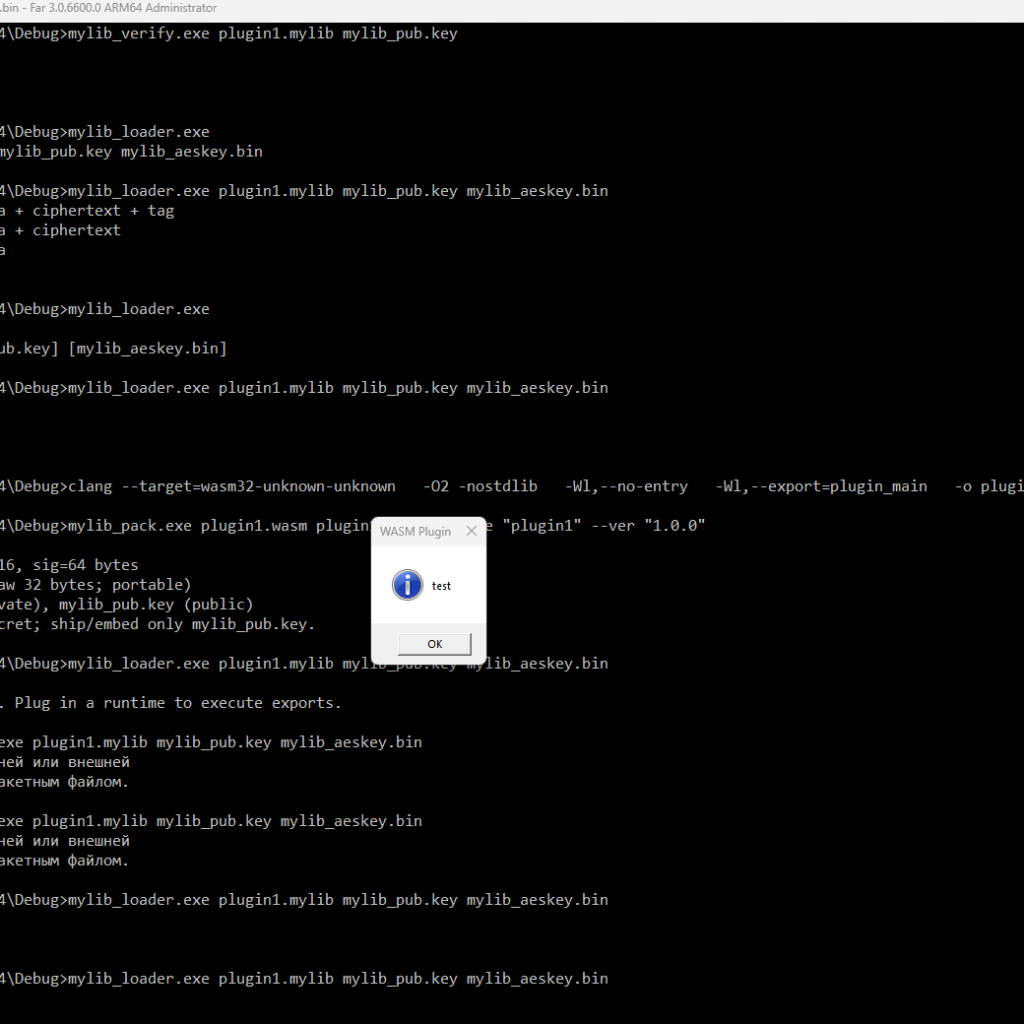
file.mylib,mylib_pub.key,mylib_aeskey.bin. - Run the loader:mylib_loader.exe file.mylib [mylib_pub.key] [mylib_aeskey.bin]
If key paths are not provided, the loader will use mylib_pub.key and mylib_aeskey.bin from the current directory.
WASM runtime options
- WASM3 (recommended for lightweight embedded integration):
- Lightweight and easy to integrate as source files.
- Example integration is already shown in
mylib_loader.cpp(RunWasmuses the WASM3 API).
- WAMR — more powerful but requires more files and configuration.
- Wasmtime/Wasmer — full-featured engines, powerful but heavy for embedding into a single executable.
Security
- The signature is verified separately; encryption uses symmetric AES-256-GCM.
- The public key is used only for signature verification — it cannot be used for decryption.
- Store
mylib_aeskey.binsecurely. Do not commit secret keys to git. - Validate metadata (AAD) before executing code.
Embedding recommendations
- For easier builds, embed WASM3 sources (
wasm3.c,m3_env.c,m3_api_*) directly into your project and include the headers. - Implement host functions (e.g.,
Host_show_message) carefully — restrict the interface between host and plugin and validate inputs.
Testing
- Prepare a test WASM module and package it with a test signature and AES key.
- Use
mylib_verifyto check structure and signature without execution.