Executive Summary
Jack Halon’s second “Utilizing Syscalls in C#” post is the implementation half of the series: take the conceptual understanding of how Windows syscalls work and turn it into a working C# .NET Framework 3.5 PoC that invokes NtCreateFile directly — without going through the ntdll!NtCreateFile prologue that an EDR has very likely hooked. The result is a single test file on the desktop that, in Process Monitor, has a call stack going straight from the operator’s binary into ntoskrnl.exe, with no ntdll frame in between. That gap is the whole point.
The walk-through covers everything an engineer who has never assembled a managed-code direct-syscall PoC needs: a three-file solution layout (Program.cs, Syscalls.cs, Native.cs), the WinDbg session that extracts the syscall identifier (0x55 for NtCreateFile on the target build), the byte-array stub that wraps mov eax, 0x55; syscall; ret, an unsafe/fixed trick to pin the array and hand its address back as an IntPtr, VirtualProtect flipping the page to PAGE_EXECUTE_READWRITE, Marshal.GetDelegateForFunctionPointer to call it like a normal C# method, and the supporting OBJECT_ATTRIBUTES/IO_STATUS_BLOCK/UNICODE_STRING plumbing. The end is the Procmon call stack that proves the bypass.
Devising the Code and Class Structure
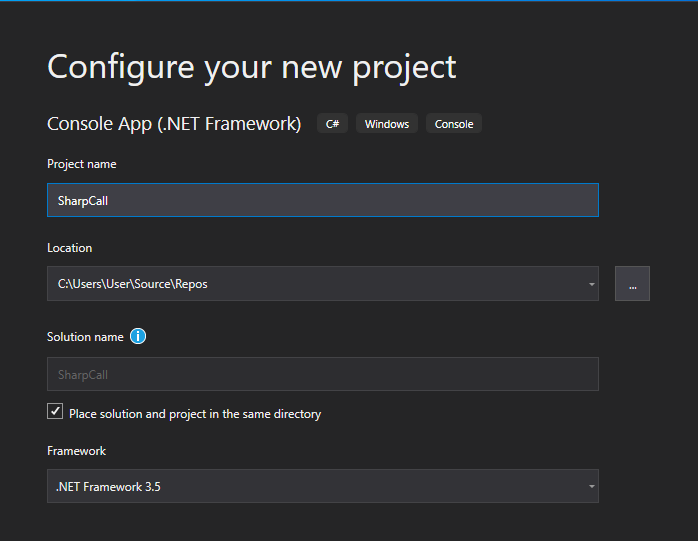
The project is a vanilla .NET Framework 3.5 console application, x64 only. Halon picks 3.5 explicitly because the post intends to integrate cleanly with existing red-team C# tradecraft (the SharpSploit / SharpCall ecosystem) where 3.5 is still the lowest common denominator. The three-file split is straightforward:
Program.cs— the entry point and the orchestration: build theUNICODE_STRINGfor the file path, populateOBJECT_ATTRIBUTESandIO_STATUS_BLOCK, then call the syscall delegate.Syscalls.cs— the byte array containing the syscall stub, the delegate signature forNtCreateFile, and the small setup function that maps the bytes executable and hands back the callable delegate.Native.cs— the supporting native types and P/Invoke declarations: structures (OBJECT_ATTRIBUTES,IO_STATUS_BLOCK,UNICODE_STRING), enums (NTSTATUS,ACCESS_MASK,FileAccess,FileAttributes,CreationDisposition), and the imports that the C# side still needs (VirtualProtect,RtlUnicodeStringInit).
Writing the Syscall Code
Halon’s starting point is the canonical Microsoft signature for NtCreateFile, reproduced verbatim from the source. This is the C-side reference the C# port has to match exactly — argument count, order, types, calling convention — or the syscall fails:
__kernel_entry NTSTATUS NtCreateFile(
  OUT PHANDLE           FileHandle,
  IN ACCESS_MASK        DesiredAccess,
  IN POBJECT_ATTRIBUTES ObjectAttributes,
  OUT PIO_STATUS_BLOCK  IoStatusBlock,
  IN PLARGE_INTEGER     AllocationSize,
  IN ULONG              FileAttributes,
  IN ULONG              ShareAccess,
  IN ULONG              CreateDisposition,
  IN ULONG              CreateOptions,
  IN PVOID              EaBuffer,
  IN ULONG              EaLength
);
Source: original article.
The next step is extracting the syscall identifier. In WinDbg, attaching to any process and disassembling ntdll!NtCreateFile shows the standard mov eax, <syscall>; syscall; ret stub the kernel expects. On Halon’s target build the value is 0x55:
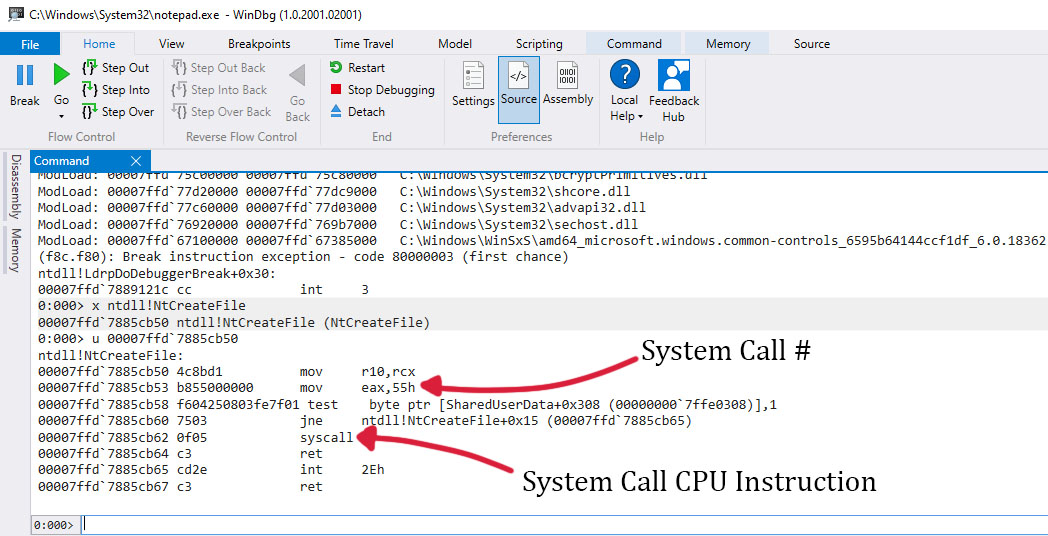
ntdll!NtCreateFile — syscall number 0x55. Source: original article.That identifier becomes the byte stub the C# program will execute — a hard-coded array containing the exact opcodes WinDbg disassembled, with 0x55 embedded as the mov eax immediate:
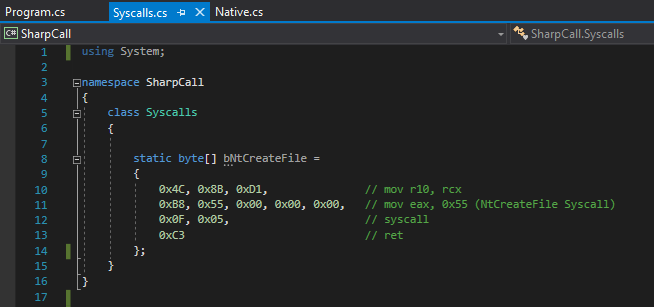
bNtCreateFile: the syscall stub as a static byte array. Source: original article.The C# port of the function signature uses the corresponding managed types — SafeFileHandle instead of PHANDLE, the framework’s FileAccess/FileAttributes/FileShare/CreationDisposition enums in place of the raw ULONGs and ACCESS_MASK. This is the delegate the program will eventually invoke:
NTSTATUS NtCreateFile(
  out Microsoft.Win32.SafeHandles.SafeFileHandle FileHadle,
  FileAccess DesiredAcces,
  ref OBJECT_ATTRIBUTES ObjectAttributes,
  ref IO_STATUS_BLOCK IoStatusBlock,
  ref long AllocationSize,
  FileAttributes FileAttributes,
  FileShare ShareAccess,
  CreationDisposition CreateDisposition,
  CreateOption CreateOptions,
  IntPtr EaBuffer,
  uint EaLength
);
Source: original article.
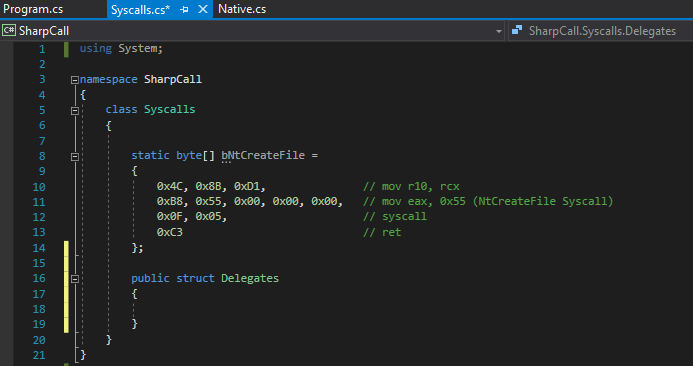
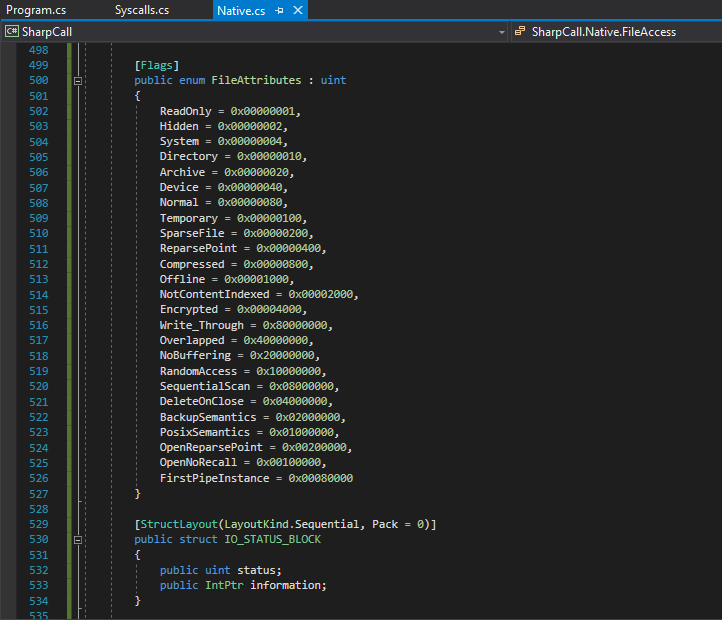
Delegates struct inside the Syscalls class. Source: original article.The trickiest part of writing the delegate is getting the enum types to line up with what the kernel expects. The FileAttributes and CreateOptions bit flags in particular need to match the values defined in winternl.h exactly:
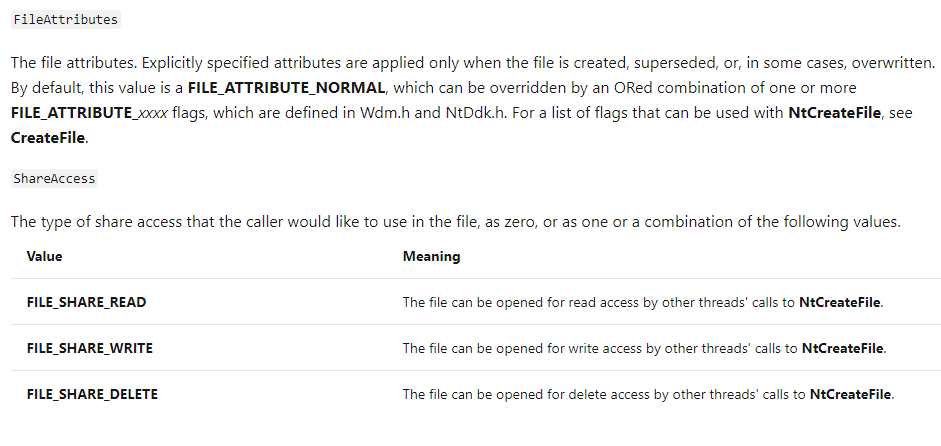
FileAttributes flags reference. Source: original article.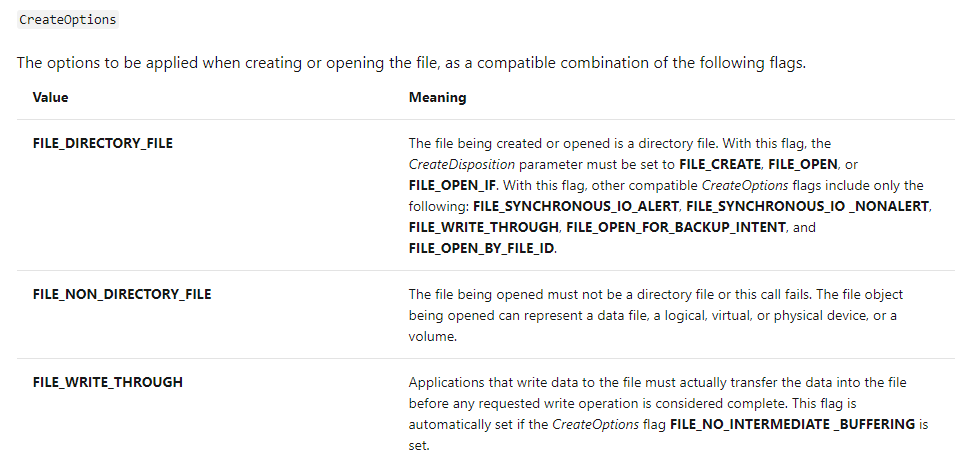
CreateOptions flags reference. Source: original article.Translated into C#, the supporting types end up in Native.cs — the structures the syscall reads/writes through pointers (OBJECT_ATTRIBUTES, IO_STATUS_BLOCK, UNICODE_STRING), the NTSTATUS and ACCESS_MASK enums, and the bit-flag enums that map onto the ULONGs in the native signature:
Native.cs — native types as C# structs and enums. Source: original article.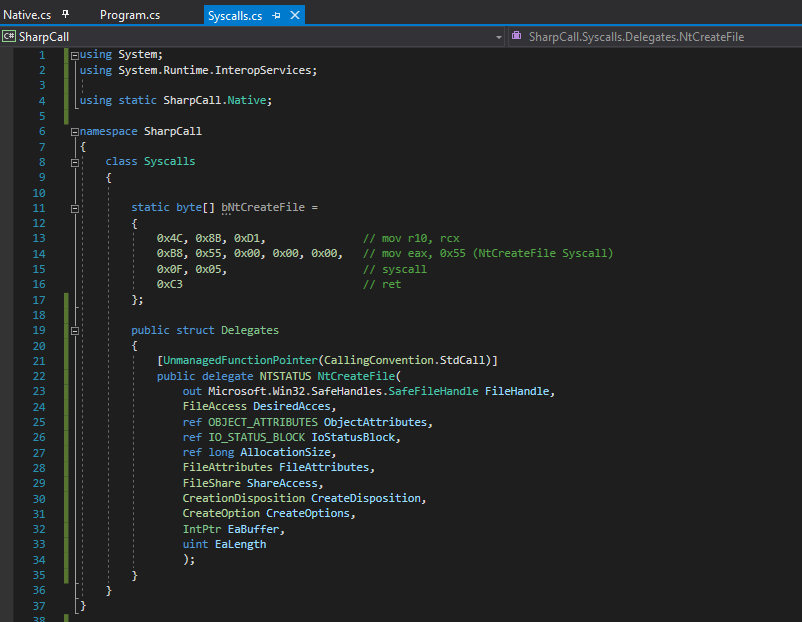
[UnmanagedFunctionPointer(CallingConvention.StdCall)] attribute so the runtime marshals arguments in x64 fastcall order. Source: original article.With the delegate type declared, the next step is the setup function that takes the byte stub, makes it callable, and returns the delegate. The skeleton starts here:
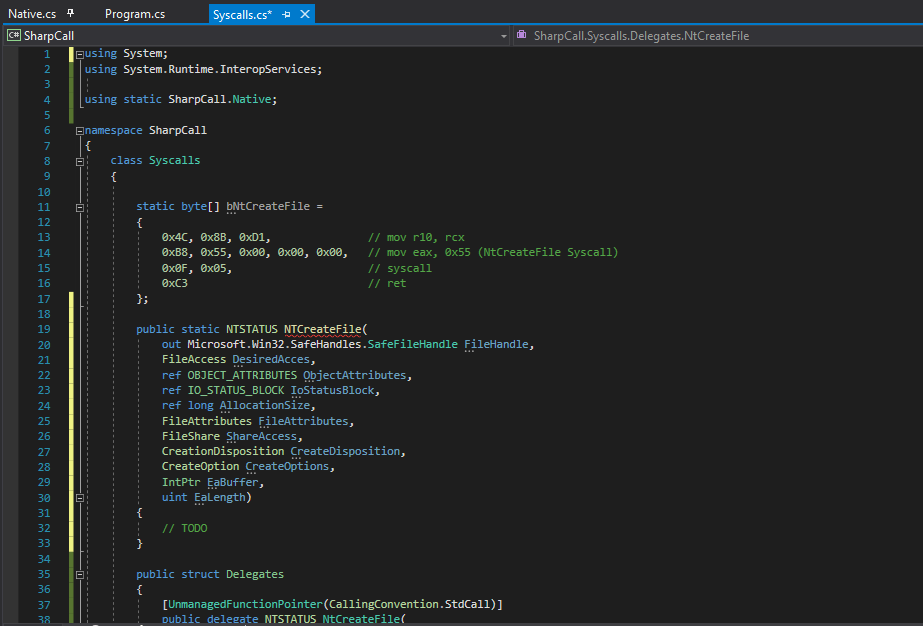
NtCreateFile delegate. Source: original article.Inside an unsafe block, the syscall byte array is assigned to a local variable so the GC and pointer machinery can work with it:
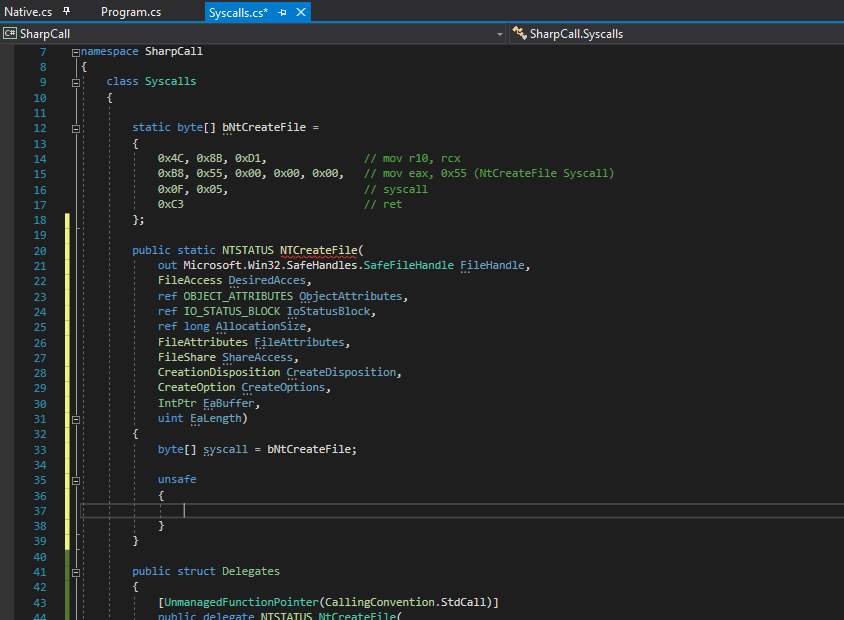
unsafe context. Source: original article.The fixed statement pins the array in place so the GC cannot relocate it underneath the syscall, and casts the pinned pointer into an IntPtr — the form the rest of the P/Invoke machinery expects:
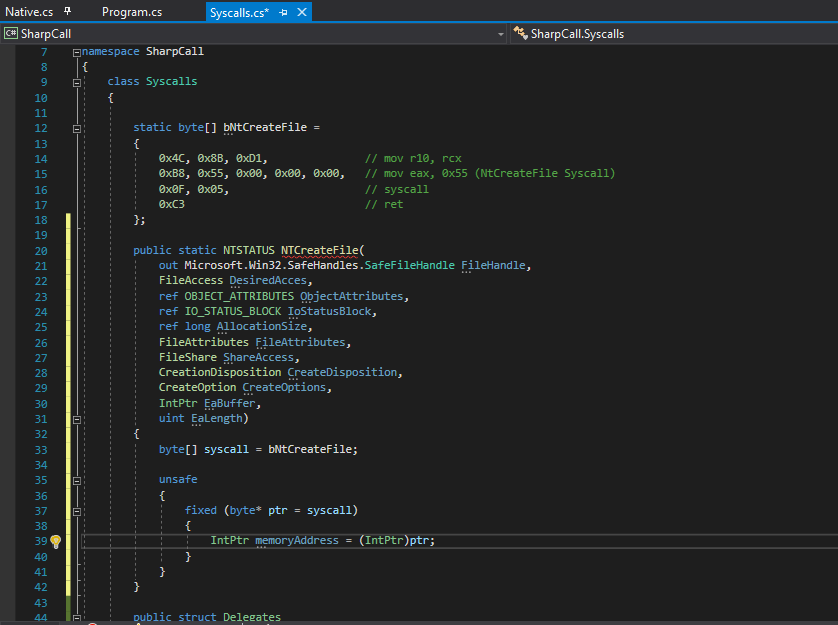
fixed pins the byte array and produces an IntPtr. Source: original article.The page that backs the byte array is allocated by the CLR as PAGE_READWRITE — you cannot execute it as-is. The fix is the standard VirtualProtect dance: flip the page to PAGE_EXECUTE_READWRITE, execute, optionally restore. The relevant enum values:
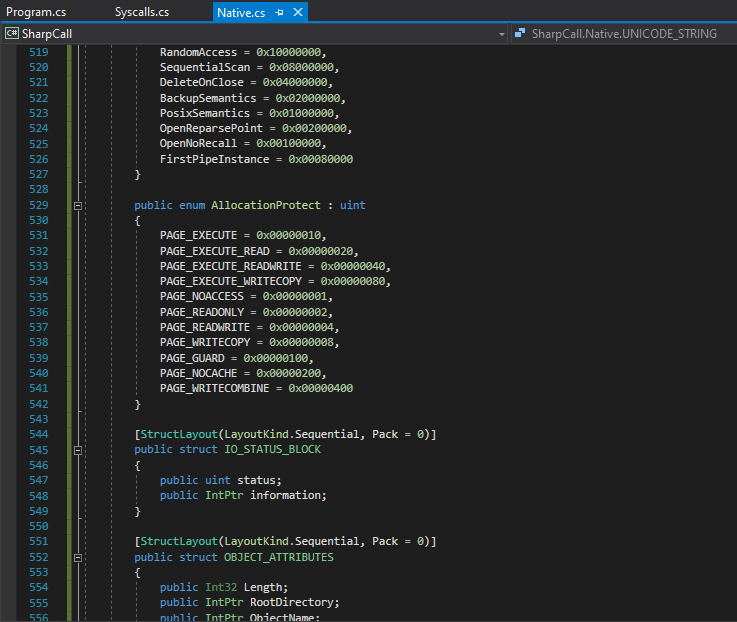
For completeness, the canonical VirtualProtect signature from kernel32.dll — reproduced verbatim from the source:
BOOL VirtualProtect(
  LPVOID lpAddress,
  SIZE_T dwSize,
  DWORD  flNewProtect,
  PDWORD lpflOldProtect
);
Source: original article.
And the P/Invoke import that brings it into the C# program:
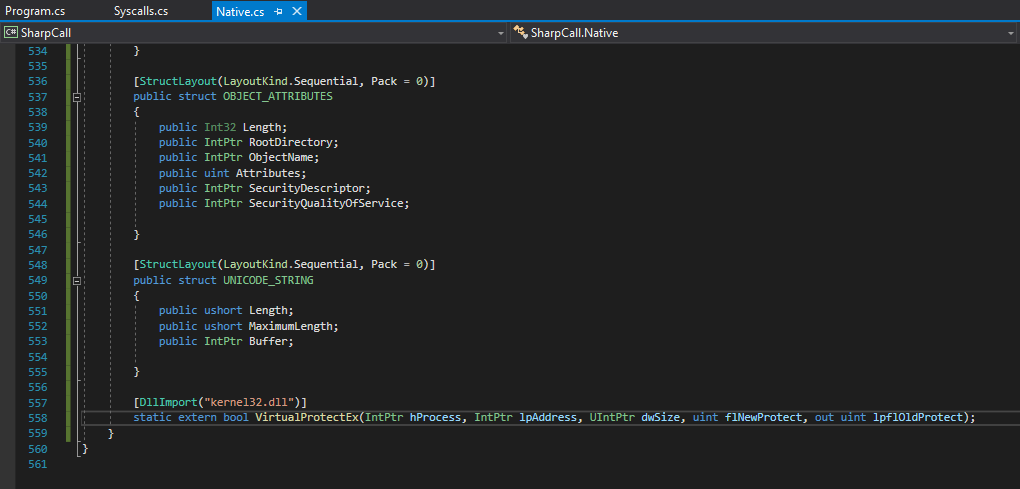
VirtualProtect P/Invoke declaration. Source: original article.Calling it with PAGE_EXECUTE_READWRITE over the size of the byte array, with a Win32Exception thrown on failure for visibility:
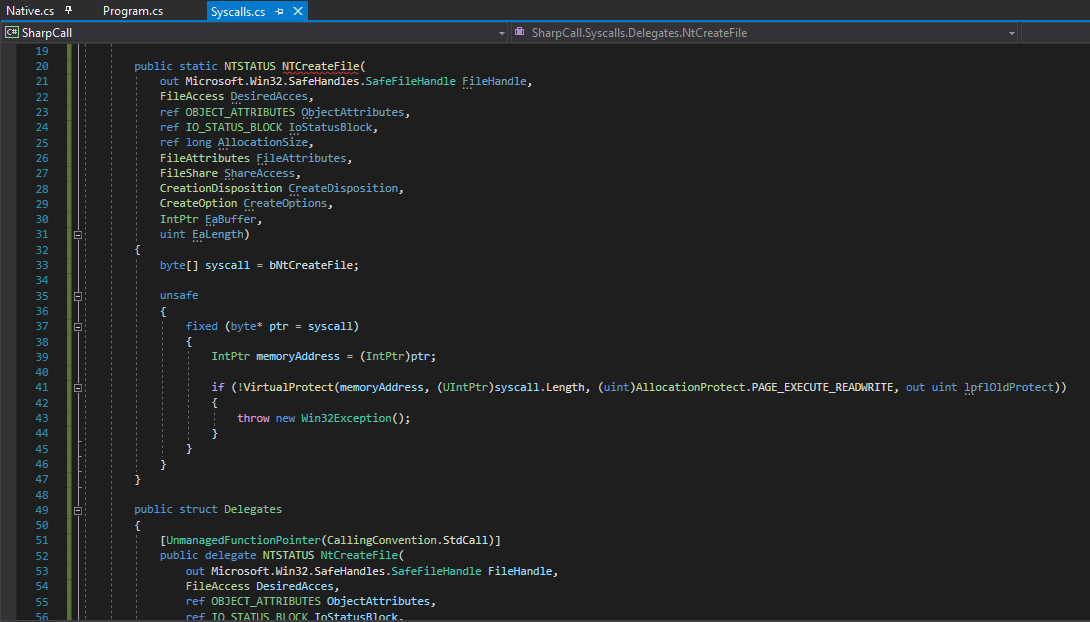
VirtualProtect flipping the byte array executable. Source: original article.Halon’s WinDbg verification, reproduced verbatim, shows the page that backs ntdll!NtCreateFile is already PAGE_EXECUTE_READ — which is the contrast the VirtualProtect call has to establish for our own buffer:
0:000> x ntdll!NtCreateFile
00007ffb`f6b9cb50 ntdll!NtCreateFile (NtCreateFile)
0:000> !address 00007ffb`f6b9cb50

Usage:                  Image
Base Address:           00007ffb`f6b01000
End Address:            00007ffb`f6c18000
Region Size:            00000000`00117000 (   1.090 MB)
State:                  00001000          MEM_COMMIT
Protect:                00000020          PAGE_EXECUTE_READ
Type:                   01000000          MEM_IMAGE
Allocation Base:        00007ffb`f6b00000
Allocation Protect:     00000080          PAGE_EXECUTE_WRITECOPY
Image Path:             ntdll.dll
Module Name:            ntdll
Loaded Image Name:      C:\Windows\SYSTEM32\ntdll.dll
Source: original article.
Finally, the executable byte array is turned into a callable delegate via Marshal.GetDelegateForFunctionPointer. From this point on, calling the delegate is syntactically the same as calling any other C# method — but the CPU lands directly in our stub and goes straight to syscall:
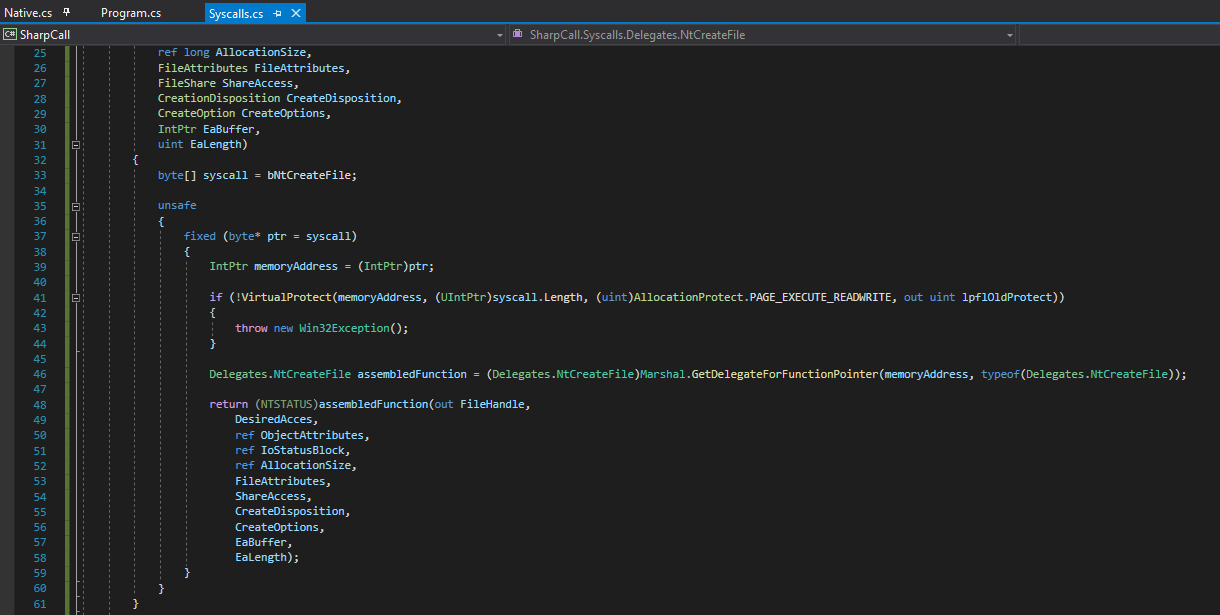
Marshal.GetDelegateForFunctionPointer turns the byte array into a callable delegate. Source: original article.Executing the Syscall
With the setup in place, Program.cs pulls everything together. The using static shortcuts make the call sites read more like managed code than P/Invoke gymnastics:
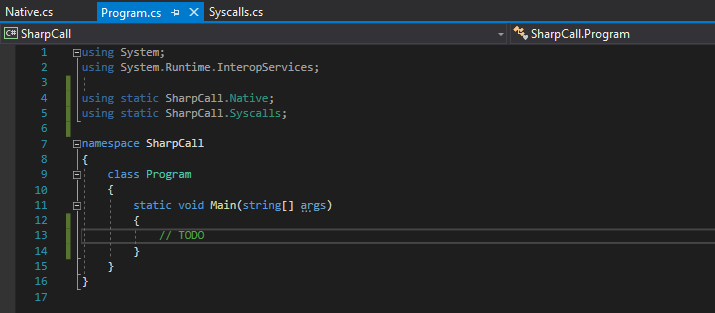
using static Native; using static Syscalls;. Source: original article.The kernel doesn’t take a managed string — it takes a UNICODE_STRING structure with an explicit length. RtlUnicodeStringInit in ntdll does the construction, and the C# program imports it through a small P/Invoke declaration:
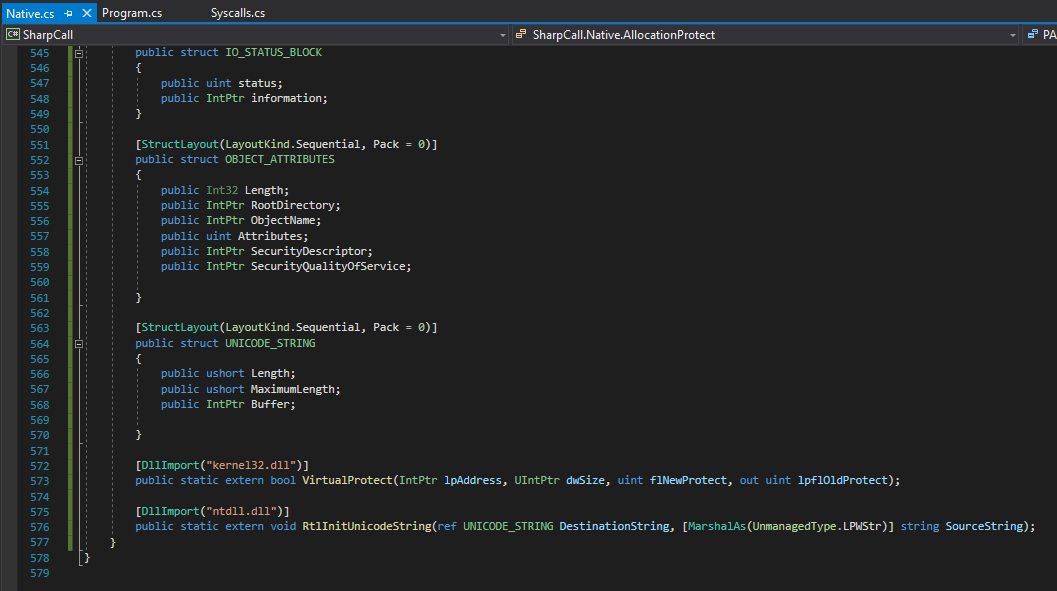
RtlUnicodeStringInit P/Invoke declaration. Source: original article.Inside Main, the SafeFileHandle output, the UNICODE_STRING for the NT-form path (\??\C:\Users\<user>\Desktop\test.txt), and the supporting structures are built up step by step:
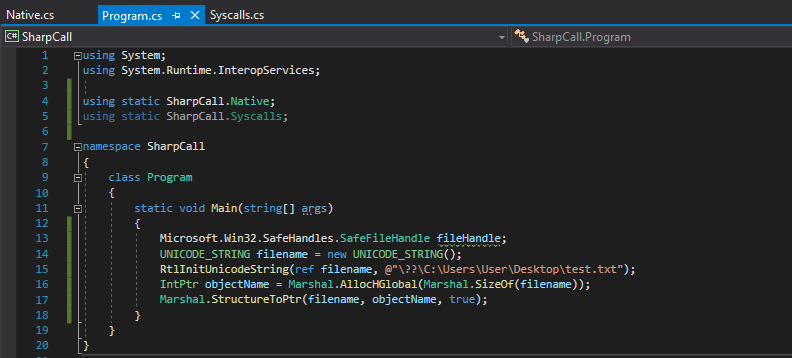
Main: SafeFileHandle and UNICODE_STRING setup. Source: original article.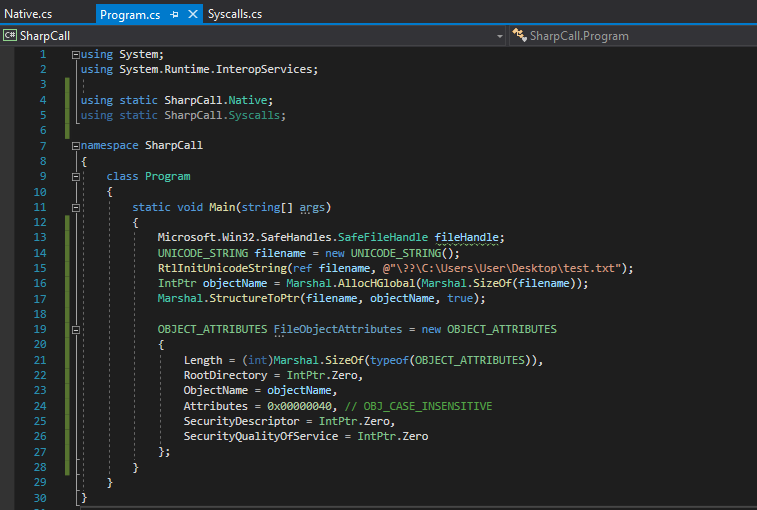
OBJECT_ATTRIBUTES initialised with the UNICODE_STRING and OBJ_CASE_INSENSITIVE. Source: original article.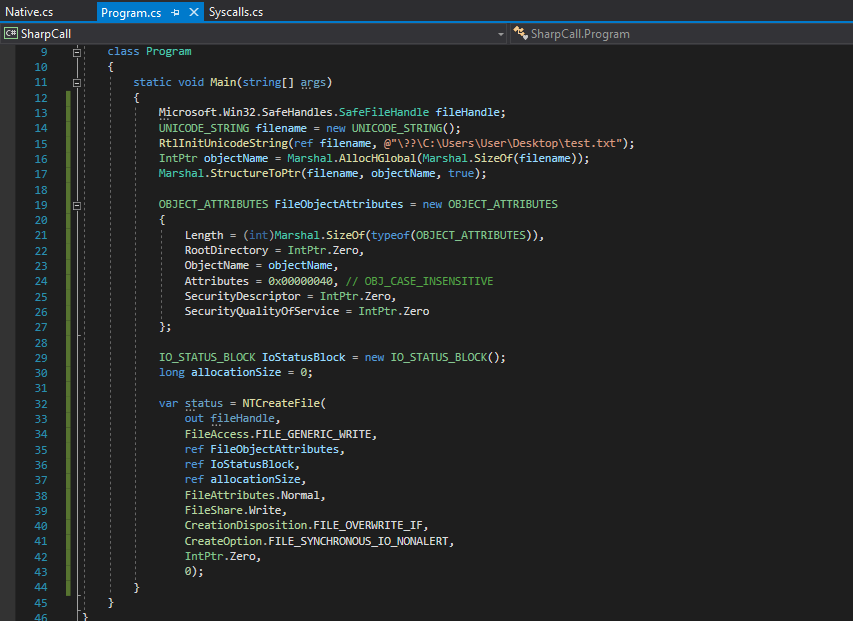
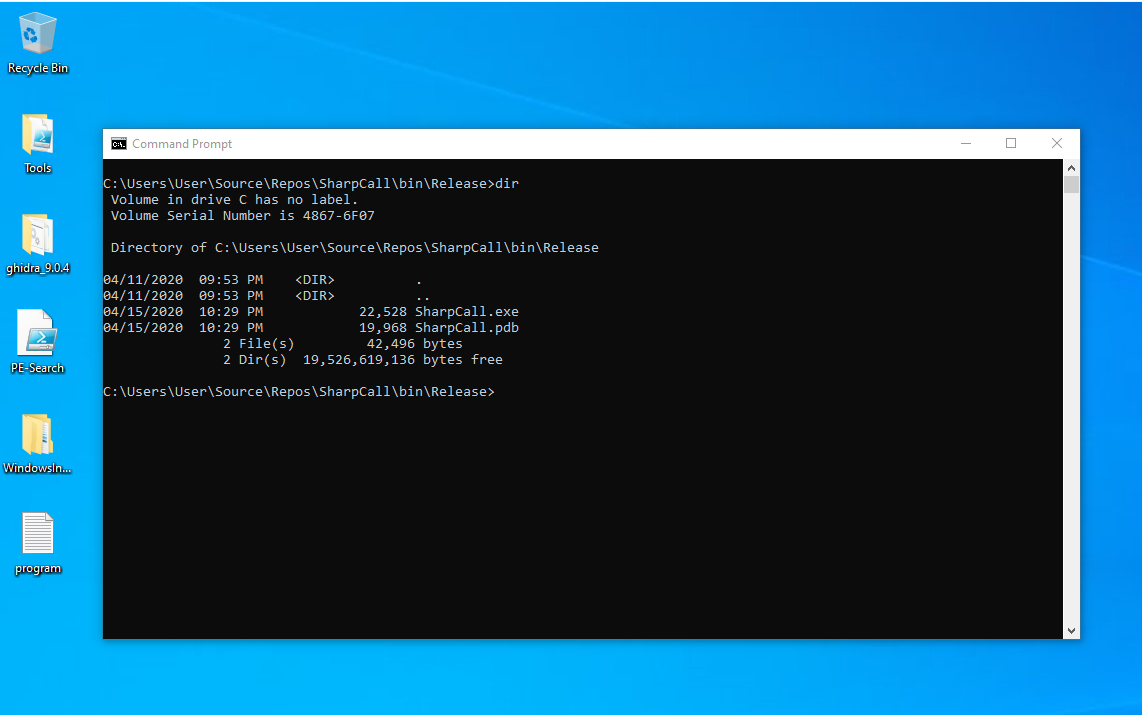
Program.cs: the IO_STATUS_BLOCK, the delegate call, the post-call NTSTATUS check. Source: original article.Building in Release/x64 produces a single executable. Halon shows the Visual Studio build output and the desktop directory before execution — the file is not there yet:
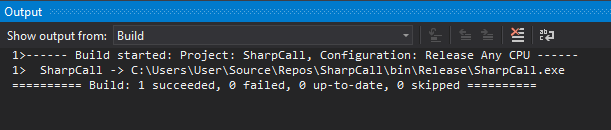
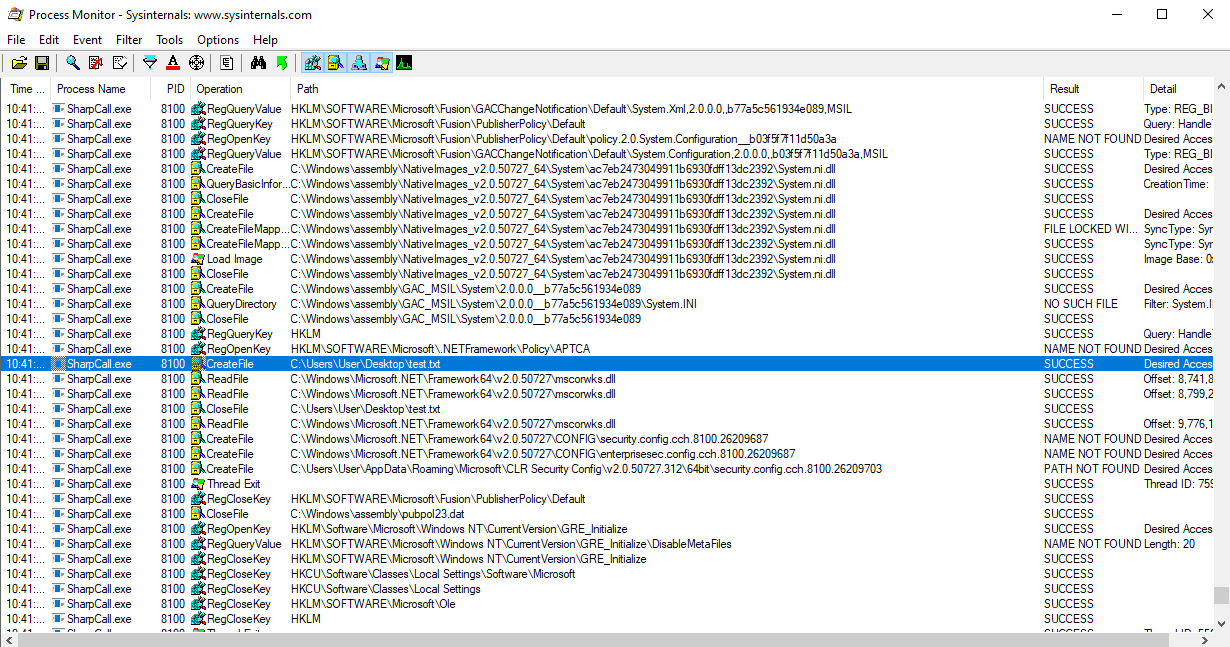
test.txt does not exist yet. Source: original article.After running, test.txt appears on the desktop — and the interesting part is what Process Monitor records about how it was created. The CreateFile event itself looks ordinary:
CreateFile on test.txt. Source: original article.But the call stack is the proof of work for the whole post. There is no ntdll!NtCreateFile frame — the program goes from its own buffer straight to the kernel transition:
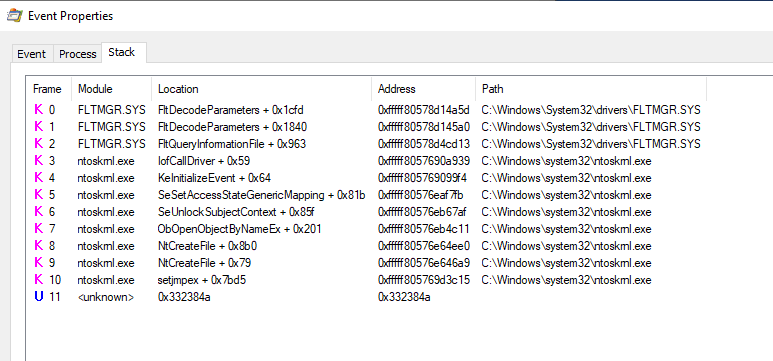
ntoskrnl.exe!NtCreateFile at the top, no ntdll frame between it and the user-mode caller. Source: original article.Closing (Original)
Halon closes the post by pointing readers at the companion repository — SharpCall on GitHub — which packages the same pattern as a library so the syscall stub, the delegate plumbing, and the supporting native types can be reused from other C# tools without copy-paste. He also nods to the wider ecosystem the technique slots into: SharpSploit for the broader C# offensive surface, Dumpert for direct-syscall lsass mini-dumps, and the SysWhispers project for generating fresh syscall stubs across Windows builds (since the numeric IDs drift between versions and are not stable across releases).
Key Takeaways
- The whole exercise exists to skip the one place every EDR is most likely to hook:
ntdll!NtCreateFile(and its siblings). Calling the kernel transition directly from your own buffer side-steps that hook entirely. - The byte stub is just
mov eax, <syscall>; syscall; ret— trivial once you have the syscall ID. The ID itself comes from disassemblingntdllin WinDbg (here,0x55forNtCreateFileon the target build) and is build-specific, not stable across Windows releases. - C# is not a barrier:
unsafe+fixedpins the array,VirtualProtectflips the page toPAGE_EXECUTE_READWRITE, andMarshal.GetDelegateForFunctionPointerhands you a callable delegate with the right calling convention. - Hard-coded syscall numbers are fragile across Windows builds — that’s the structural weakness this technique always carries. SysWhispers exists specifically to generate per-build stubs and is the standard scaling answer.
- The supporting plumbing —
UNICODE_STRINGviaRtlUnicodeStringInit,OBJECT_ATTRIBUTESinitialisation,IO_STATUS_BLOCK— is non-negotiable. Skipping it doesn’t fail at compile time, it crashes at the syscall. - The proof is the Procmon call stack:
ntoskrnl.exe!NtCreateFileat the top, nontdllframe underneath. If your detection stack only watchesntdllexports, you are blind to this entire class of evasion. - The pattern generalises: anything you can call through
ntdllyou can also call directly by extracting the appropriate syscall ID and reusing the same stub-plus-delegate harness. SharpCall packages this up so the per-syscall cost is low.
Defensive Recommendations
- Do not rely on user-mode
ntdllhooks alone. They’re a useful first-line signal, but a direct-syscall stub like the one in this PoC bypasses them by construction. Your detection stack needs telemetry that does not depend on user-mode interception. - Subscribe to the kernel-mode ETW Threat-Intelligence provider (
Microsoft-Windows-Threat-Intelligence). It emits events for the operations syscall-based payloads care about (VirtualProtectchanges, cross-process memory operations, thread context changes) from inside the kernel, where user-mode patching cannot reach. - Alert on
VirtualProtectcalls that flip pages toPAGE_EXECUTE_READWRITEfrom .NET or unmanaged processes that have no legitimate reason to do so. This PoC’s very first observable action is exactly that pattern. - Process Monitor (or equivalent) call-stack inspection is your friend. Stack frames missing
ntdllfor a syscall that always goes through it (e.g.,NtCreateFileon a managed process) is a high-signal anomaly worth alerting on. - Track the
UnmanagedFunctionPointer/Marshal.GetDelegateForFunctionPointerusage pattern from inside managed processes. There are very few legitimate red-team-style use cases — mostly interop with native libraries via well-known DLL paths, not via byte-array buffers in heap. - Enrich .NET-process telemetry with Module Load events. A .NET console binary that never loads
ntdll!NtCreateFilethrough normal CRT paths but still creates files is a behavioural anomaly worth surfacing. - Watch for SysWhispers-generated stubs in static analysis. The generated assembly patterns are recognisable; YARA rules over the canonical SysWhispers prologue catch the lower-effort end of this technique cheaply.
- Treat the existence of SharpSploit / SharpCall / similar tradecraft in unexpected processes as a strong signal. The build-time pattern of a small .NET 3.5 console app embedding a byte array, calling
VirtualProtect, and invoking via a delegate is itself unusual enough to be worth flagging in EDR rules.
Conclusion
The post’s value is that it strips the direct-syscall technique down to its smallest reproducible form. Once you have the byte stub, the fixed + VirtualProtect + Marshal.GetDelegateForFunctionPointer idiom is doing the same job a syscall stub generated by SysWhispers does in C/C++ — just expressed in C#. The Procmon call stack at the end is the entire payoff: ntoskrnl.exe at the top, no ntdll, no opportunity for a user-mode hook to fire. From a red-team perspective that’s the foundation; from a defensive perspective that’s a clear statement of what kinds of telemetry you cannot afford to lean on alone.
Original text: “Red Team Tactics: Utilizing Syscalls in C# – Writing The Code” by Jack Halon at Jack Hacks.